"What's on this weekend?"
Saturday's game, the birthday party at 2, and the fact that Sunday is open. Answers come from your family's real schedule, per kid.


AI family assistant
Ask Sense what time swim ends, who has pickup Thursday, or what's for dinner, and it answers from your family's real calendar. Forward it the school email or tell it what changed, and it updates the plan for everyone: calendar, reminders, lists, chores, and meals. Free on iPhone, Android, and web.


What you can ask
A family AI assistant is only useful if it knows your family. Sense answers from the calendar, lists, and meal plan your household already shares, and when you ask for a change, it makes it and tells you what it did.
Saturday's game, the birthday party at 2, and the fact that Sunday is open. Answers come from your family's real schedule, per kid.
Sense finds the right lesson for the right kid, moves it, and the reminder moves with it. Your partner sees the change without a text from you.
On the shared list for whoever is at the store. Works for packing lists, the back-to-school list, and anything else you keep in your head.
A week of meals that fits the nights you are actually home, with allergies and diets checked per person, and the ingredients on the grocery list. Meal planning.
A reminder for you, or for your partner or a kid. Recurring ones too: library books every Tuesday, trash every Sunday.
Lunchbox and dinner ideas, a rainy-day activity, help explaining fractions, a bedtime story. The everyday questions, answered with your family in mind.
It reads, too
The schedule arrives from the school, the coach, the camp, and the class group chat. An assistant you have to type all of that into is one more job. Sense reads it for you.
Forward the six-page newsletter and every date, deadline, and what-to-bring lands under the right kid. Set a Gmail or Outlook rule once and you stop forwarding too. How school emails work.
The flyer on the fridge, the season schedule, the screenshot from the team app. Snap it or share it and the events are on the calendar.
Forward the message from the class group to the Sense contact and it replies with what it added. Sense never reads your groups, only what you forward. Sense on WhatsApp.
Where it lives
Ask Sense is built into the app on iPhone, Android, and the web. Type, or tap the mic and say it when your hands are full.
Sense is a contact in your WhatsApp. Ask about the week, forward a message, or get the morning digest in the same chat. Part of Premium.
Text Sense from any phone, the way you'd text your partner: a photo of the flyer, a pickup change, a question about Saturday. Coming soon with Sense Premium+. See how it works.
Already talk to an AI assistant all day? Connect Sense and it can see and update your family's calendar, lists, chores, and meals. Sense in ChatGPT and in Claude.
Add an event or a list item out loud from the car or the kitchen. Siri and Alexa.
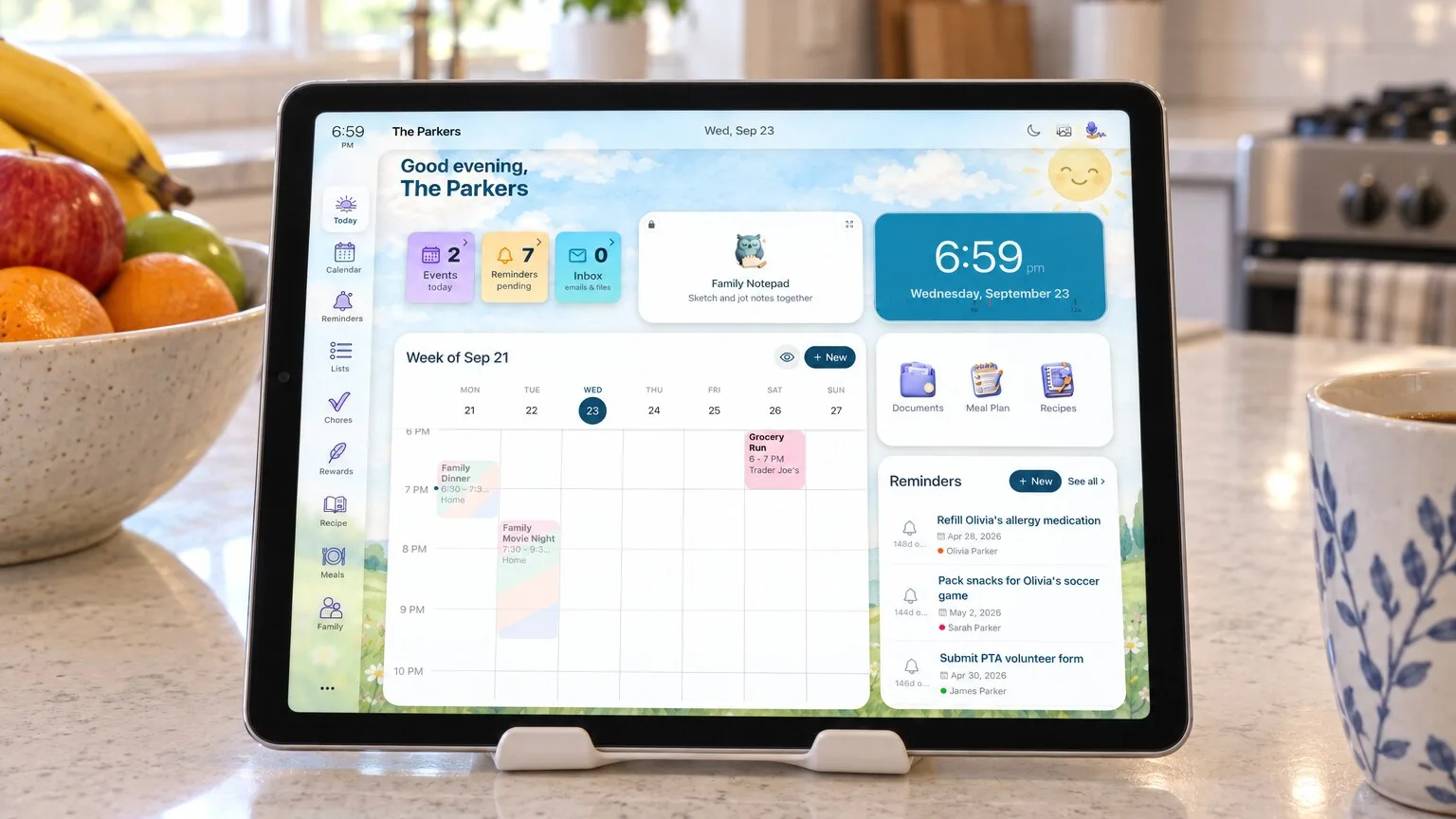
An old iPad or Android tablet becomes the family display, so the kids read the day off the counter instead of asking you. See Sense Hub.
It knows your family
Sense keeps a picture of your household: who each person is, which school and grade, the activities, the allergies, the routines. Everything you forward or tell it adds to that picture, and you can tell it to forget anything. That is the difference between an assistant for your family and a chatbot you have to brief every time.
Compared
ChatGPT, Claude, and Gemini are good at ideas and drafts. They are built for one person, and they start each family question without your family's schedule. A shared calendar app has the schedule and nothing to ask.
| Sense | A general AI assistant on its own | A shared calendar app | |
|---|---|---|---|
| Answers from your family's real schedule | Yes | Only what you paste in or connect | Nothing to ask |
| Makes the change when you ask | Yes, and tells you what it did | Drafts it for you to enter | You type it in |
| Reads school emails, flyers, and PDFs | Yes, into events under the right kid | Summarizes them | Rarely |
| The whole family sees the result | Yes, on every phone and the kitchen tablet | No, one person's chat | Yes |
| Remembers each family member | Yes, schools, activities, allergies, routines | Partly | No |
| Chores, rewards, meal plans, grocery lists | Yes | Ideas, not a shared system | Some |
| Morning digest and schedule-change alerts | Yes | No | Reminders only |
| Price | Free, or $6.99/mo per household | Free or about $20/mo per person | Free to about $80/yr |
Named comparisons: the best AI family assistants of 2026, Sense vs Ohai, Sense vs Nori, Sense vs Fambot, and Sense vs Cozi. Looking for the same thing under another name? See AI family organizer and AI chief of staff for families.
Privacy
Sense never connects to your inbox. It reads the email you forward, the photo you snap, and the message you send it, and every event links back to where it came from so you can check its work. Forwarded emails are deleted after 90 days and only the events remain. Our AI providers do not use your content to train their models. The full policy.
FAQ
An AI family assistant is an app you can ask and hand things to, the way you would a person who helps run the house. It knows the family's calendar, lists, chores, and meals, answers questions about the week, and makes changes when you ask. Sense is an AI family assistant that also reads the school and activity emails you forward, so the schedule it answers from is already filled in.
ChatGPT is a general assistant for one person. It does not know your family's schedule unless you paste it in, and your partner and kids cannot see what it tells you. A family AI assistant like Sense keeps one shared calendar, list set, chore chart, and meal plan for the whole household and answers from that. If you already use ChatGPT or Claude, you can connect Sense to either one and ask about your family's week there.
No. Sense only reads what you send it: a forwarded email, a photo, a PDF, or a WhatsApp message forwarded to the Sense contact. You can set a Gmail or Outlook rule for the school and team senders that matter, so it stays hands-off without Sense connecting to your inbox. Our AI providers do not use your content to train their models.
Yes. Tap the mic in Sense and say it, ask through Siri or Alexa, or message Sense on WhatsApp (Premium). Sense Assistant, which lets you text Sense from any phone, is coming soon as part of Sense Premium+.
Yes. Every adult in the family can ask Sense and sees the same calendar, lists, chores, and meals. Kids get their own screen in Kid Mode, and a tablet on the counter can show the whole family's day.
Sense is free with a shared family calendar, reminders, lists, and 10 AI actions a month. Premium is $6.99 a month or $59.99 a year for the whole household, with unlimited AI capture plus chores, meal planning, medications, and allowance. No per-person pricing. Pricing.
Free on iPhone, Android, and the web. No credit card. The first email takes about a minute.