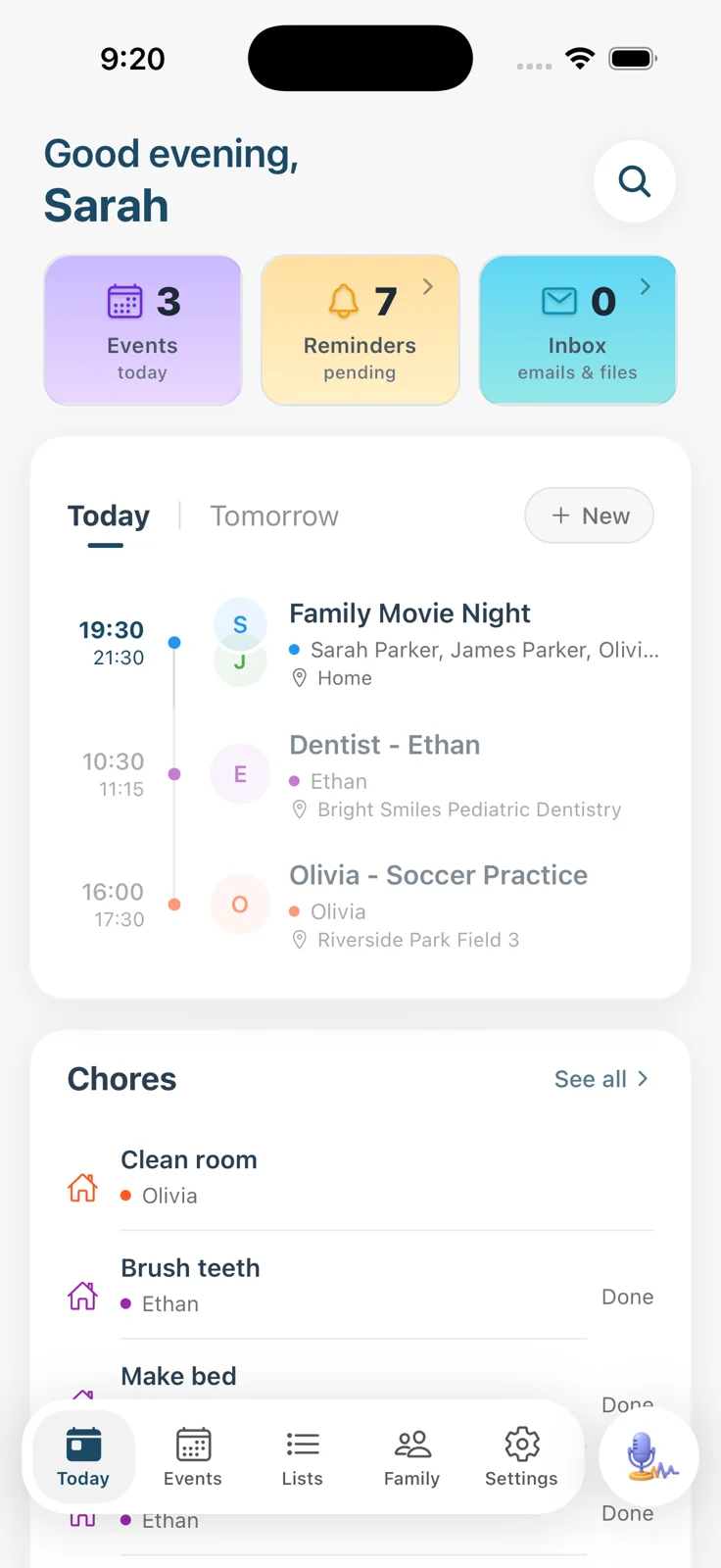
It does the typing
Forward the email, snap the flyer, share the group chat. Sense reads it and adds the event with the date, time, location, and which kid it belongs to. Six-page newsletters included.
How email to calendar works

Forward the school newsletter, snap the flyer, share the coach's WhatsApp. Sense puts every date on one shared calendar the whole family can see, files it under the right kid, and catches the reminders and to-dos that came with it.


Or search for Sense Family in the App Store and Google Play.

Watch it happen
This is the part every other family calendar leaves to you. Sense reads the newsletter and the coach's message, finds every date, and puts each one where it belongs. The numbers show which phrase became which event.
What arrived
Maplewood ElementaryForwarded
October family newsletter
Dear families, a busy few weeks ahead. 1The museum field trip is Thursday, October 16, and 2permission slips are due back by Monday. Please note 3Friday, October 17 is early dismissal with pickup at 1:15. Save the date for the 4Fall Bake Sale on Friday, November 7 from 3 to 6…Coach Dan · Riverside SoccerShared from WhatsApp
5Practice moves to 5:30 this Tuesday, field's double booked.
Still need 6orange slices for Saturday's game.
Your family calendar, seconds later
Week of October 13
6 things handledMon
13
Tue
14
Wed
15
Thu
16
Fri
17
Sat
18
Sun
19
Nothing typed. Each event has the right time, place, and kid, and the coach's change updated the practice that was already on the calendar instead of adding a second one.
What makes it an AI family calendar
Forward the email, snap the flyer, share the group chat. Sense reads it and adds the event with the date, time, location, and which kid it belongs to. Six-page newsletters included.
How email to calendar worksEvery event is filed under the right family member in their color. Look at Olivia's week, Ethan's week, or the whole household at once, on any screen.
See the calendar viewsPractice moves to 5:30 and now overlaps pickup. Sense updates the event when the change lands and flags the clash before you're double-booked in the driveway.
How Sense worksThe permission slip becomes a reminder the night before it's due. Orange slices land on the grocery list. The calendar is one part of the plan, not the whole thing.
Everything Sense doesOne calendar, every screen
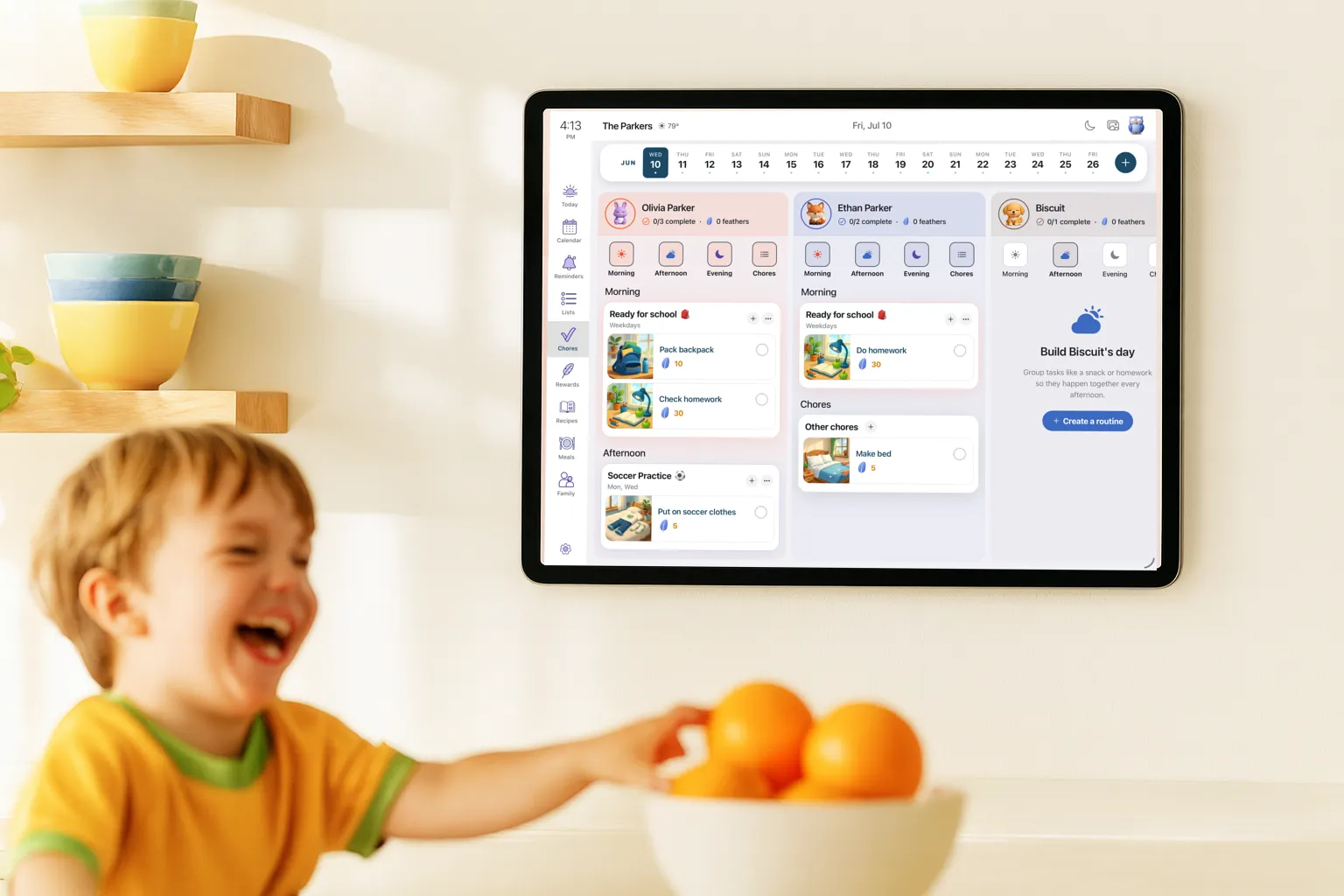
If everyone still has to ask you what's happening this week, nothing changed. The same calendar lives on every phone in the family and on the spare tablet in the kitchen.
Capture
Email is the big one, but the week also arrives as flyers, screenshots, PDFs, and a sentence shouted across the kitchen. Every one of these lands on the same calendar.
Already have a calendar?
Nothing to rip out and nothing to re-enter. The Google calendar you share with your partner stays where it is. Sense just stops you from being the one who types into it.
Connect the calendars the family already lives on so the whole week shows up in one place.
Subscribe to your Sense calendar from any calendar app, so the events Sense adds appear where your partner already looks.
Side by side
Questions
A shared family calendar where the AI does the intake. Instead of typing every event, you forward the school email, snap the flyer, or share the group chat, and Sense pulls out the dates, deadlines, and to-dos and puts them on the right day for the right kid. The rest of the family sees the same plan on their phones or on a tablet in the kitchen.
Forward it to share@getsense.ai. Sense reads the whole thing, including the date buried in paragraph four, and creates an event for each one with the time, location, and which child it applies to. You get a summary of what was added and can fix anything in a tap. More on school emails.
No. Sense only sees the emails you forward and the photos, screenshots, and messages you share to it. Your inbox stays your inbox, and nothing you send is used to train AI models.
Yes. Bring Google, Outlook, and iCloud calendars into Sense, along with school and team iCal feeds, so the whole picture is in one place. You can also subscribe to your Sense calendar from any calendar app, so the events Sense adds show up where your partner already looks.
Yes. Every family starts with full access free, no card required. The free plan keeps the shared calendar, reminders, lists, and 10 AI actions a month. Premium is $6.99 a month or $59.99 a year for unlimited AI capture plus chores, meal planning, medications, and allowance. See pricing.
Most family calendars start with a blank month and wait for you to type. Sense starts with what you're already being sent. It runs on the phones and the spare tablet you already own, so there's no wall screen to buy, and the calendar is one part of a plan that also holds reminders, lists, chores, and meals. Sense vs Cozi.
Everyone in the family sees the same plan on their own phone, and Sense Hub turns any tablet into an always-on display for the kitchen. Kids check their day and their routines on the family tablet in kid mode, with no account or login of their own. A nanny or grandparent who does pickups gets a private link to their plan, with no app or account on their end.
Every email you forward comes back with a summary of what Sense added, so you can see the events at a glance and change a time or a kid in a tap. Fixes stick, and the calendar never adds a duplicate when the same event arrives twice.
Free to start. Forward one newsletter and watch the week fill itself in.
4.8 on the App Store 5.0 on Google Play 2,000+ families