The headline event
"Book Fair: May 12-16" - title, date range, often a recurring all-week event.


Backpack flyer
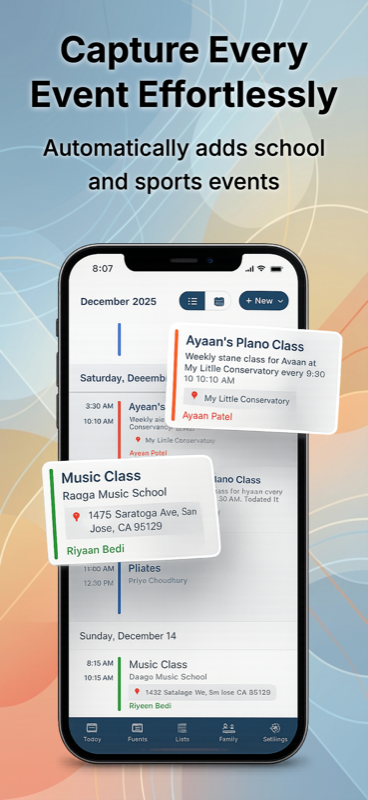
Photo a school flyer, swim meet poster, or library handout - Sense reads the flyer and puts the event on your family calendar with reminders before any RSVP deadlines.


How it works
Step 01
Walking out of school, unpacking the backpack, dropping the mail. Take the photo while you remember.
Step 02
Tap attach in chat and pick the photo. Or share directly from iOS Photos via the share sheet.
Step 03
The event is on the calendar. Sense will nudge you before the RSVP deadline.
What Sense pulls
"Book Fair: May 12-16" - title, date range, often a recurring all-week event.
"Please respond by Friday" - Sense creates a separate reminder so you don't miss it.
Room number, drop-off door, parking, what to wear - saved in event notes.
"$5 fundraiser", "bring a snack", "wear sneakers" - the details that prevent jeans-on-jersey-day.
A community center quarterly program with 15 events - all extracted as separate calendar items.
Forgiving. Just get the date and title visible - the rest works. It's the same engine behind photo to calendar.
The flyers that pile up
Book fair, picture day, spirit week, fundraiser. Half-page handouts that disappear within 24 hours.
Swim meet on the locker room door, soccer tryouts on the gym wall, dance recital save-the-dates.
Paper invites. Date, time, address, RSVP deadline, parental drop-off vs stay-with-child detail.
Quarterly community center program, library kids' calendar, museum free-admission day.
Registration windows, info nights, sample week schedules - dates buried in 8pt italic at the bottom.
Temple, church, mosque, gurdwara - holiday and event flyers in any language Sense supports.
FAQ
No. A wrinkled, folded, slightly angled phone photo works fine. Sense's AI handles imperfect images. Try to get the date and title in clear view - the rest is forgiving.
A school event calendar flyer or a community center's quarterly poster can have 10+ dates. Sense pulls each one as its own calendar event. You'll review them and save the ones that apply.
Most school and community flyers are exactly that. Sense reads through the design and pulls out dates, locations, RSVP deadlines, and what to bring.
Yes. Long-press the photo in Photos, share to Sense - skips opening the app first. Sense imports the flyer image directly into chat.
Sense is free to download. Premium is free to try, no card required.