No public link
Until now, getting iCloud into another app meant publishing your calendar to anyone with the link. This connects privately instead.


iCloud calendar sync
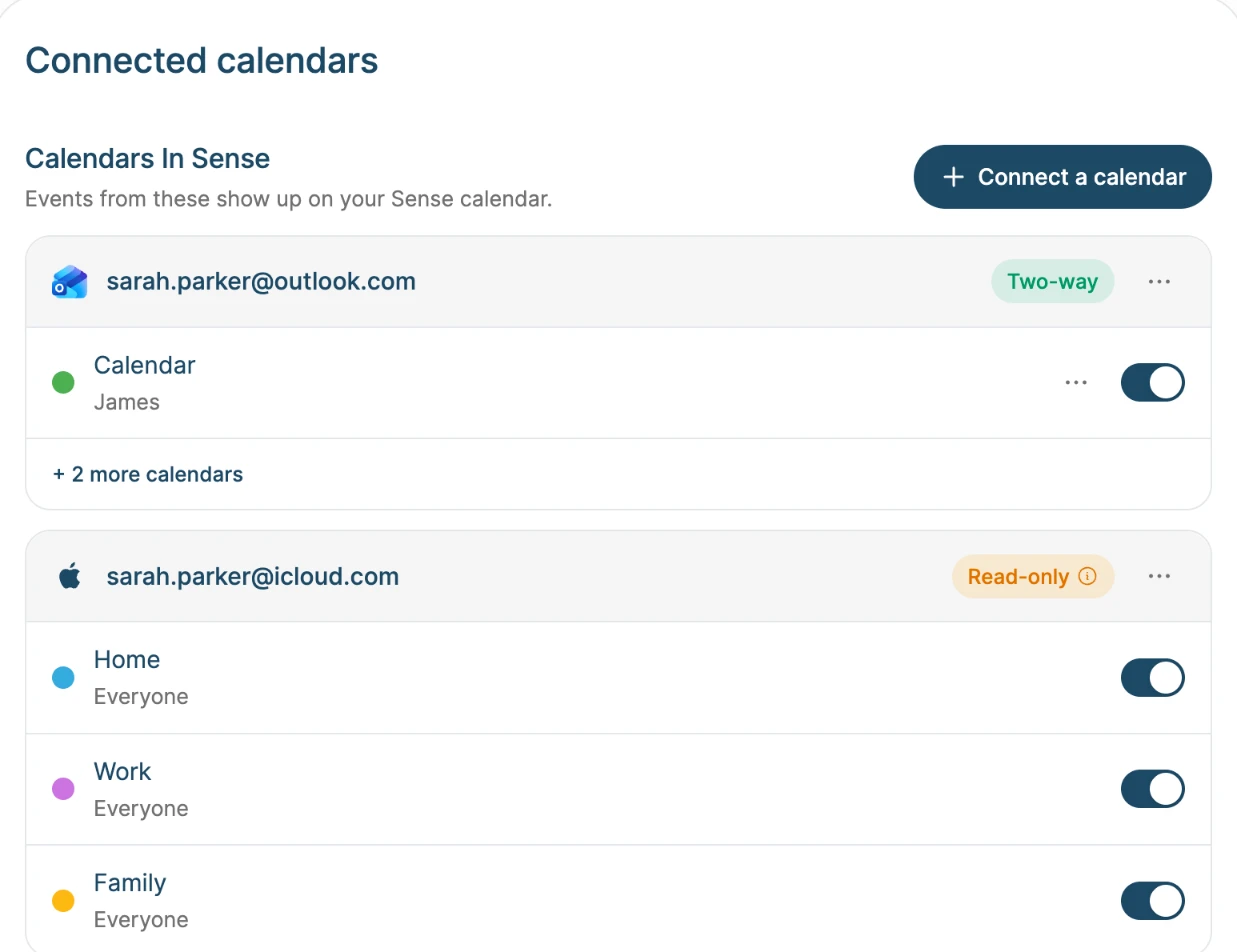
Connect your iCloud account and the calendars in the Calendar app on your iPhone, iPad, and Mac show up in Sense. Nothing has to be made public, and edits and cancelled days follow along.


How it works
Step 01
Go to account.apple.com, open Sign-In and Security, then App-Specific Passwords, and make one called Sense. Apple uses these so other apps never see your Apple ID password.
Step 02
In Sense, open Settings, then Connected Calendars, tap Connect a calendar, and choose Apple Calendar. Enter your iCloud email or phone number and paste the password.
Step 03
Choose which iCloud calendars to sync. Give each one a color and the family member it belongs to.
What syncs
Until now, getting iCloud into another app meant publishing your calendar to anyone with the link. This connects privately instead.
Move one Monday of a weekly lesson, or end a series early, and Sense shows the same thing your iPhone does.
Add, edit, or delete in Apple Calendar and Sense picks it up on its own.
Sense starts with the colors from Apple Calendar. Change them, and say who each calendar belongs to.
Sense only ever reads your calendars. The password is stored encrypted and is only sent to Apple's iCloud servers.
Delete the password at account.apple.com and Sense stops syncing, then asks you to reconnect.
Why families connect it
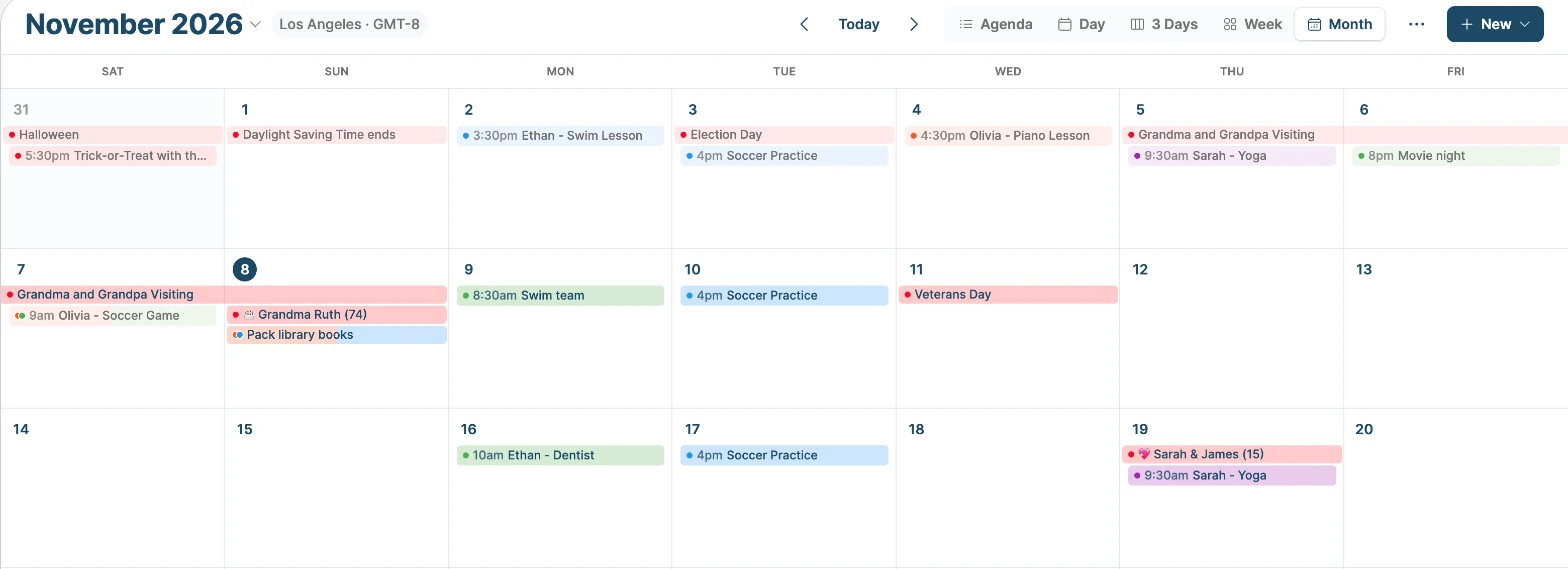
Keep adding events on your iPhone the way you always have. They show up for the whole family in Sense.
An Android-using partner sees your iCloud events in Sense without an Apple account.
Your iCloud events sit beside the school newsletter events, chores, and the meal plan, so the week makes sense at a glance.
iCloud events show on Sense Hub, the always-on family display.
Ask Sense "What's on Saturday?" and the answer includes your iCloud events.
FAQ
Not yet. For now iCloud syncs one way, from iCloud into Sense, so edit iCloud events in Apple Calendar. Sending changes made in Sense back to iCloud is coming. You can also add your Sense calendar to Apple Calendar as a subscribed calendar.
Apple doesn't let other apps sign in to iCloud with your Apple ID password. An app-specific password works only where you paste it, and you can revoke it without changing your Apple ID password.
Only iCloud calendars are listed. Calendars On My iPhone, and Google or Exchange calendars added to your iPhone, aren't stored in iCloud. Connect those directly with Outlook sync or Google Calendar sync.
Connect iCloud, then remove the link calendar from Sense so events don't show twice. You can then turn Public Calendar off in Apple Calendar.
Connecting iCloud is part of Premium, which is free to try.
Sense is free to download. Premium is free to try, no card required.