Absolute dates
"May 14 at 6pm", "5/14 6:00 PM", "the 14th of May" - all the same event.


Paste any text
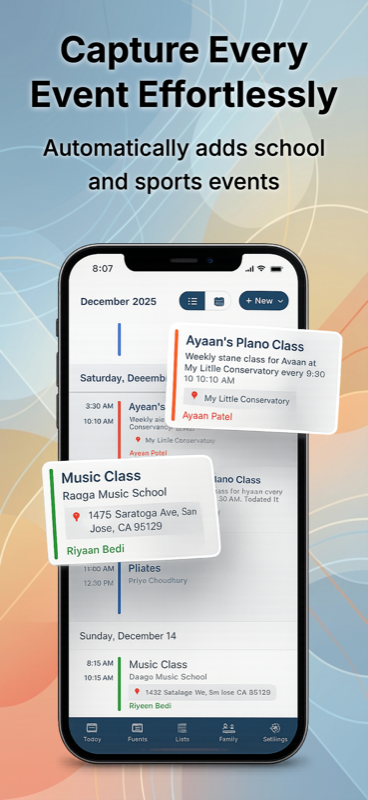
Drop a copied note, a transcribed voicemail, an itinerary, or a list you typed into Sense chat. AI reads it and adds the events to your family calendar.


How it works
Step 01
From wherever - browser, notes app, voicemail transcript, anywhere you can select text.
Step 02
No special command, no "/event" prefix. Just paste.
Step 03
Review what was found, edit anything, save the ones you want. Multiple events in one paste? All of them get extracted.
Date formats
"May 14 at 6pm", "5/14 6:00 PM", "the 14th of May" - all the same event.
"Tomorrow", "next Thursday", "the Friday after Memorial Day", "in two weeks". Resolved from your timezone and today.
"Every Wednesday at 4 for 8 weeks", "the first Monday of each month" - creates the right repeating event.
"Monday through Friday next week, all-day camp" - one repeating event, not five separate ones.
DD/MM, MM/DD, ISO, written out, or shorthand - Sense uses context to interpret correctly.
Paste a whole list - 10 dates, 20 dates - Sense files each as its own event.
Where text lives
"Dr. Patel's office calling to confirm Marcus's appointment for Tuesday at 3:15." Paste the transcript.
Soccer team details you typed in Apple Notes during the coach's meeting.
Select-and-copy from a library calendar or museum page where the URL doesn't behave.
"Tuesday 6am garbage, Thursday 8pm parent meeting, Saturday haircut 11am." Type, paste, done.
The full body of a travel agent's email - flights, check-ins, dinners. Paste once, get every event.
Took photos of a handout and dictated them into Notes. Paste into Sense and skip the manual typing.
FAQ
No. Sense reads natural language. Type "Asher's birthday party Saturday at 2pm at Liberty Park" and Sense extracts the date, time, title, and location.
Yes - though forwarding is usually faster because Sense handles attachments and quoted threads automatically. Pasting is great for text you copied out of one app that you can't forward.
Paste a list of dates - a copied workout plan or trip itinerary - and Sense extracts each one as its own event. No limit on the number per paste.
Yes. 5/14, 14/5, 14 May, May 14th, 2026-05-14, "the 14th" - Sense uses surrounding context to interpret correctly.
Sense is free to download. Premium is free to try, no card required.