Suggested library
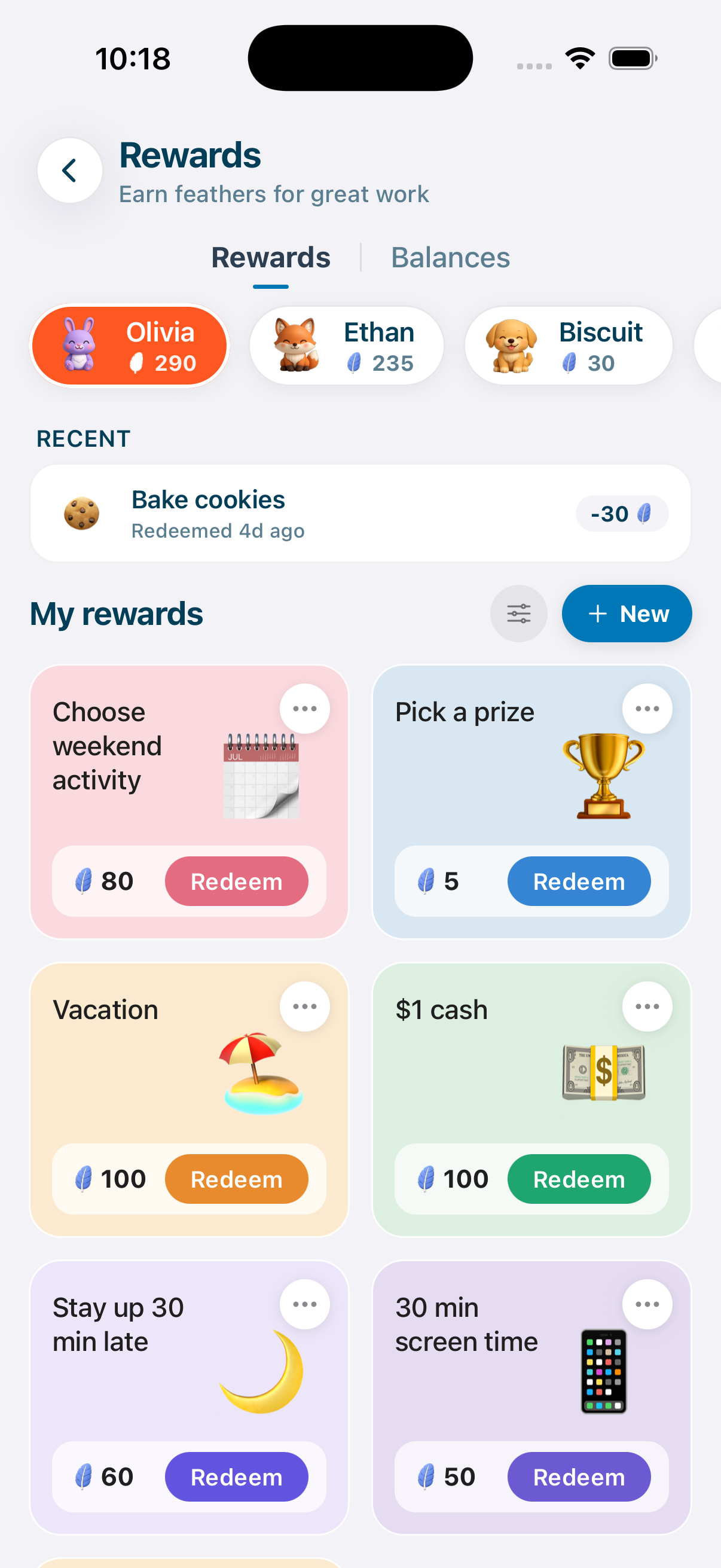
A starter catalog grouped by category - screen time, treats, privileges, outings. Tap to add. Hide what doesn't fit your family.


Rewards
Extra screen time. Stay up late. Choose the weekend activity. Set the rewards you already negotiate over, and kids earn them by doing the things you'd ask twice anyway.



How it works
Step 01
Start with a suggested library or write your own. Movie night, friend sleepover, pick dessert - whatever makes sense for your family.
Step 02
Chores done, routines completed, helpful moments. Feathers add up in their balance. They watch it grow.
Step 03
Kid opens Rewards on their device, picks what they've saved for, taps Redeem. No asking. No negotiating. It just works.
The catalog
A suggested library organized by what most families actually trade with their kids. Tap any one to add it to your catalog. Edit the cost. Make it yours.
50 feathers
60 feathers
80 feathers
100 feathers
100 feathers
300 feathers
Built for this
A starter catalog grouped by category - screen time, treats, privileges, outings. Tap to add. Hide what doesn't fit your family.
Anything you can name, you can reward. Add a title, pick an emoji, set the feather cost. Done.
Sense looks at how fast your kids earn feathers and suggests reward costs that feel earned, not impossible.
Tap a name and you see exactly what that kid has earned. Each child has their own balance, their own redemptions, their own picture. No mixing up whose feathers are whose.
The last redemption is always one tap away. Misclick or change your mind? Undo it and the feathers come back. No drama, no spreadsheet.
Kids redeem for themselves only. They can't change costs, edit the catalog, or redeem for a sibling. PIN-protected for the rest.
The shift
Every reward is a negotiation. You bargain over screen time and bedtime nightly. Sticker charts get abandoned by week two. Kids forget what they earned and you forget what you promised. The reward stops feeling like a reward.
The price is on the wall. Kids see what each thing costs, save up, and decide for themselves. They learn that effort buys what they want - and that some things cost more than others. The bargaining ends because the system already answered.
Chores
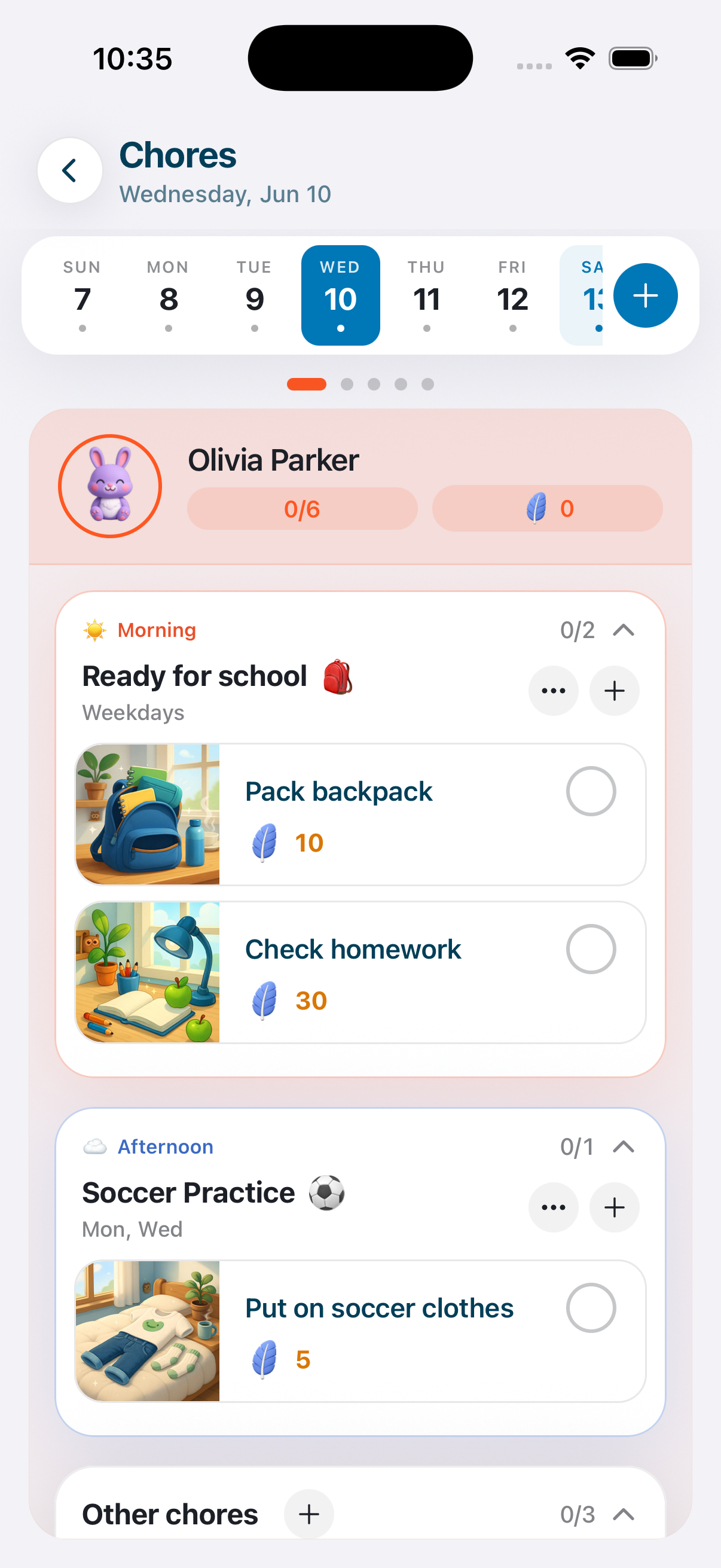
Assign chores, set what each one's worth, let kids check them off. The feathers flow straight into their reward balance.
See how Chores worksAllowance
Some families pay allowance. You can set a feather-to-dollar rate and let kids cash in for savings goals - bigger items they want to plan for.
See how Allowance works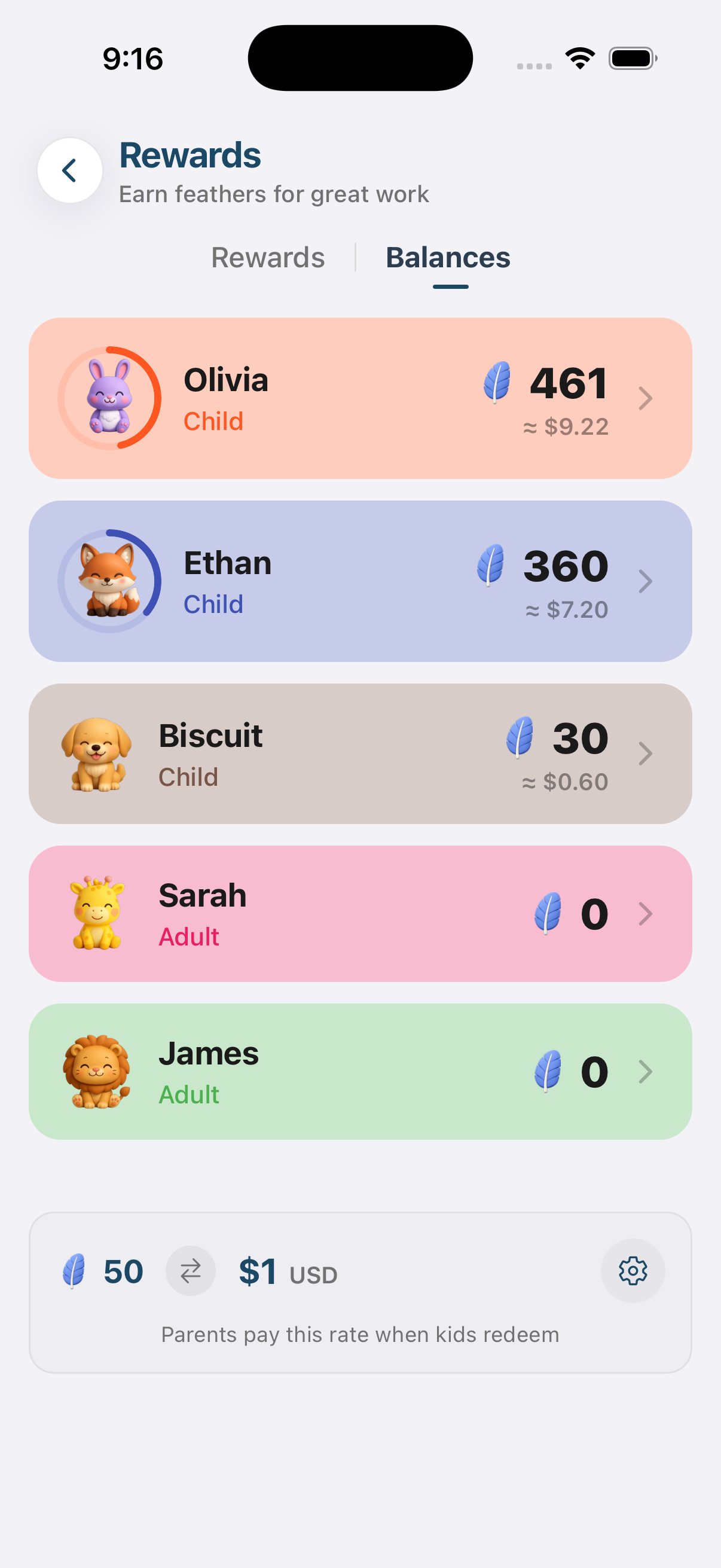
Rewards start with a chart. Our printable chore chart by age is free and lists what real families assign to kids from 2 to 18.
Set the prices once. Let the system handle the rest. You go back to being the parent.