School district calendars
Holidays, half days, conferences. When the district moves something, your calendar moves with it.


ICS calendar feeds
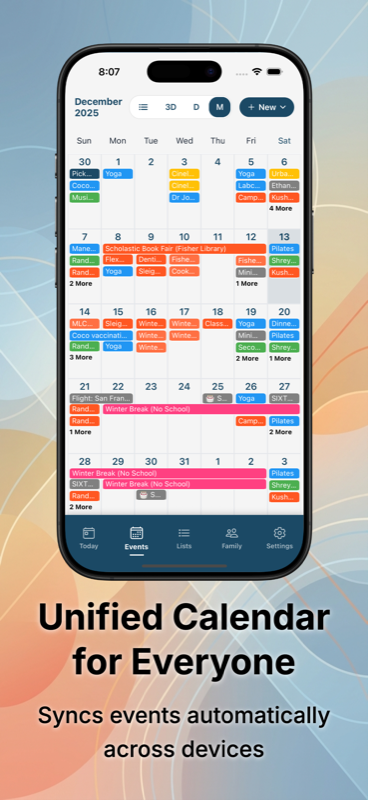
Connect any ICS calendar - school district, sports league, work, holidays - and Sense refreshes it every hour. When the source moves an event, your family calendar moves with it.


How it works
Step 01
Most schools and leagues have a "Subscribe" button or an iCal/webcal URL on their calendar page. Copy it.
Step 02
Settings -> External Calendars -> Add Feed. Paste the URL, name the source.
Step 03
Events show up labeled by source. The feed refreshes every hour - updates flow through automatically.
Walkthrough: How to add a school calendar feed.
Best uses
Holidays, half days, conferences. When the district moves something, your calendar moves with it.
TeamSnap, SportsEngine, GameChanger - most publish ICS feeds. Game rescheduled? Sense knows within an hour.
Subscribe to a busy-only feed so your family sees when you're booked without exposing meeting details.
National holidays, religious calendars, school spirit weeks - public ICS feeds exist for most of them.
The other household's ICS-shared calendar keeps custody days, school pickups, and weekend plans visible.
Got a one-off .ics file? Use the in-app "From calendar file" option to import once - no ongoing subscription needed.
Feeds vs forwarding emails
School year, sports season, work schedule. One subscription beats forwarding 40 emails - and you get updates free.
Permission slips, newsletters with new info each Friday, one-off coach emails. Email to calendar handles those.
School district ICS for scheduled events, email forwarding for everything else.
You can add reminders and attach family members, but the title and date stay owned by the source.
One person subscribes - the events show up for every signed-in family member.
School + soccer + work + holidays. Add as many as you need - each tagged by source.
FAQ
Every hour. When the school adds or moves an event, your Sense calendar reflects it within an hour - no manual refresh needed.
Events from external feeds are read-only in Sense - they're owned by the source calendar. You can add reminders and attach family members to them, but the date and title come from the feed.
Most school districts publish an ICS or iCal subscribe link from their public calendar page. Look for buttons labeled "Subscribe", "iCal feed", or a URL ending in .ics. Our school calendar setup guide walks through how to find it.
Yes. The in-app New Event flow has a "From calendar file" option - browse to any .ics file on your device or in cloud storage. One-time import (not a live feed).
Sense is free to download. Premium is free to try, no card required.