Build with Sense™ - the family calendar API

Wire your family calendar into your house.

A printer that hands you tomorrow's plan on the way out. A tag on the dog bowl that ticks off "feed the dog". A TV that stays off until the chores are done. We'll never ship these in the app, but you can build them in an evening on the same calendar, lists and chores your family already uses.

How it fits together

Something happens in your house. Everyone's Sense knows.

Your gadget or script makes one call to Sense. The change lands in the shared family plan, so it shows up on every phone and on the Hub, the same as if someone had typed it in.

1Something in your house

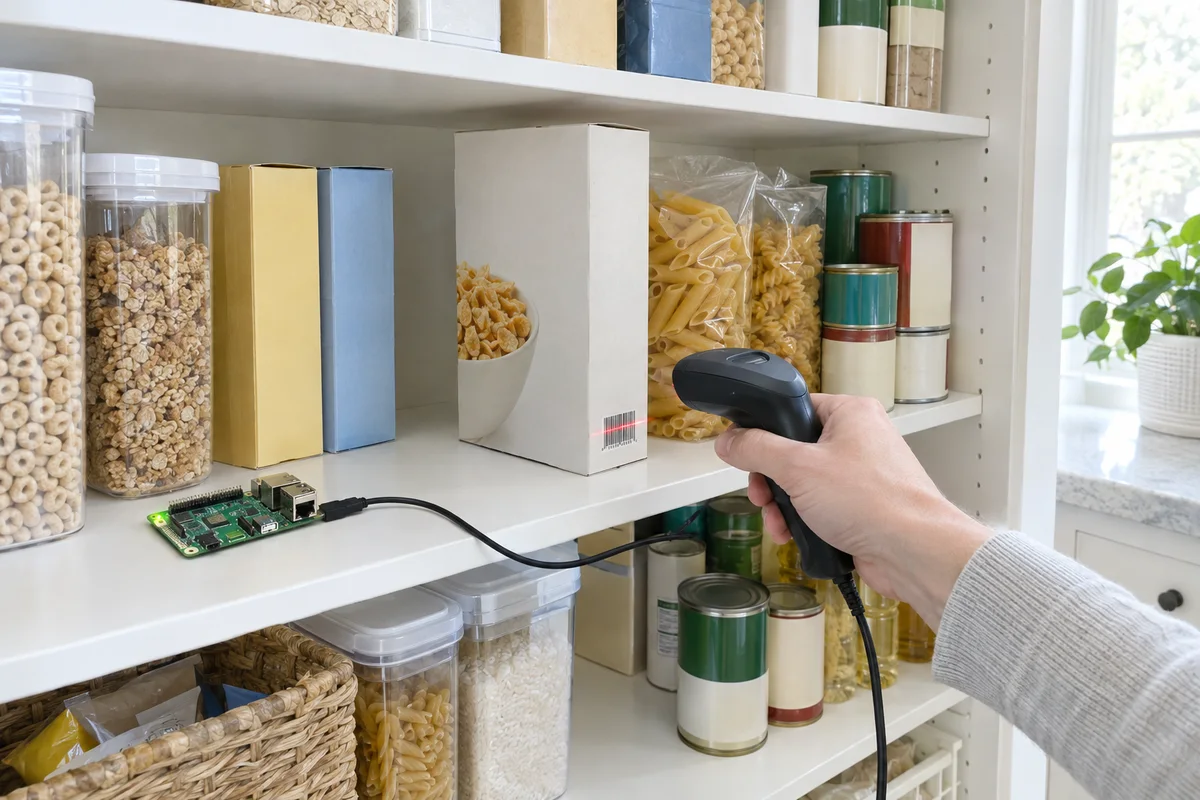
A hand scanning the barcode of an empty cereal box in a pantry

2One call to Sense

sense("add_to_shopping_list", items=["Granola"]) An HTTP POST with your token. No SDK, no server to run, any language.

3On every phone in the family

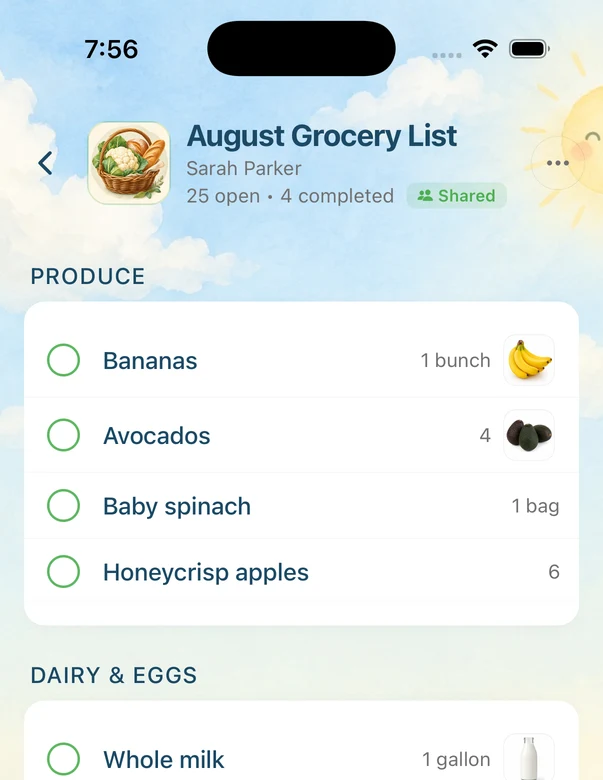
The Sense app showing the family's shared grocery list

Five small builds

Things we'll never put in the app, and you can make tonight.

Each one is a few lines of code and a gadget you can buy for under $30, or already own. Open the code, change the names, run it.

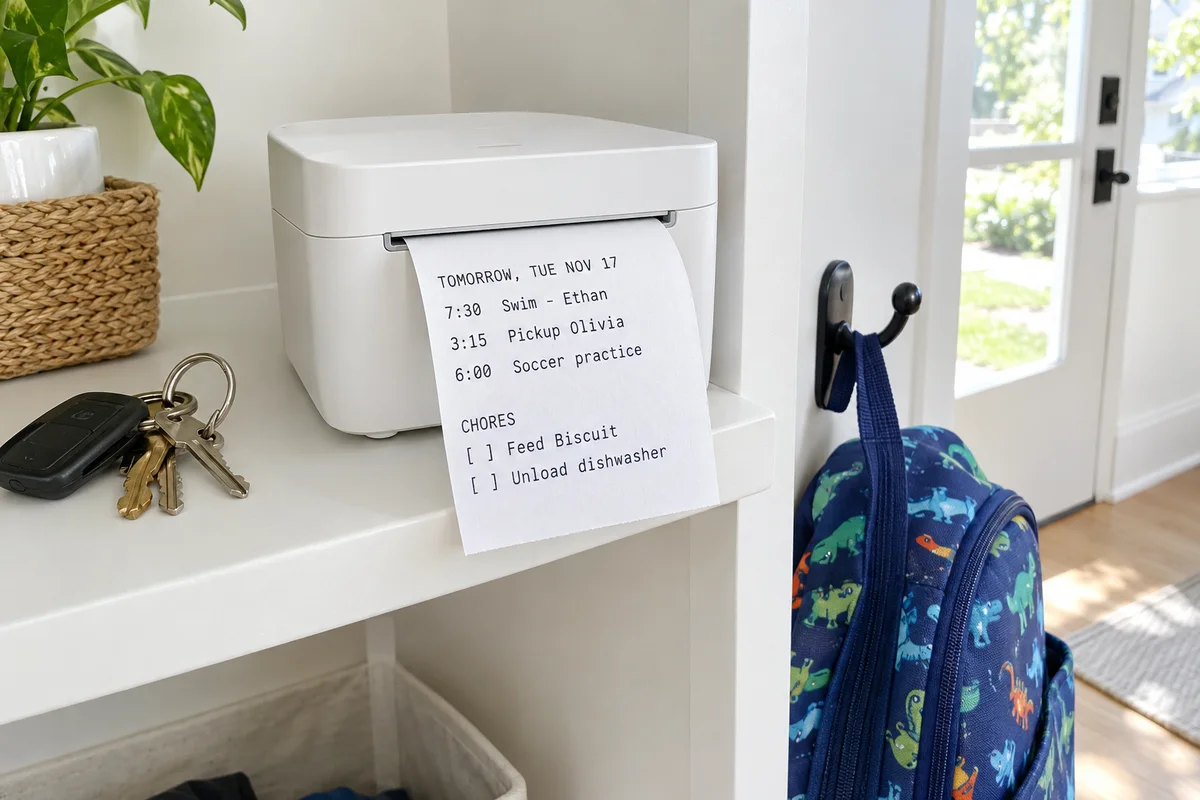
A small white receipt printer on an entryway shelf with a printed strip listing tomorrow's events (swim, pickup, soccer practice) and two chores, next to keys and a kid's backpack

01 · Entryway

Tomorrow's plan, printed by the door

Every night at 9, a cheap receipt printer prints tomorrow's events and chores on a strip of paper. Tear it off on the way out, stick it in a lunchbox, or leave it on the counter for the sitter.

  • USB receipt printer
  • python-escpos
  • get_events
  • get_chores
Show the code
from datetime import date, timedelta from escpos.printer import Usb from sense import sense day = (date.today() + timedelta(days=1)).isoformat() events = sense("get_events", start_date=day, end_date=day)["events"] chores = sense("get_chores", start_date=day, end_date=day)["chores"] p = Usb(0x04b8, 0x0202) # your printer's vendor and product id p.text(f"Tomorrow, {day}\n\n") for e in events: p.text(f"{e['start_time'] or 'All day'} {e['title']}\n") p.text("\nChores\n") for c in chores: p.text(f"[ ] {c['title']}\n") p.cut()
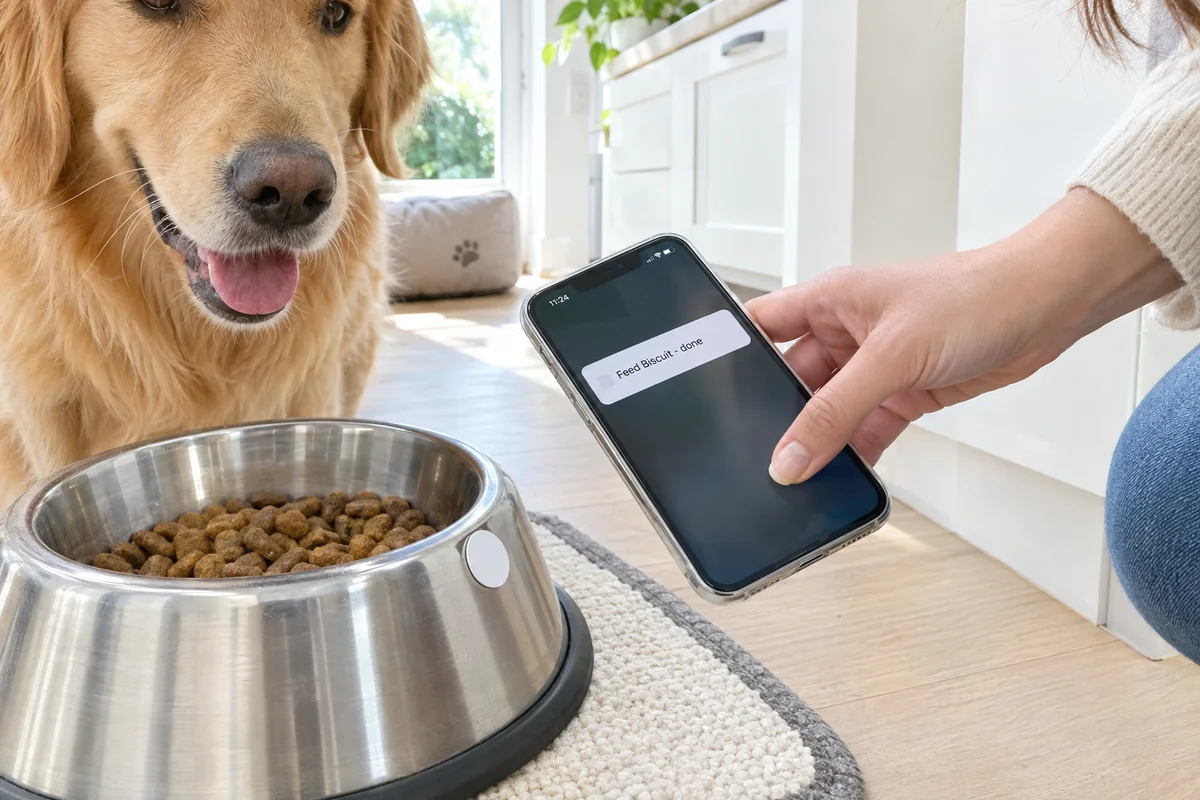
A hand taps an iPhone on a white NFC sticker on a dog's food bowl while a golden retriever watches; the phone shows "Feed Biscuit - done"

02 · Kitchen floor

A tap on the dog bowl ticks off the chore

An NFC sticker on the bowl. Tap it with a phone and an iPhone Shortcut marks "Feed Biscuit" done in Sense. Everyone can see she's been fed, so nobody feeds her twice.

  • $1 NFC sticker
  • iPhone Shortcuts
  • complete_chore
Show the request
# Shortcuts: Automation > NFC > Get Contents of URL POST https://api.getsense.ai/mcp/ Authorization: Bearer <your token> Content-Type: application/json Accept: application/json, text/event-stream {"jsonrpc": "2.0", "id": 1, "method": "tools/call", "params": {"name": "complete_chore", "arguments": {"chore_id": "YOUR_CHORE_ID"}}}
A hand scans the barcode of an empty cereal box with a handheld scanner wired to a small Raspberry Pi board on a pantry shelf

03 · Pantry

Scan the empty box, it's on the list

A barcode scanner and a Raspberry Pi on the pantry shelf. Scan the last box of cereal before it goes in the recycling, and it lands on the shared grocery list by name.

  • USB barcode scanner
  • Raspberry Pi
  • Open Food Facts
  • add_to_shopping_list
Show the code
import requests from sense import sense while True: code = input().strip() # the scanner types the barcode and presses enter info = requests.get( f"https://world.openfoodfacts.org/api/v2/product/{code}.json", timeout=10).json() name = info.get("product", {}).get("product_name") or f"Item {code}" sense("add_to_shopping_list", items=[name]) print("Added", name)
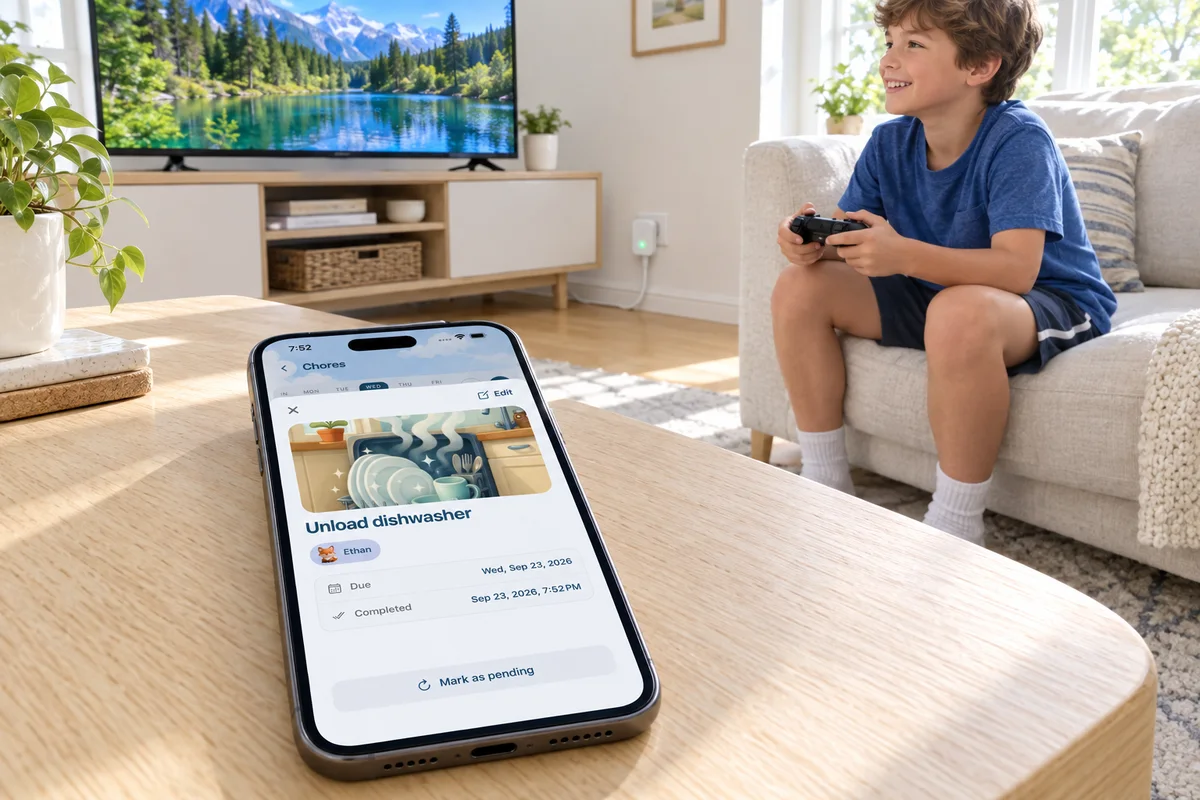
A phone on a coffee table shows the Sense chore "Unload dishwasher" completed by Ethan, while the TV behind it is on and a boy plays with a controller on the sofa

04 · Living room

The TV turns on when the chores are done

A smart plug on the TV stays off until every one of Ethan's chores for today is done in Sense. A script checks every few minutes and hands off to Home Assistant. No arguing about it.

  • Smart plug
  • Home Assistant
  • get_chores
Show the code
from datetime import date import requests from sense import sense KID = "YOUR_KIDS_MEMBER_ID" # from get_family_members today = date.today().isoformat() chores = sense("get_chores", start_date=today, end_date=today, assigned_to=KID)["chores"] all_done = all(today in c.get("completed_dates", []) for c in chores) if all_done: requests.post("http://homeassistant.local:8123/api/webhook/tv_on", timeout=10)

05 · Group chat

The day's plan in the family group chat

Every morning at 6:30, a message in the family Discord or Slack lists today's events, so the grandparents and the sitter see the day without installing anything.

  • Discord or Slack webhook
  • cron
  • get_events
Show the code
from datetime import date import os import requests from sense import sense today = date.today().isoformat() events = sense("get_events", start_date=today, end_date=today)["events"] lines = [f"{e['start_time'] or 'All day'} {e['title']}" for e in events] text = "Today:\n" + ("\n".join(lines) or "Nothing on the calendar") requests.post(os.environ["DISCORD_WEBHOOK"], json={"content": text}, timeout=10)

More ideas

Eight more, if one of these sounds like your house.

No finished code for these, but each is a short script on the same tools as the builds above. Here is what each one does, what to buy, and the one thing worth getting right.

  • Calendar

    The school site, every Sunday

    Some schools only post dates on a web page, with no calendar feed to subscribe to. A small script reads the page every Sunday night, finds the dates, and adds anything new to Sense, so the half days and picture day show up without anyone copying them in.

    You needPython with requests and BeautifulSoup, a weekly cron job

    • get_events
    • create_event

    Check the week with get_events before adding, so a rerun doesn't add the same event twice.

  • Groceries

    A button per staple

    A Stream Deck or a row of smart buttons on the kitchen wall, one for each thing you always run out of. Press "Milk" and it's on the shared list before you've closed the fridge.

    You needA Stream Deck with a web request action, or Flic buttons that can call a URL

    • add_to_shopping_list

    Send several items in one press, like "Milk" and "Bananas" for the Monday restock.

  • Reminders

    The garden asks for water

    A soil moisture sensor in the vegetable bed checks how dry it is a few times a day. When it drops below your number, it adds "Water the tomatoes" for whoever's turn it is, due before dinner.

    You needAn ESP32 board with a capacitive soil sensor, or one already in Home Assistant

    • search_reminders
    • create_reminder

    Look for an open "Water the tomatoes" first so a dry week doesn't stack up five copies.

  • Calendar

    Leave-now light

    A smart bulb by the front door turns amber 20 minutes before the next pickup or practice, and green once it's time to go. Nobody has to check the calendar to know it's time to find shoes.

    You needA smart bulb (Hue, or anything Home Assistant can switch), a script that runs every few minutes

    • get_events

    Only react to events with a start time, so all-day events don't turn the light on at midnight.

  • Calendar and chores

    Breakfast briefing

    At 7:15 on school days, the kitchen speaker reads out today's events and who has which chore, in the order they happen. It's the morning rundown without anyone holding a phone.

    You needHome Assistant with a text-to-speech speaker, or any speaker your computer can talk to

    • get_events
    • get_chores

    Keep it to the next few hours. A 7am briefing doesn't need dinner plans.

  • Reminders

    Home from practice

    When the car pulls into the driveway after soccer, the "Pick up Ethan" reminder marks itself done. Everyone at home can see they're back without a text.

    You needAn iPhone Shortcuts "Arrive home" automation, or presence detection in Home Assistant

    • search_reminders
    • complete_reminder

    Match on a keyword like "Pick up" so it finds the right reminder for whichever kid it was.

  • Calendar

    A countdown badge

    A small e-paper screen on a kid's shelf shows the days left until the next trip or birthday on the calendar, and updates itself every morning. E-paper keeps the number on screen without using power.

    You needA Raspberry Pi Zero with a small e-paper display

    • get_events

    Mark the event as a countdown in Sense and pick the nearest one with the countdown flag.

  • Rewards

    Points for practice

    A one-page form on the family computer where a kid logs 20 minutes of piano or reading. Each entry adds feathers to their balance in Sense, which they can spend in the rewards they already know.

    You needAny small web form, even a Google Form that calls a webhook

    • add_allowance_points

    Put the minutes in the transaction note so parents can see what each award was for.

For developers

What the Sense API can reach

Sense runs an MCP server. Each tool is one call that reads or changes something in your family's Sense. Send "method": "tools/list" for every tool and its inputs.

Calendar

Read a day or a week, add events, move them, search.

get_events, create_event, update_event, search_events

Reminders

See what's due, add one, mark it done.

get_reminders, create_reminder, complete_reminder

Lists and groceries

Add to the shopping list or any list, check items off.

get_lists, add_to_shopping_list, add_to_list, complete_list_item

Chores and rewards

Who has what today, mark chores done, add feathers.

get_chores, complete_chore, get_allowance_balance, add_allowance_points

Meals and pantry

The week's meal plan, saved recipes, what's in the pantry.

get_meal_plan, get_saved_recipes, get_pantry, update_pantry

Family

Everyone in the family and their ids, for assigning things.

get_family_members

One request

A single HTTP POST with your token. This one asks for today's events.

curl -s https://api.getsense.ai/mcp/ \ -H "Authorization: Bearer $SENSE_TOKEN" \ -H "Content-Type: application/json" \ -H "Accept: application/json, text/event-stream" \ -d '{"jsonrpc": "2.0", "id": 1, "method": "tools/call", "params": {"name": "get_events", "arguments": {"start_date": "2026-11-16", "end_date": "2026-11-16"}}}'

The answer is in result.structuredContent, here {"events": [...], "count": 2}.

The helper the builds use

Save it as sense.py next to your script.

import os import requests def sense(tool, **arguments): response = requests.post( "https://api.getsense.ai/mcp/", headers={ "Authorization": f"Bearer {os.environ['SENSE_TOKEN']}", "Accept": "application/json, text/event-stream", }, json={"jsonrpc": "2.0", "id": 1, "method": "tools/call", "params": {"name": tool, "arguments": arguments}}, timeout=30, ) response.raise_for_status() result = response.json()["result"] if result.get("isError"): raise RuntimeError(result["content"][0]["text"]) return result["structuredContent"]
  • Sense PremiumTokens and every call need an active Premium plan in the family.
  • Your family onlyA token reaches exactly what you see in Sense. Treat it like a password; revoke it any time in Settings, Developer.
  • Read only or full accessGive a display a read-only token so it can never change anything.
  • 500 calls a dayPer account. Plenty for a script that checks every few minutes.
  • Built for assistants firstTool names, inputs and results can change as Sense changes. Check your scripts after an update.

Start with a token.

In the Sense app, open Settings, then Developer, and create one. The setup page also covers Claude, ChatGPT and Cursor. Made something? Share it tagged Built with Sense™, or send it to support@getsense.ai.

Open the setup guide