Outlook to Sense
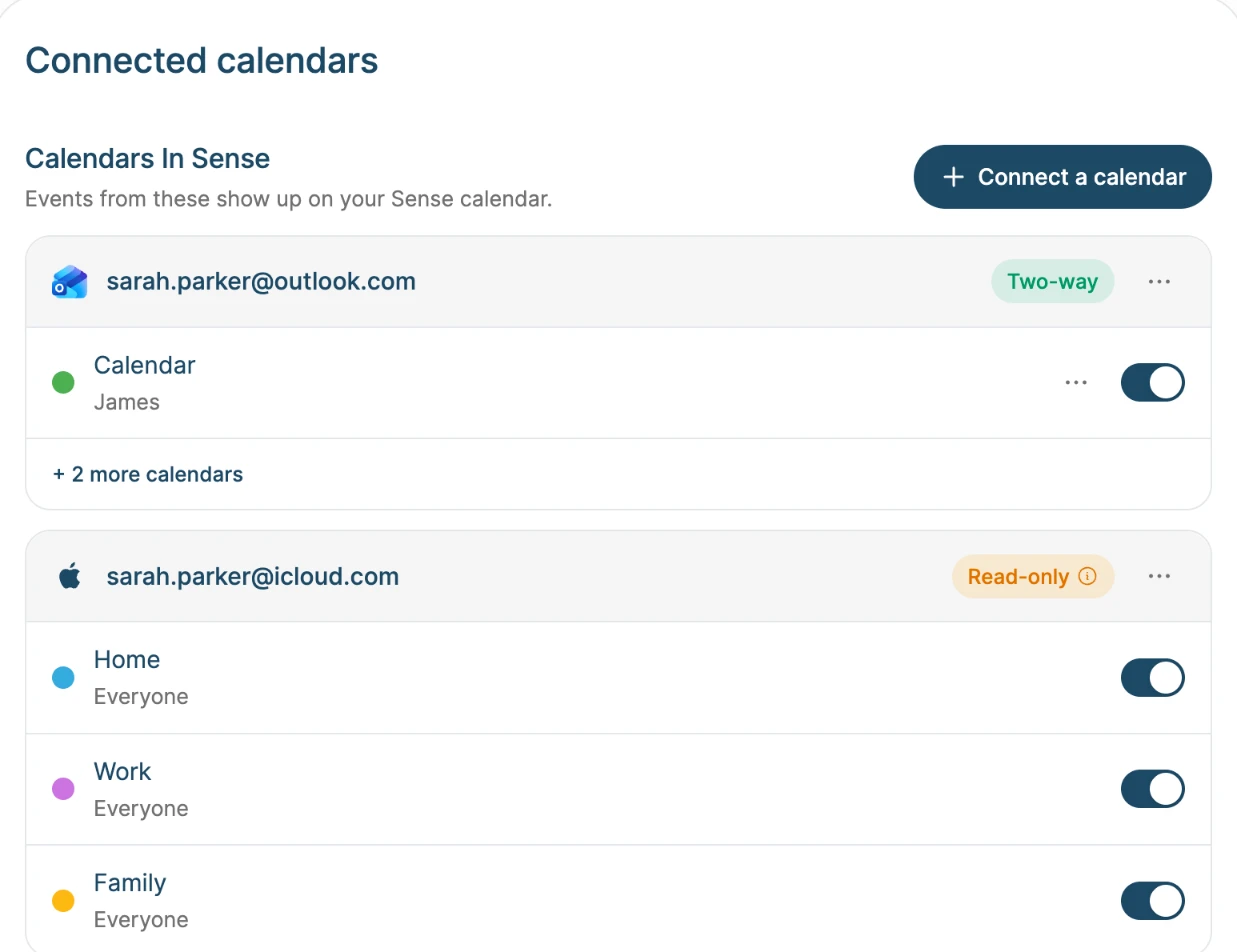
Events from the calendars you turn on appear in Sense. Changes made in Outlook show up within about 20 minutes.


Outlook calendar sync
Connect Outlook.com or Microsoft 365 and your Outlook events show up in Sense, next to the school emails, chores, and lists. Move or delete an event in either app and the other one follows.


How it works
Step 01
In Sense, open Settings, then Connected Calendars, and tap Connect a calendar. Choose Outlook and sign in with Microsoft.
Step 02
Choose which Outlook calendars to sync. Give each one a color and the family member it belongs to.
Step 03
Optionally pick an Outlook calendar for events you add in Sense, so they show up in Outlook too.
What syncs
Events from the calendars you turn on appear in Sense. Changes made in Outlook show up within about 20 minutes.
Edits and deletes you make in Sense reach Outlook within about a minute.
A whole series, or one day of it. Move or cancel a single swim lesson in either app and the other app follows.
Each calendar gets a color and a family member, so the work calendar and the kids' calendars are easy to tell apart.
Meetings you organize that have guests are read-only in Sense, so nobody gets a surprise update email. Sense never sends invitations.
Microsoft shows Sense as a verified app from Intuitive Apps LLC when you sign in. You can disconnect any time.
Why families connect it
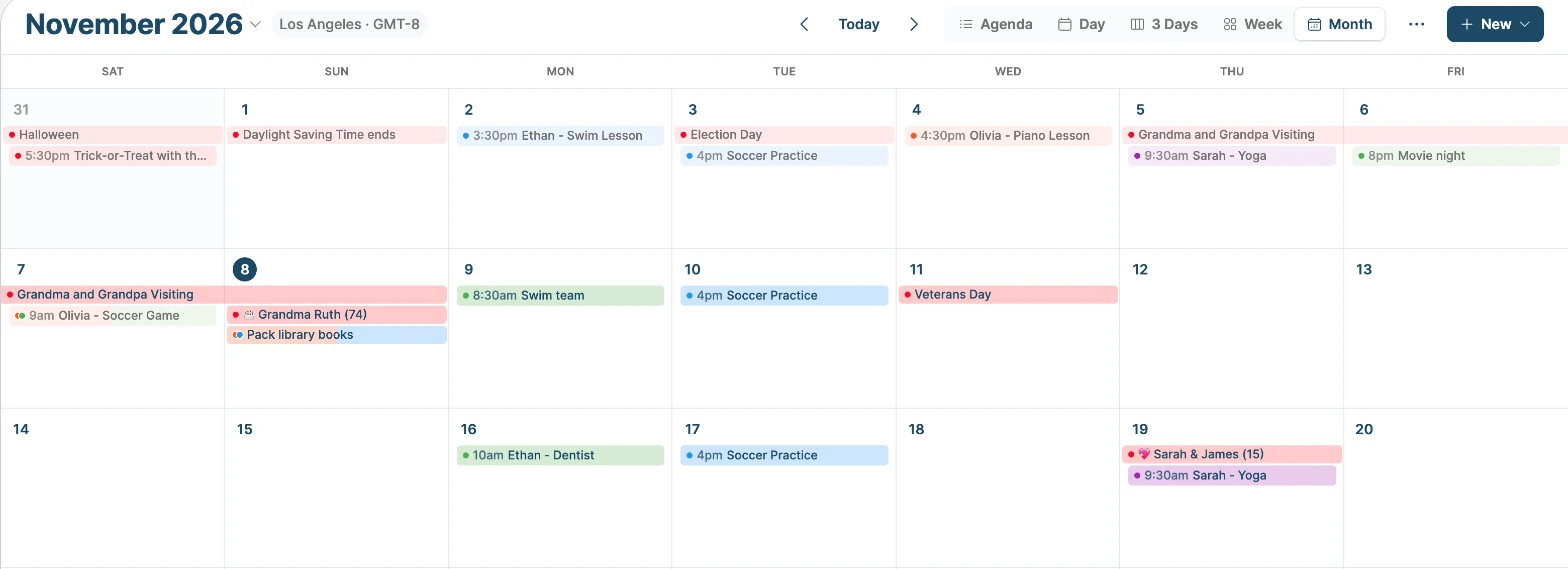
See the 3pm meeting next to the 3:30 pickup before you say yes to either.
Forward the school newsletter to Sense. The events it finds can land in your Outlook calendar too.
Connect both. Google Calendar syncs both ways too, so each parent keeps the calendar app they already use.
Outlook events show on Sense Hub, the always-on family display, alongside chores and the meal plan.
Ask Sense "What's on Thursday?" and the answer includes your Outlook events.
FAQ
Outlook.com, Hotmail, and Live accounts, and Microsoft 365 work and school accounts. Some organizations require an admin to approve new apps. If Microsoft asks for admin approval, ask your IT team, or add your calendar with a link instead.
No. Once two-way sync is on, remove the link calendar from Sense, or each event shows twice.
Meetings you organize that have guests are read-only in Sense, because Outlook emails every guest when they change. Change those in Outlook. Calendars shared with you to view only are read-only too.
The calendars stop syncing and the events they brought in are removed from Sense. Anything already in Outlook stays in Outlook.
Two-way Outlook sync is part of Premium, which is free to try. Adding Sense to Outlook as a read-only subscribed calendar is free.
Sense is free to download. Premium is free to try, no card required.