Quick Summary
- Both are AI-first and both start from the inbox. Fambot connects to Gmail or Outlook and WhatsApp groups and reads everything. Sense reads the emails, photos, PDFs, and WhatsApp messages you forward to it, with no inbox connection.
- Both live in your messages, differently. Fambot sends you a plan by text or email. Sense is a contact in your WhatsApp: forward a class-group message to it, ask it about the week, and get the morning digest in the same chat.
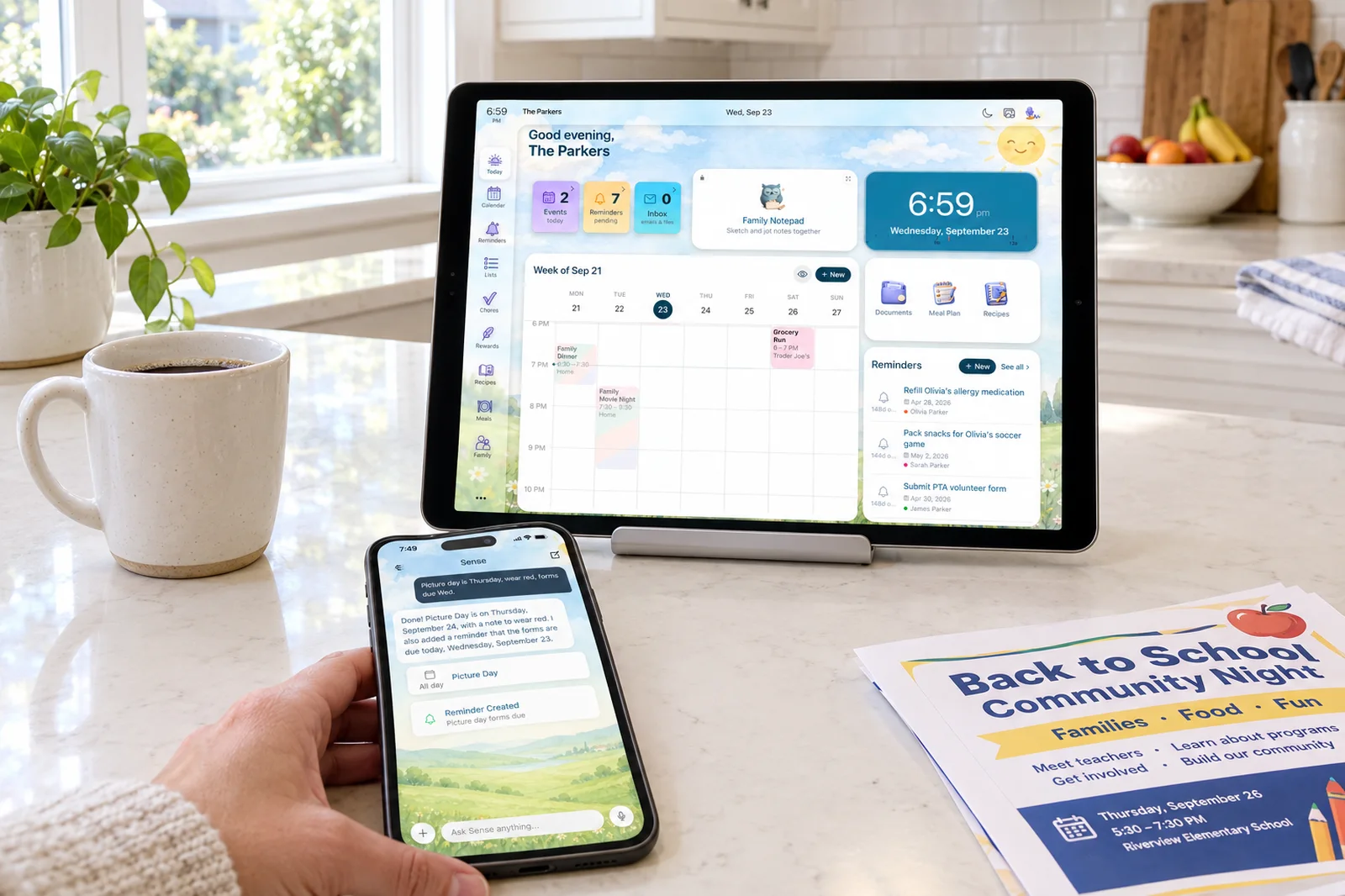
- Fambot briefs the parents. Sense runs the household. Fambot's product is a daily plan by text or email, with the calendar entries and to-dos it found built for you. Sense goes past the schedule: reminders, lists, chores, meal plans, a screen for each kid, and a kitchen tablet, all shared.
- Choose Fambot if you want to connect once, never forward anything, and get a text each evening telling you what tomorrow holds.
- Choose Sense if you want one organizer the family looks at together, with kids' chores and a kid screen, meal plans and lists, and an old tablet on the counter showing today.
We make Sense, so this is not a neutral review. What we can do is be precise about what each product does, where Fambot is genuinely ahead, and what the two approaches cost you in attention and in privacy. Fambot launched in September 2026 with a $3.5 million pre-seed round and a clear thesis, and it is the most direct competitor Sense has. This post is based on Fambot's store listings, launch press release, and press coverage as of October 5, 2026.
The short answer: Fambot is an AI chief of staff for one parent's inbox that tells you what is coming. Sense is an AI family organizer that does the work and shares it with the household. The difference sounds small and is not.
Sense vs Fambot at a Glance
| Comparison | Fambot | Sense |
|---|---|---|
| Starting point | Free during beta, with a free tier promised after. Expects to price the paid tier around a Netflix subscription. iPhone, Android, and web. | Free forever on iPhone, Android, and web, no card. Full-access Premium trial, no card. |
| How it gets your information | Connect once: Gmail, Outlook, or Hotmail by OAuth, Google or Apple Calendar, and WhatsApp groups you pick. It scans the whole inbox. | You send it: forward to share@getsense.ai, forward a WhatsApp message to the Sense contact in your WhatsApp, share from any app, snap a photo or flyer, upload a PDF, say it to Siri or Alexa, or subscribe to a school or team calendar feed. Auto-forwarding rules make email automatic. |
| What it produces | A daily plan: what to know, do, and decide, with the events, to-dos, what-to-bring, and conflicts it found. Delivered by text, email, or both, plus the app. You can text it questions, changes, and tasks. | Events on a shared calendar under the right kid, reminders, list items, chores, meal plans, and documents. A morning digest of what each person has today, in the app, by email, or in WhatsApp. |
| Does it act? | Builds calendar entries and to-dos inside its own shared family calendar and takes changes by text. Its listing does not say whether it writes events back to Google or Apple Calendar. No lists, chores, or meals. | Yes. Creates and updates events, reminders, lists, chores, and meal plans. Every item links back to the email it came from so you can check it. Two-way sync with Google Calendar. |
| Reads groups you select, automatically. Does not reply in WhatsApp; the plan comes by text or email. | Sense is a contact in your WhatsApp. Forward any message, photo, or PDF from any group and it replies with what it added. Ask it questions in the chat. Morning digest at 7 am in WhatsApp. Premium. | |
| Family sharing | Shared family account for co-parents, both inboxes connected, to-dos assignable to family members, one family profile. | Shared calendar, lists, chores, and meals for everyone. Kid Mode gives each child a screen with no login. Sense Hub puts today on a kitchen tablet. |
| Kids, chores, meals | None listed. | Chores, routines, rewards, allowance, meal plans, recipes, grocery lists, medications. |
| Privacy model | Whole-inbox access by OAuth and WhatsApp group access. Encrypted, never sells data, AI providers may not train on it, delete anytime. | Sees only what you send. No inbox connection. AI providers do not train on your content. |
| Regular pricing | Not yet published. Free in beta; free and paid tiers to follow. | Free with 10 AI actions a month. Premium $6.99 a month or $59.99 a year, unlimited family members. |
| Best fit | A parent who wants zero setup after the first login and a text each evening saying what tomorrow holds. | A household that wants one organizer everyone sees, with the kids' chores, meals, lists, and a kitchen tablet, fed from any source. |
Features and pricing checked on October 5, 2026. Fambot is in beta and changes weekly.
One Plan for the Whole Family
Forward a school email or snap a flyer, and the dates land on a calendar every family member sees, with no inbox access and no per-person fee.
Try Sense Online or get the app:

Where Fambot Wins
Fambot has real advantages, and the first one is the whole reason it exists.
- You never forward anything. Connect your inbox once and Fambot reads every school newsletter, coach email, and camp confirmation from then on. Fambot's own blog makes the case well: a forwarding tool "asks parents to be the filter." If your failure mode is not noticing the email in the first place, connect-once is the honest answer. Sense gets most of the way there with auto-forwarding rules for the senders that matter, but you set those up.
- WhatsApp groups, read for you. Fambot can watch the class group and the team group and pull out the "game moved to 10:30" message on its own. With Sense you forward that message to the Sense contact. It takes two taps, but it is a tap you take.
- The evening text. Tomorrow's plan arrives by text or email, and you can text back a question, a change, or a task. For a parent who lives in iMessage and will not open another app, that is the right surface.
- It is free right now. Fambot has not published a price. While it is in beta, it costs nothing.
Where Sense Wins
- It goes past the schedule. Fambot builds the calendar entry and the to-do, then stops at the plan. The snack on the grocery list, the chore, the meal, the kid's own screen are yours to run somewhere else. Sense creates the event, the reminder, and the list item under the right kid, runs the chores and meals in the same place, and shows you the email it came from.
- The family sees one thing. A digest is a message to one person. Sense is shared state: the calendar, the lists, the chores, and the meals live in one place that every phone, the web, and the kitchen tablet show. Your partner reads it instead of asking you.
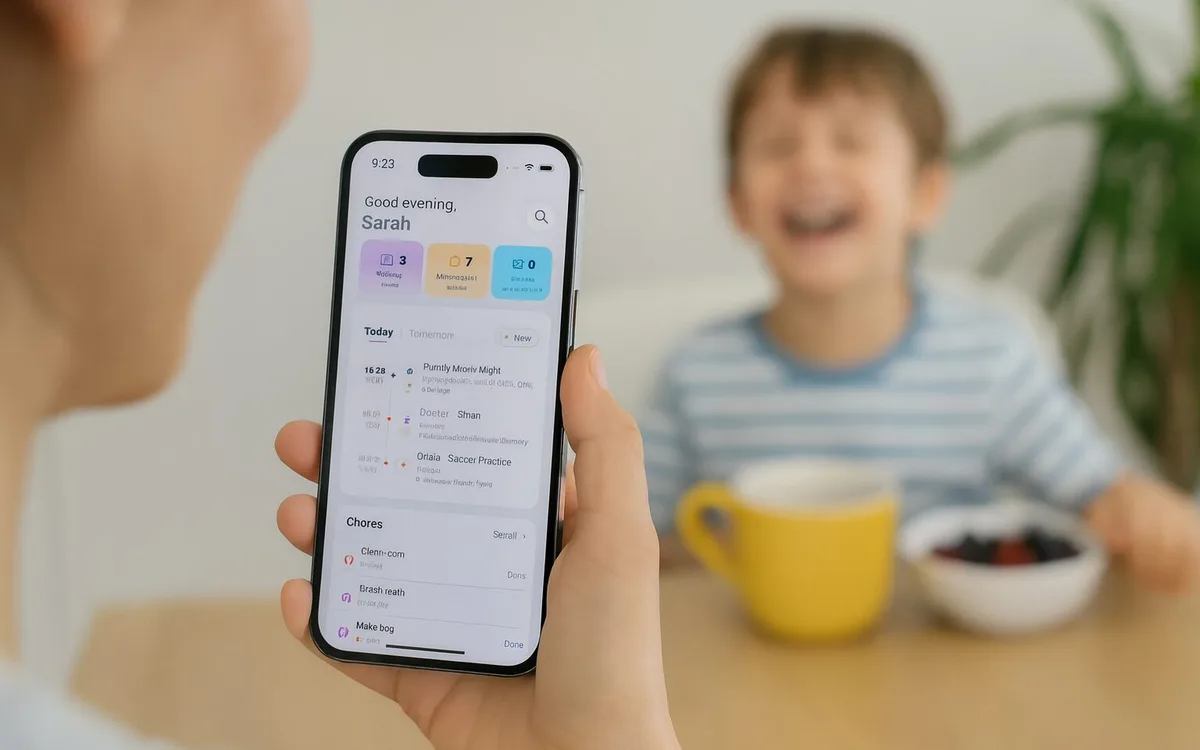
- Kids are in it. Chores with rewards and allowance, morning and bedtime routines, and a Kid Mode screen for each child with no login and no phone. Fambot's family features are an account two adults share.
- Meals, lists, documents, medications. The half of family logistics that is not a date. Fambot does not attempt it.
- It lives in WhatsApp, both directions. Sense is a contact in your WhatsApp. Forward the coach's photo or the camp PDF from any group and it replies in the chat with what it added. Ask "what does Jack have tomorrow?" in the same thread. Turn on the 7 am digest and tomorrow arrives in WhatsApp, the app your family already has open. Fambot reads your groups but talks to you by text or email. How Sense works in WhatsApp.
- A wider net. Email, WhatsApp, photos of flyers, screenshots, PDFs, URLs, voice, Siri, Alexa, the share sheet, and school and team calendar feeds. Fambot reads email, calendars, and WhatsApp groups.
- No inbox access. Sense sees only what you send it. Fambot needs read access to everything in your inbox to work. Both have no-training terms with their AI providers; only one has your whole inbox.
- A known price. $6.99 a month or $59.99 a year for the household, with a free tier that does not expire. Fambot's price is "coming."
A Briefing or a Household
Fambot's thesis is that the parent should not be the filter, so the fix is to take read access to every channel and hand back one plan. It is a coherent argument, and the daily plan it produces is good: the events, the to-dos, what to bring, the conflict on Thursday.
Our view is that the plan is where the work starts, not where it ends. The oranges go on a grocery list someone else will shop from. "Pack cleats" belongs on a kid's Tuesday routine, on a screen the kid can see. Dinner on game night needs a plan too. And your partner needs to see all of it without a second subscription. Fambot stops at the schedule and delivers it to the parents. Sense carries it into the household: shared lists, chores, meals, Kid Mode, and a tablet on the counter.
The honest trade is this. Fambot costs you inbox access and asks nothing else. Sense costs you a forwarding rule and a few forwards a week, and in return it keeps your inbox to yourself and runs the parts of family life that are not dates.
Capture and Calendar Sync
Fambot connects to Gmail, Outlook, and Hotmail, and to Google and Apple Calendar, and reads them. It reads WhatsApp groups you select. It does not read photos of flyers, PDFs you were handed, or anything that did not arrive through those channels.
Sense accepts forwarded email with attachments, WhatsApp messages forwarded to the Sense contact (with their photos and PDFs), screenshots, URLs, and voice, plus subscriptions to any school or team calendar feed. It syncs two ways with Google Calendar and publishes its own calendar as a feed for Apple Calendar and Outlook. Fambot builds its shared calendar inside the app and does not say whether it writes events back to Google or Apple Calendar. Sense syncs two ways with Google Calendar, so the practice schedule lands on the calendar your partner already looks at.
The Full Cost Over Three Years
Fambot has not published pricing, so the comparison is partly a guess. Its founders told TechCrunch they expect to price the paid tier around a Netflix subscription, which in 2026 means somewhere between $8 and $25 a month depending on the plan you compare to. At $10 a month that is $360 over three years, with no annual plan announced. Fambot has also said a free tier will remain after beta, without saying what it includes.
Sense Premium on the annual plan is $59.99 a year for unlimited family members, or $179.97 over three years. Paid monthly it is $251.64. Both are free for a light user today. Sense's free tier is defined: shared calendar, reminders, lists, 10 AI actions a month. Fambot's is whatever the beta includes until the paid tier arrives.
How to Choose
Pick Fambot if:
- You will not forward or share anything, ever, and want it to find things on its own.
- You are comfortable giving an app read access to your whole inbox and your WhatsApp groups.
- An evening text saying what tomorrow holds is the output you want.
- Two parents and a daily plan is enough, and your kids do not need to be in it.
Pick Sense if:
- You want the events created, not described, and linked to the email they came from.
- You want the whole household, kids included, looking at one calendar, list, and chore board.
- You want meals, lists, documents, and medications in the same place as the schedule.
- You want to keep your inbox to yourself and pay a known price.
- You live in WhatsApp and want to forward, ask, and get the morning plan there.
Sense vs Fambot: The Bottom Line
Fambot is the best version of the connect-once idea we have seen. If what you want is a chief of staff that reads everything, builds the plan, and briefs you each evening, it does that well, and it is free while it figures out its price.
Sense is the pick when the goal is a family organizer rather than a briefing. It reads the same emails and more, carries them past the schedule into reminders, lists, chores, and meals, and puts all of it where the family can see it: phones, the web, a kid's own screen, and a tablet on the counter. It does this without reading your inbox, for one household price.
Frequently Asked Questions
Is Fambot free?
As of our October 2026 check, Fambot is free while in beta on iPhone, Android, and web, and has said free and paid tiers will follow, with the paid tier priced around a Netflix subscription. Sense has a permanent free tier with the shared calendar, reminders, lists, and 10 AI actions a month, and Premium is $6.99 a month or $59.99 a year for the whole household.
Does Fambot read my whole inbox?
Yes. Fambot connects to Gmail, Outlook, or Hotmail by OAuth and reads the inbox for school, activity, and family logistics, plus WhatsApp groups you choose. Sense never connects to your inbox. It reads only the emails, photos, and messages you forward or share to it.
Can Fambot add events to my calendar or send messages?
Fambot builds calendar entries and to-dos inside its own shared family calendar and takes changes by text, and its daily plan arrives by text or email. Its listing does not say whether it writes events back to your Google or Apple Calendar. Sense creates and updates calendar events, reminders, list items, chores, and meal plans from what you send it, syncs two ways with Google Calendar, and links every item back to its source.
Does Sense work with WhatsApp?
Yes. Sense is a contact in your WhatsApp. Connect it once in Settings, then forward any message, photo, or PDF from any group and Sense replies in the chat with the events, reminders, and list items it added. You can ask it about the family schedule in the same thread and have the morning digest delivered to WhatsApp at 7 am. It is part of Sense Premium. Fambot reads WhatsApp groups you select but delivers its plan by text or email.
Which is better for kids and chores, Fambot or Sense?
Sense. Fambot's family features are a shared account and to-do assignment between adults. Sense has chores, routines, rewards, and allowance, a Kid Mode screen for each child with no login, and a tablet Hub for the kitchen. Fambot lists none of these.
Try Sense Free
Forward your first school email or snap a flyer. The dates land on a shared calendar, and the kids get their own screen.
Try Sense Online or get the app:
Related reading: Best AI family organizer apps 2026 · Sense vs Ohai (2026) · Sense vs Ollie (2026) · What an AI family organizer is