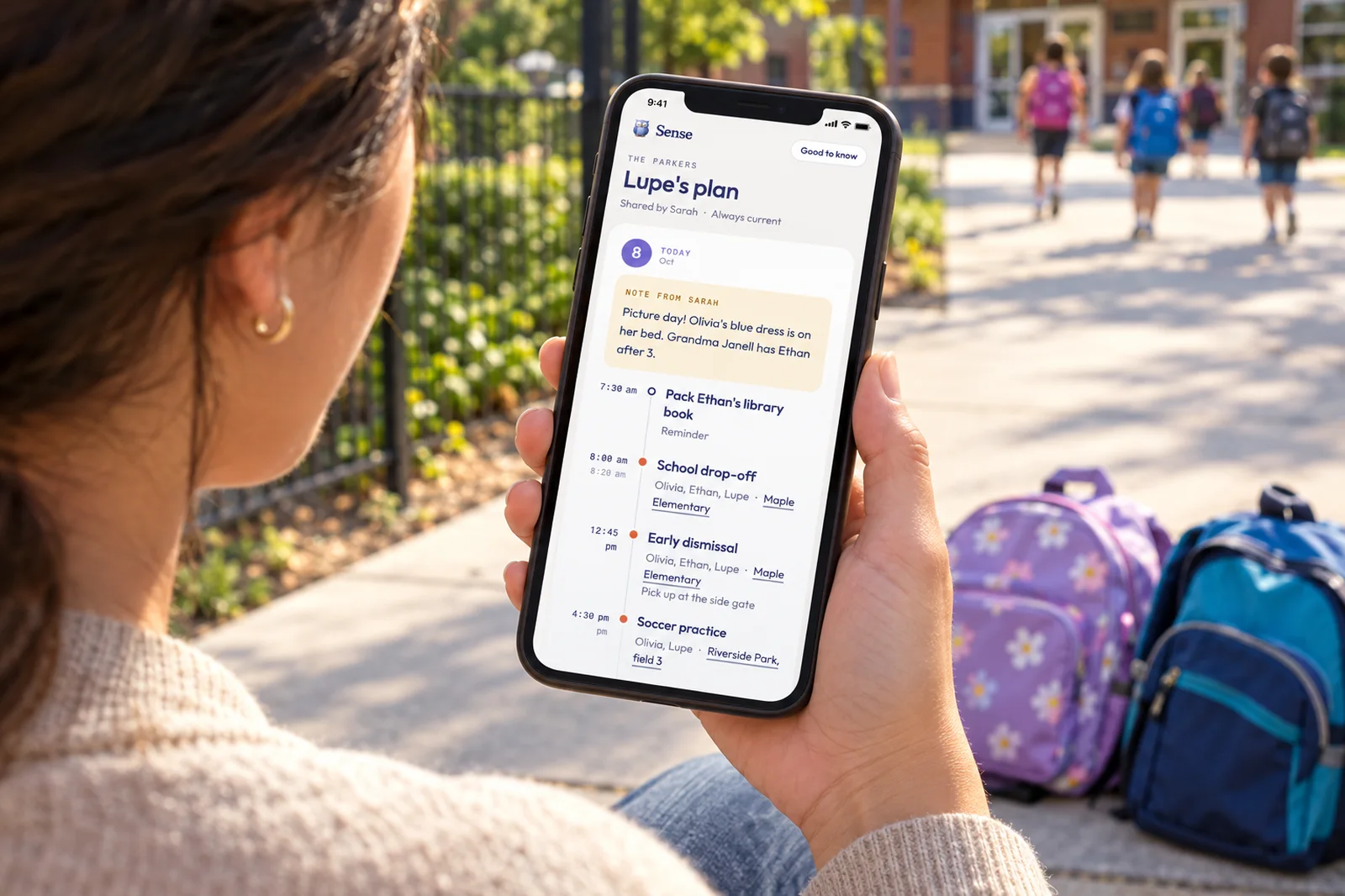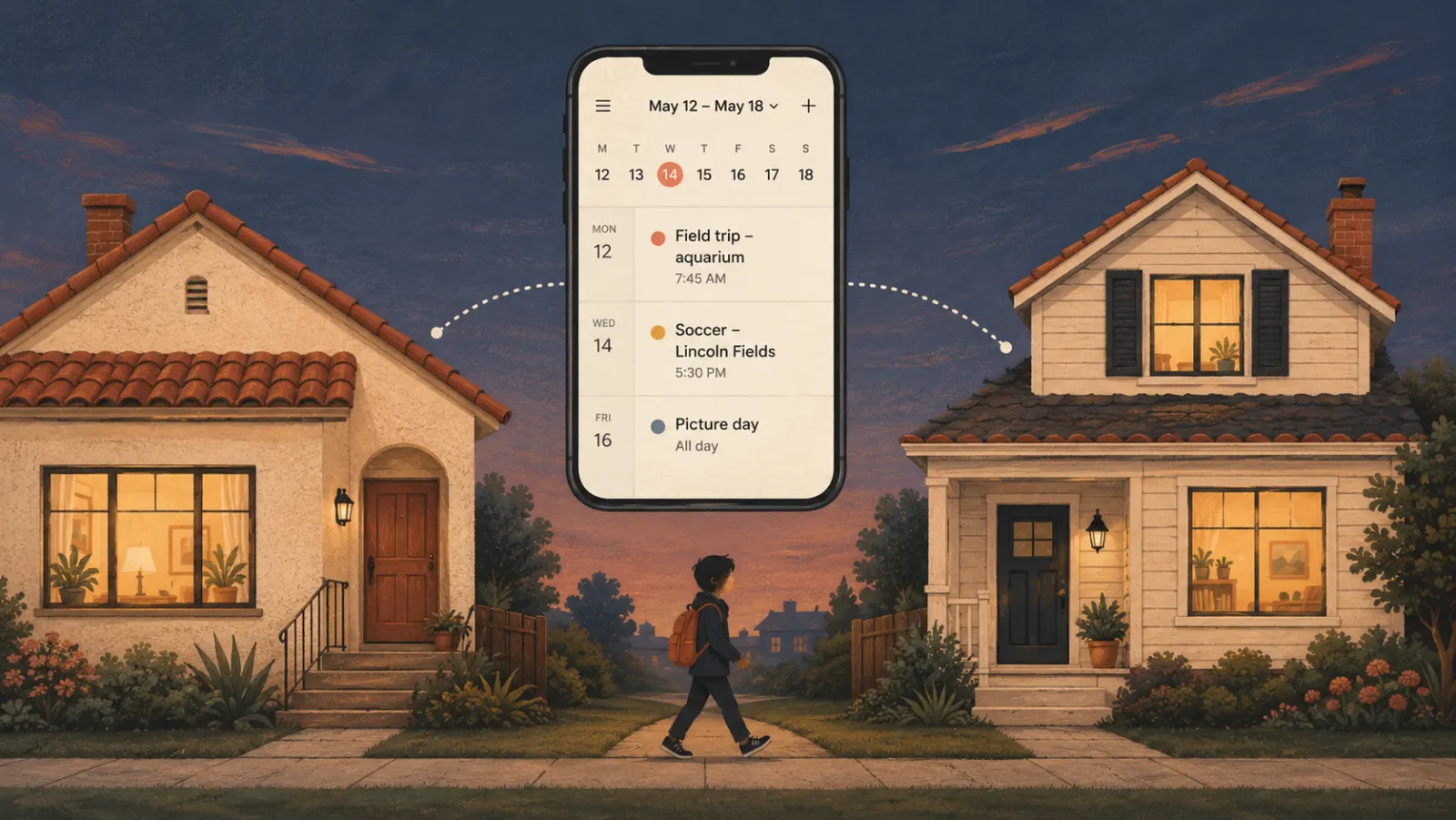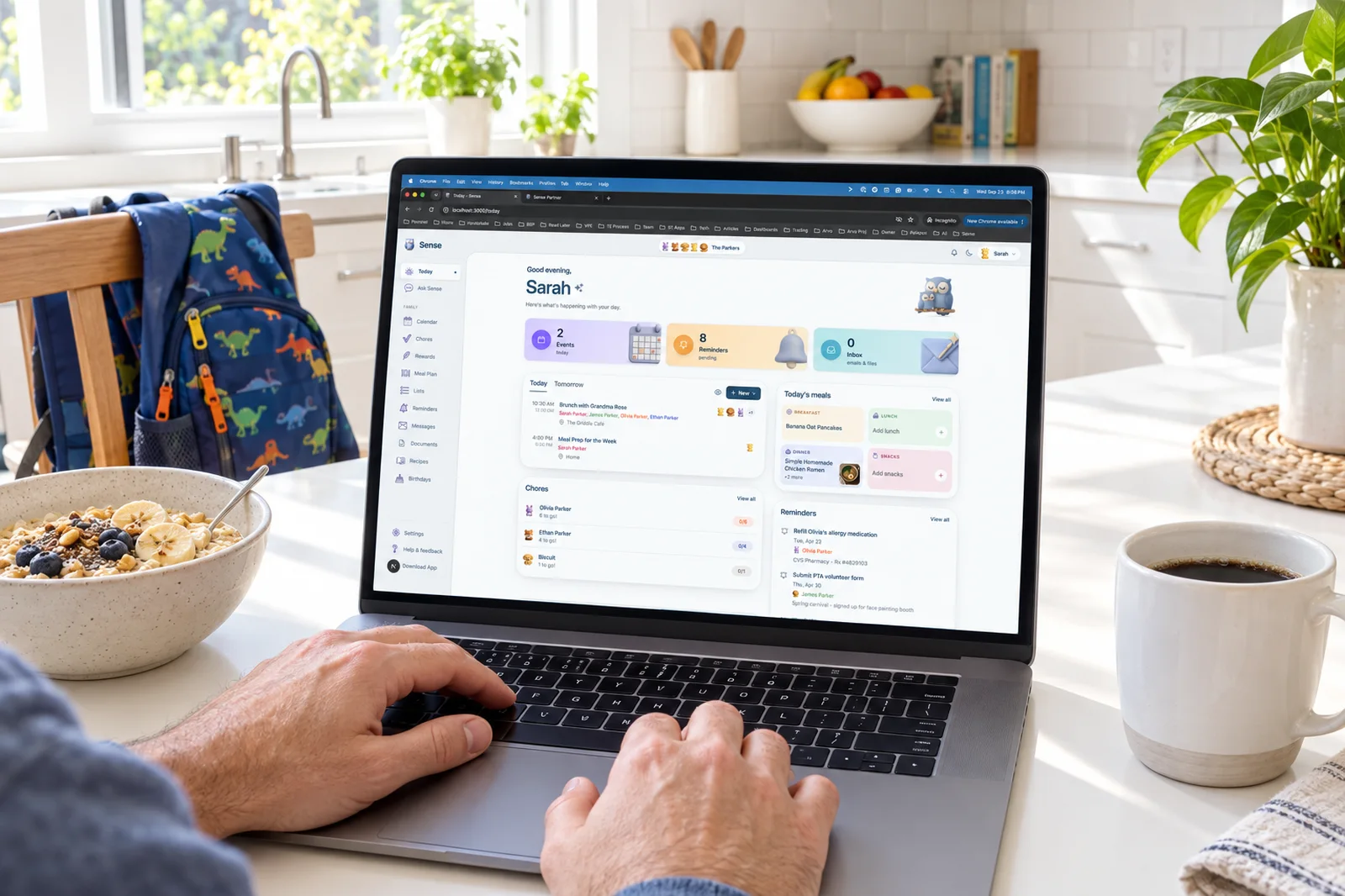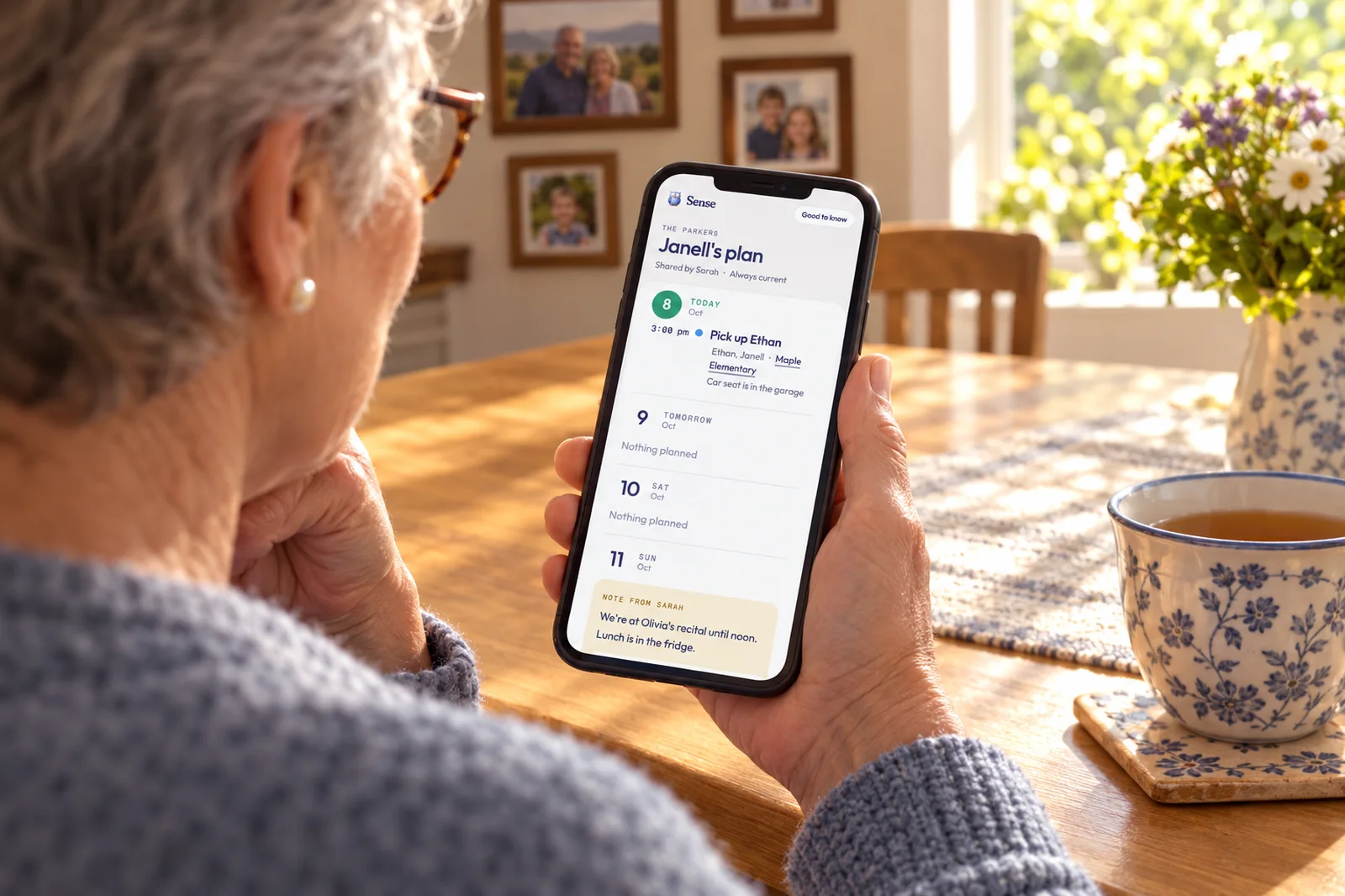
The simplest way to share your kids' schedule with a grandparent is a private web page they open on their own phone: the next week or so of the kids' days, with times, places and a note from you, that is always current and needs no app and no account. In Sense that is a plan link, and it is free. If you would rather use what you already have, a shared Google calendar or a login to Cozi or Skylight works too, with trade-offs covered below.
This is written for the parent, because the parent is the one setting it up. But the person on the other end is your mom, or Mike's dad, or the aunt who moved closer to help. They are doing you a kindness. The goal is to make it easy to be helpful, not to put them through an onboarding flow.
Why the group text fails
Most families start here, and it fails in three predictable ways.
They miss it. You sent "Ethan has soccer Saturday at 9:15, Riverside Park, can you take him?" on Wednesday. By Saturday it is forty messages up, under a video of the dog. Grandma is not scrolling back. She is texting you at 8:40 asking where the field is.
They ask again. Not because they forgot, but because the message they have is from last week and they are not sure it still holds. "Is it still 9:15?" is a reasonable question when the only source is a text. You answer it, every time, which is the mental load you were trying to put down.
They see too much. The fix most parents reach for next is adding Grandma to the shared family calendar. Now she knows about the vacation in March before you have told your sister, your work trip, Mike's physical, and the thing you filed under your own name on a Thursday afternoon. She did not ask for that. She asked where the field is.
What a grandparent needs is small: the kids' days for the next week, the places, and what you would say if you were handing over the car seat. Here is how the options stack up against that.
The honest options
A shared Google calendar. If your family runs on Google Calendar, you can share a calendar with Grandma's Google account. She needs a Google account, and what she sees is that whole calendar. If the kids' events live on the same calendar as yours, she gets yours too. If you keep a separate "Kids" calendar, this works better, but then you are maintaining a second calendar so that one person can read it. There are no notes attached to a day, and nothing tells her which pickup is hers. How Google fits a family generally is in Sense vs Google Calendar.
Cozi or Skylight. Both work on a shared login into your household. On Cozi, everyone signs in to the same family account and sees everything. On Skylight, you invite her to your account, she signs in to the Skylight app, and she sees the whole calendar. Both are fine for a grandparent who lives with you or is there every day. For one who does Tuesdays, it is a lot of access and a new app to learn. How Skylight's profiles and invitations work is covered in Skylight Calendar profiles: how to add Grandma, a nanny or a carpool.
Familoo and Our Bulletin. These two are built for exactly this. Familoo is a free app where grandparents join by scanning a QR code, with no account. Our Bulletin lets relatives follow a family in the app and get push alerts, free for followers. Both are closer to the right shape than a shared login. The cost is that Grandma installs an app, and your family's schedule now lives in a second place that you keep in sync with your real calendar.
A Sense plan link. In Sense, Grandma is a profile: a person the family plans around who does not use the app. She gets a color on the calendar, she goes on the events she is part of, and she never gets a login. Share her plan and Sense makes a private link to a web page with the next eight days, one timeline per day with times, who, a tappable location, and your note for that day. Turn on Also show for Ethan and Olivia and their days appear too. A Good to know section at the bottom holds the home address, allergies and safety, house rules, and anything else. She opens it on any phone. The page is the calendar at the moment she opens it, so nothing is ever out of date and nothing needs resending. The vacation stays off with one switch. A PIN is optional. It is free on every Sense tier.
| Shared Google calendar | Cozi or Skylight login | Familoo or Our Bulletin | Sense plan link | |
|---|---|---|---|---|
| What she installs | Google Calendar, or the web | The Cozi or Skylight app | Their app | Nothing. A web page |
| Account needed | A Google account | Yes, into your household | No (Familoo joins by QR; Our Bulletin followers are free) | No. Optional PIN |
| What she sees | That whole calendar | Everything | What you post there | Her events and the kids' days, next 8 days |
| Notes for her | No | No per-day notes as of October 2026 | Varies | A note per day, plus Good to know |
| Keep the vacation off it | Only with a separate calendar | Not that we could verify | By not posting it | Keep off shared plans |
| Stays current | Yes | Yes | If you keep it in sync | Yes, it is the calendar |
Checked October 8, 2026. Where we could not verify a detail about another product we have said so.
Set it up in Sense in three steps
- Add Grandma as a profile. In the web app, go to Settings, My Family, Add profile, and type her name. Janell, say. Pick a color. From now on you can put her on the pickups she is doing, and her Tuesdays show up in her color on your calendar.
- Share her plan. Open her profile and tap Share their plan. Turn on Also show for Ethan, and for Olivia if she covers both. Add a PIN if you want one. Write anything useful into Good to know while you are there.
- Send her the link. Tap Send to pick text or WhatsApp from your phone's share sheet, or Copy link and paste it wherever you two already talk. That is the whole handoff. She opens the same link every time, and it shows whatever the calendar says at that moment.
If you open the link yourself while signed in, you get an editing view where you can write the note for each day, with a View as Janell switch to check what she sees. She can never edit anything.
What to put in the notes for a grandparent who does pickups
The notes are the part that replaces the phone call. Keep them short and write them once, in Good to know, so they are there every week without you thinking about it.
- The car seat. Where it is, which car it fits, and whether Ethan still needs the booster. If she keeps one at her house, say so and skip this.
- Who else can pick up. The school will ask. List the adults on the approved list, including her, so she can say "I'm on the list" with confidence.
- The school's office number. And the after-care number if they are different. She should never have to call you to get a number she could have had.
- Allergies and the inhaler. Under Allergies and safety. Where the medicine is, how much, and what to do if something happens.
- The house rules that matter to her. Screen time until homework is done, no snacks after five, the dog does not get table food. Not the whole list. The three she would otherwise get wrong and feel bad about.
- Where to find things. Spare key, garage code if you are comfortable, the snack drawer. Grandparents are often in your house without you, and they do not like to open cupboards.
Then use the per-day note for the one-offs: "Coach wants him there by 9:00 today, not 9:15" or "Olivia is going home with Priya after, you only have Ethan." Those are the lines that used to be a text she might not see.
Everything above is free, on every Sense plan, and it works the same way for a sitter, a nanny, or the other carpool parent. The walkthrough for a nanny or sitter is on the nanny and caregiver page. If the other person is a co-parent in a second household, the same link works and the notes carry the texture that a bare calendar entry loses; see co-parenting calendar apps.
Frequently asked questions
Do grandparents need the Sense app to see the schedule?
No. A plan link opens as a web page in whatever browser their phone already has. There is nothing to install and no account to create. If you set a PIN, they type it once on that phone. You need Sense to make the link; they need nothing.
What if Grandma has an old phone?
If the phone can open a web page, it can open the plan. The page is a plain list of days with times, names, places and your notes, so it reads fine on a small or older screen. Text her the link so it sits in your conversation; she opens the same link every time and it is always current.
Can she add things to the calendar?
Not from the plan page. Recipients can read it and tap a location to open the map, and that is all. If she wants Saturday lunch at her place on the calendar, she tells you and you add it, the same as today. Most grandparents are relieved by this; they did not want to be responsible for the calendar.
Can I share only Ethan's days and not Olivia's?
Yes. Also show is per child, so a grandparent who only does Ethan's Tuesdays gets Ethan's days and the events she is on herself. If she later starts covering Olivia too, add Olivia and the same link updates. On your own view of her page, Hide from Janell takes any single item off it.
How do I stop sharing?
Open her profile and tap Stop sharing. The link stops working at once, for anyone who has it. If you want to keep sharing with her but worry the link got forwarded, Make a new link replaces it with a different address and the old one dies.
Text Her a Page, Not a Password
Add Grandma as a profile, share her plan, and send the link. The kids' next eight days, your notes, and nothing else. Free on every Sense plan, no app on her end.
Try Sense Online or get the app:

Related reading: Skylight Calendar profiles and caregivers · Co-parenting calendar apps · Share the plan with a nanny or sitter · Help: family profiles