Quick Summary
- Keep Google Calendar. It is free, it syncs with everything, and its Family calendar appears automatically once you set up a Google family group. Sense syncs with it, so this is not an either-or.
- Google fills the calendar only from bookings. Flights, hotels, restaurants, and tickets get added on their own. A forwarded school newsletter with six dates does not, and Google's help page says redirected and mailing-list emails are skipped.
- Choose Google Calendar if your household needs one shared calendar and nothing else, and one adult is fine typing every date in.
- Choose Sense if you want the school email to fill the calendar for you, plus chores, meals, lists, and a kitchen display, with Google Calendar still in the loop.
We make Sense, so we are one of the two products here. We have tried to write this the way we would want to read it: Google gets full credit where it earns it, and we are precise about the gap Sense fills rather than pretending Google Calendar is bad at its job. It is not.
The short answer: Google Calendar is the right shared calendar for almost every family, and you should keep it. Sense sits on top of it and does the household work Google does not, starting with reading the school email for you.
Sense vs Google Calendar at a Glance
| Comparison | Google Calendar | Sense |
|---|---|---|
| Starting point | Free with any Google Account. A family group of up to 6 gets a shared Family calendar with no setup. | Free tier with no card. Premium is $6.99/month or $59.99/year for the whole family, unlimited members. |
| Core tools | Calendar. Reminders through Tasks. Notes and shared lists through Keep. | Calendar, reminders, lists, chores, routines, rewards, allowance, meal plans, recipes, medications, documents. |
| Capture and AI | Automatic events for flights, hotels, restaurants, and tickets. Gemini "Add to calendar" on paid plans, one event at a time, no guests. | Forward an email, or send a photo, PDF, screenshot, WhatsApp message, or voice note. AI extracts every date. 10 actions/month free, unlimited on Premium. |
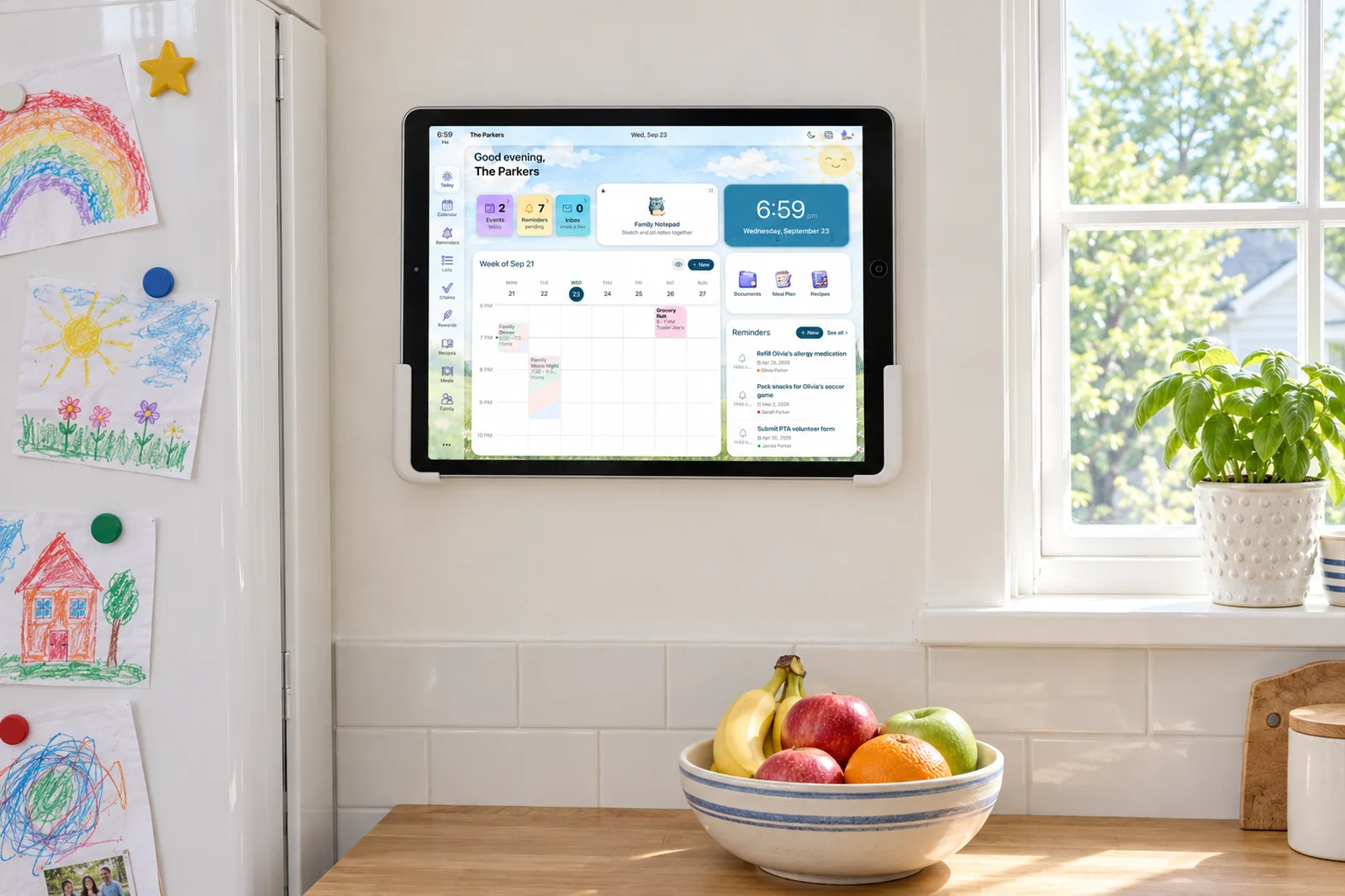
| Shared display | None. A tablet shows the normal app. | Sense Hub turns any old iPad, Android, or Fire tablet into an always-on family display. |
| Calendar sync | It is the hub everything else connects to. Apple and Outlook via CalDAV and subscriptions. | Google Calendar sync. Apple iCloud, Outlook, school and sports iCal feeds by subscription. ICS export. |
| Kids and chores | Kids under 13 need a supervised account via Family Link. No chores, rewards, or routines. | Kid Mode gives each child a screen with no login. Chores, routines, rewards, and allowance built in. |
| Regular pricing | $0. Optional Google AI Plus $4.99/month or Google AI Pro $19.99/month for more Gemini. | $0 free tier. $6.99/month or $59.99/year for Premium. |
| Best fit | Families who want one shared calendar everyone already has, and do not mind typing the events in. | Families who want the calendar filled from emails and photos, plus chores, meals, and a kitchen screen, with Google Calendar kept in sync. |
Prices and features checked on September 24, 2026. Promotions change.
Keep Google Calendar. Stop Typing Into It.
Connect your Google account, forward one school email, and watch the dates land on the calendar your family already uses.
Try Sense Online or get the app:

Where Google Calendar Wins
These are real advantages, not filler.
- It costs nothing and never will. No event caps, no ads inside the calendar, no per-person upgrade to remove anything.
- Everyone already has it. Grandparents, the carpool parent, the babysitter. Sharing means sending an invite to an address they already check. No new app.
- The Family calendar is zero setup. Create a Google family group and a calendar named "Family" shows up in every member's app. Any member can add and edit events, rename it, and manage sharing.
- The sharing permissions are precise. Four levels, per calendar: free/busy only, all details, make changes, or make changes and manage sharing.
- Sync is the best in the business. Google Calendar is what other calendar apps sync to, including Sense. Apple Calendar, Outlook, and nearly every scheduling tool speak to it.
- Bookings add themselves. With smart features on, Gmail turns flight, train, hotel, restaurant, and ticket confirmations into events and keeps them updated. This works on free accounts.
- Gemini can talk to your calendars. Since January 2026 the Gemini app searches shared and secondary calendars by default and can create, move, rename, or cancel events on any calendar you can edit.
Where Sense Wins
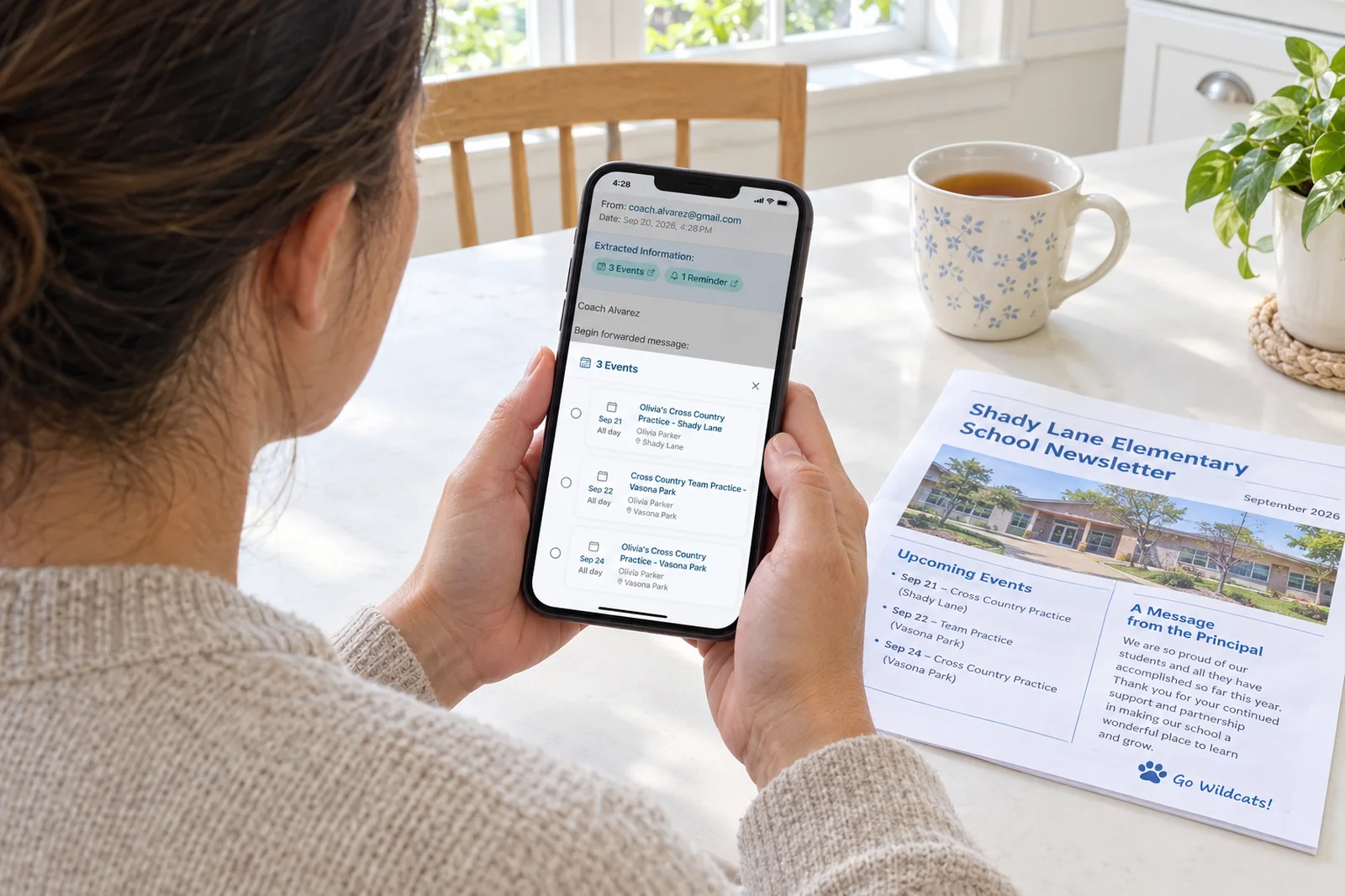
- The school email fills the calendar. Forward a newsletter with six dates and Sense creates six events with the right kid attached. Google's automatic events only cover bookings, and its help page says redirected emails are skipped. Forwarding is redirecting.
- Every input, not just email. A photo of the fridge flyer, a PDF practice schedule, a screenshot, a WhatsApp message, a voice note. Same result: events on the shared calendar.
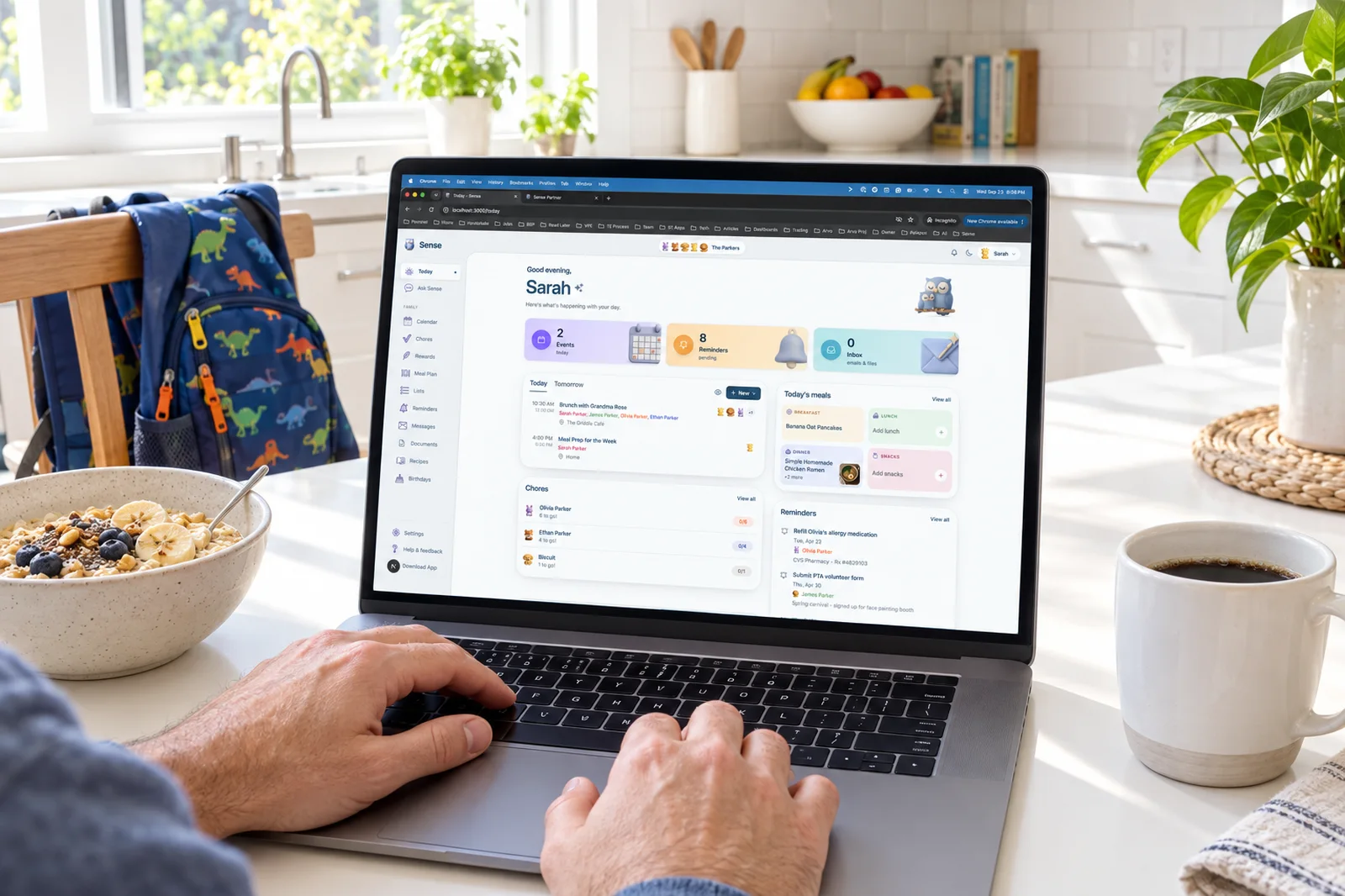
- The rest of the household lives in the same app. Chores with routines, rewards, and allowance. Meal plans and recipes. Medications. Documents. Google covers lists through Keep and nothing else on that list.
- Kids get their own screen without an account. Kid Mode is a dedicated view per child on a shared device. No login, no Family Link account.
- An old tablet becomes the kitchen display. Sense Hub shows today's schedule, meals, chores, reminders, birthdays, and photos on an always-on screen that dims at night.
- One price for the whole family. Premium is $6.99 a month or $59.99 a year, unlimited members. The free tier has no card and no ads.
What Actually Happens to a School Newsletter
This is the test case that decides most of the comparison. A weekly newsletter arrives from the school's mailing platform. It mentions picture day on the 8th, an early dismissal on the 12th, the book fair from the 14th to the 16th, a permission slip due the 19th, and the PTA meeting on the 22nd. Six dates, none formatted as an invitation.
In Google Calendar, nothing happens on its own. Events from Gmail is built for confirmations with a booking number and a fixed time, and Google lists three cases where it does not fire: the email went to a mailing list, you were cc'd, or it was redirected from another account. School newsletters usually hit the first or third. So the parent who reads the email creates six events by hand. Forty emails a semester.
With Gemini, Gmail can show an "Add to calendar" button when it spots event-like content. Google's announcement lists it for Workspace Business and Enterprise plans, Gemini Education, and Google One AI Premium, now Google AI Pro at $19.99 a month. It pre-fills a title, date, and start time, and Google notes the event will not include other guests. The announcement describes one event per click and does not say it pulls a list of dates out of a newsletter. As of our check, Google's page listing Gemini features in Gmail does not include "Add to calendar" among what free personal accounts get, so we will not claim more or less than that.
In Sense, you forward the newsletter to share@getsense.ai or share it from the mail app. The AI reads the whole email, finds all six dates, attaches the right child, and creates the events on the family calendar. Attachments come along, so a stapled PDF schedule is read too. Because Sense syncs with Google Calendar, the events then appear there as well.
Google is excellent at the calendar once the events exist. Sense is built for the step before that.
Chores, Meals, and the Kitchen Screen
Google Calendar is a calendar, and Google is honest about that. Lists live in Keep, which can be shared with your family group. Reminders live in Tasks, which has no shared lists. There is no chore chart, no rewards, no meal plan, and no display mode. Want those, and the family ends up with a calendar in one app and everything else in three more.
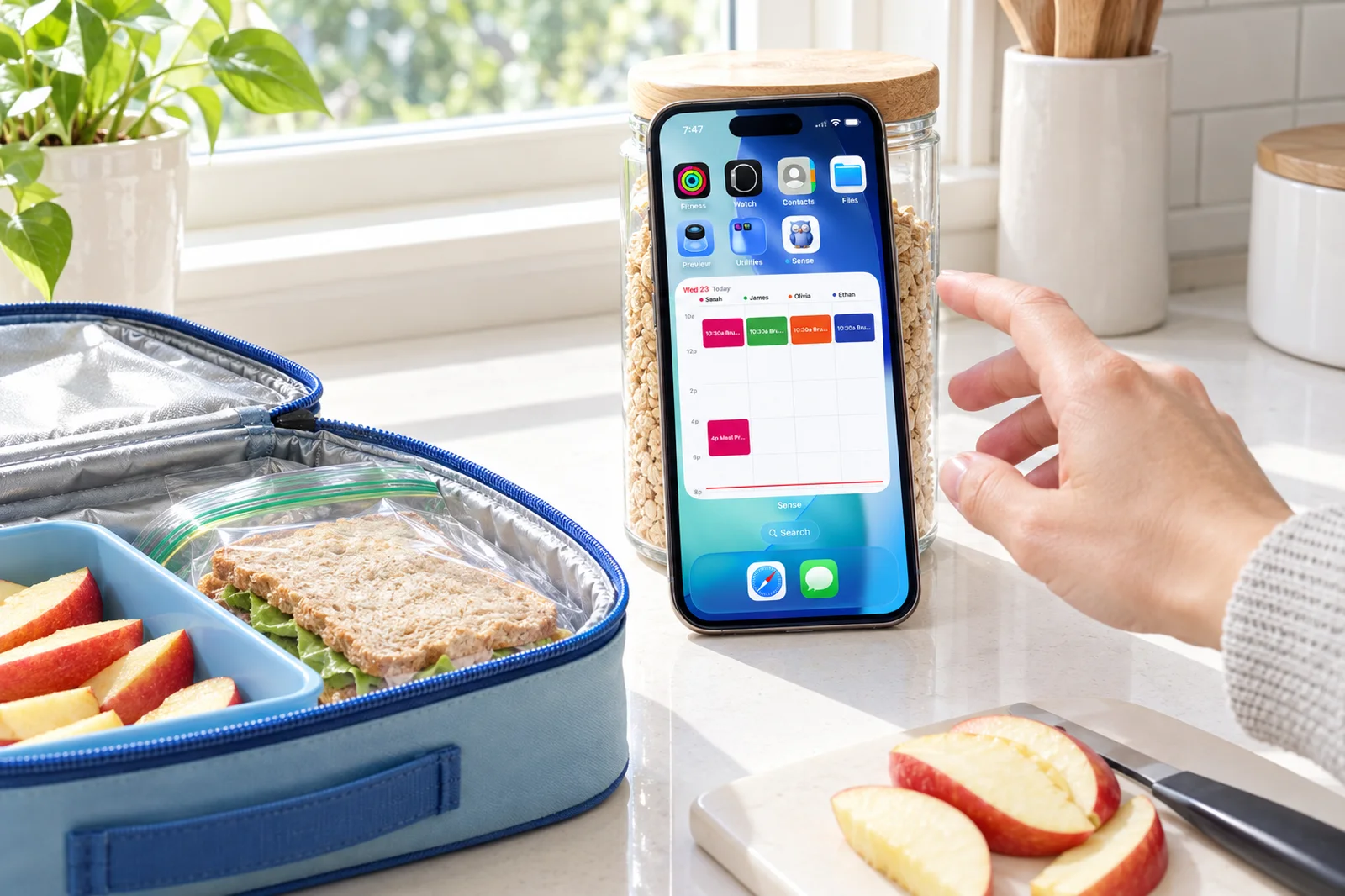
Sense keeps them together because they depend on each other. The meal plan sits on the same week view as soccer practice, so you can see Tuesday is a slow-cooker night. Chores are assigned to a kid who checks them off in Kid Mode and watches their allowance grow. The Hub on the counter shows all of it, so the kids look at the tablet instead of asking you.
One more practical point. Google's help page says Family calendar members are not notified when someone creates, edits, or deletes an event unless they change their settings. That is how a second parent gets surprised by a dentist appointment. Sense sends reminders and a weekly family digest, and the Hub makes the change visible without anyone opening an app.
Use Both: Sense on Top of Google Calendar
This comparison is not a fight because Sense treats Google Calendar as a peer. Connect your Google account in Sense settings and the calendars sync. Work meetings you put in Google show up in Sense next to the kids' schedule. Events Sense extracts from a forwarded email show up in Google Calendar and in whatever else already reads your Google account.
Most Sense families keep using Google Calendar exactly as before for their own appointments. What changes is who does the data entry for the family side. The school, the coach, and the pediatrician email you. You forward. The calendar fills.
The Full Cost Over Three Years
Google Calendar is free, and for many families that is the end of the sum. The paid row is for families who want Gemini's email-to-calendar button, which Google's announcement tied to Google One AI Premium, now Google AI Pro. Google AI Plus at $4.99 a month exists, but Google's plan page lists its Gmail features as Proofread and AI Inbox, so we have not counted it. Sense Premium is $59.99 a year, so three years is $179.97. Google AI Pro at $199.99 a year is $599.97 over three years, or $719.64 paid monthly at $19.99.
| Product | Year 1 | Year 2-3 | 3-year total |
|---|---|---|---|
| Google Calendar, free | $0 | $0 | $0 |
| Google Calendar + Google AI Pro (annual) | $199.99 | $399.98 | $599.97 |
| Sense Premium (annual) | $59.99 | $119.98 | $179.97 |
Neither product needs hardware. Sense Hub runs on a tablet you already own.
How to Choose
Pick Google Calendar if:
- Your family's problem is seeing one calendar, and it is already solved once everyone has the Family calendar.
- Most of your events are bookings, invitations, and appointments that arrive as confirmations.
- One adult is happy doing the typing, and you do not want another app.
Pick Sense if:
- The part that wears you down is turning school and activity emails into events, one at a time.
- You want chores, routines, rewards, meal plans, and lists in the same place as the calendar.
- You want a kid-facing screen without creating and supervising a Google account for each child.
- You have an old tablet and want it on the counter showing the day, with Google Calendar still syncing underneath.
Sense vs Google Calendar: The Bottom Line
Google Calendar is the best free shared calendar a family can use, and nothing here should talk you out of it. The Family calendar, the permission levels, the automatic booking events, and the fact that everyone already has an account are advantages no family app matches. If your household only needs a calendar everyone can see, use Google and stop reading.
The honest limit is the intake step and everything that is not a calendar. Google will not read a forwarded newsletter and create six events, run chores or a meal plan, or turn a tablet into a family display. Those are the jobs Sense does, and because it syncs with Google Calendar, you give nothing up to get them. Try the free tier, forward one school email, and see whether the dates landing on their own is worth $5 a month to your family.
Frequently Asked Questions
Does Sense replace Google Calendar?
No, and it does not need to. Sense syncs with Google Calendar, so events you add in either place show up in both. Most families keep Google Calendar for work and personal events and use Sense to fill the family side from emails, photos, and PDFs, and to run chores, meals, and lists.
Can Google Calendar add events from my emails automatically?
Only for a narrow set of emails. Google's free Events from Gmail feature creates events for flights, trains, buses, hotel and restaurant reservations, and ticketed or registration confirmations. Google's own help page says it skips emails sent to a mailing list, emails where you are cc'd, and emails redirected from another account, which covers most school newsletters.
Is the Gemini Add to Calendar button free in Gmail?
As of our check, Google's announcement lists it for Workspace Business and Enterprise plans, Gemini Education, and Google One AI Premium, which is now Google AI Pro at $19.99 a month. Google's page listing Gemini features in Gmail does not list it among the free personal-account features. It also creates one event without guests, so a shared family event still needs a manual step.
Can my kids use the Google family calendar?
Yes, with accounts. A Google family group holds up to six people in the same country, and members must be 13 or older unless the family manager creates a supervised child account through Family Link. Sense takes a different route: Kid Mode gives each child their own screen on a shared device with no login at all.
Forward One School Email and See the Difference
Sense reads the newsletter, creates every event, and keeps Google Calendar in sync. Free to start, no card required.
Try Sense Online or get the app: