Quick Summary
- Skylight Calendar is a purpose-built touchscreen for the wall: $299.99 for the 15 inch Calendar 2 or $599.99 for the 27 inch Max. Email import, AI photo scanning, meal planning, chore rewards, and the photo screensaver sit behind Skylight Plus at $79 a year.
- Sense is an app for iPhone, Android, and web with the same capture idea and more inputs. Sense Hub turns a tablet you already own into an always-on display. Premium is $59.99 a year or $6.99 a month, and the free tier needs no card.
- Choose Skylight if you want one dedicated screen in the kitchen that nobody has to charge or log into, and that kids can tap without a phone.
- Choose Sense if you want email and photo capture without a $300 device, a monthly plan, and a display on a spare tablet.
We make Sense, one of the two products in this comparison, so read it knowing where we sit. Skylight has built something a lot of families genuinely love, and we say plainly where it wins. Where Sense wins, we say that too, with prices rather than adjectives.
The short answer: Skylight is the better pick if what you want is a beautiful dedicated screen on the wall and you are comfortable paying for the frame plus a yearly subscription. Sense is the better pick if what you want is the automation, school emails and flyers turning into calendar events, and you would rather run the display on a tablet you already have.
Sense vs Skylight Calendar at a Glance
| Comparison | Skylight Calendar | Sense |
|---|---|---|
| Starting point | A $299.99 (15 inch) or $599.99 (27 inch) touchscreen you mount on the wall or stand on the counter, plus the free Skylight app | A free app on iPhone, Android, and web. Nothing to buy |
| Core tools | Shared calendar, chore chart, lists, color-coded profiles, parental lock. Meal planning and rewards need Plus | Calendar, reminders, lists, notes, recipes, birthdays free. Meals, chores, routines, rewards, allowance, medications, documents on Premium |
| Capture and AI | Magic Import (forward emails and PDFs) and Sidekick (snap flyers, meal plans, recipe import). Both need Plus at $79/year | Forward email, WhatsApp, photos, PDFs, screenshots, voice, URLs. AI chat for schedule questions, homework, recipes. 10 AI actions a month free, unlimited on Premium |
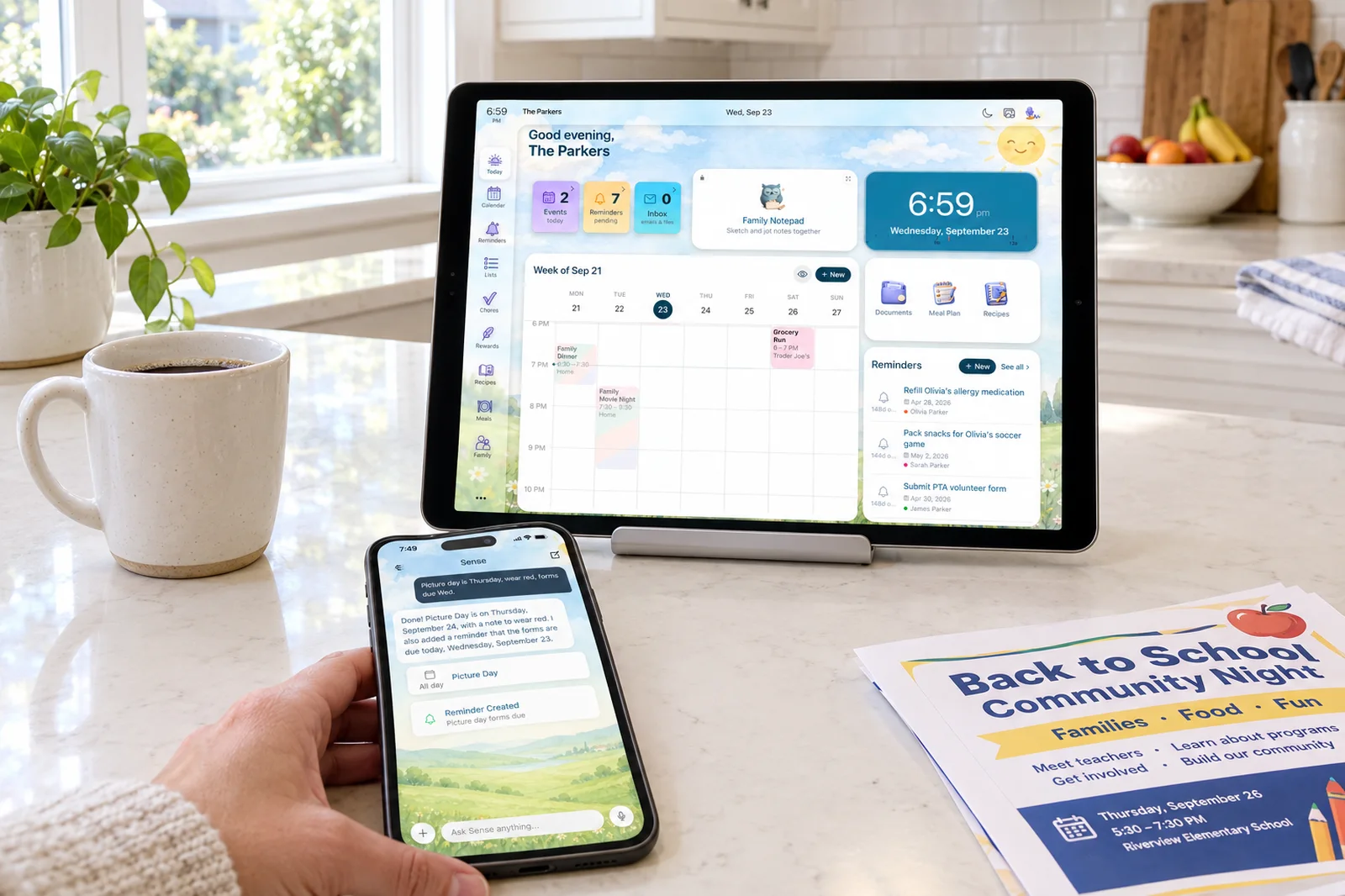
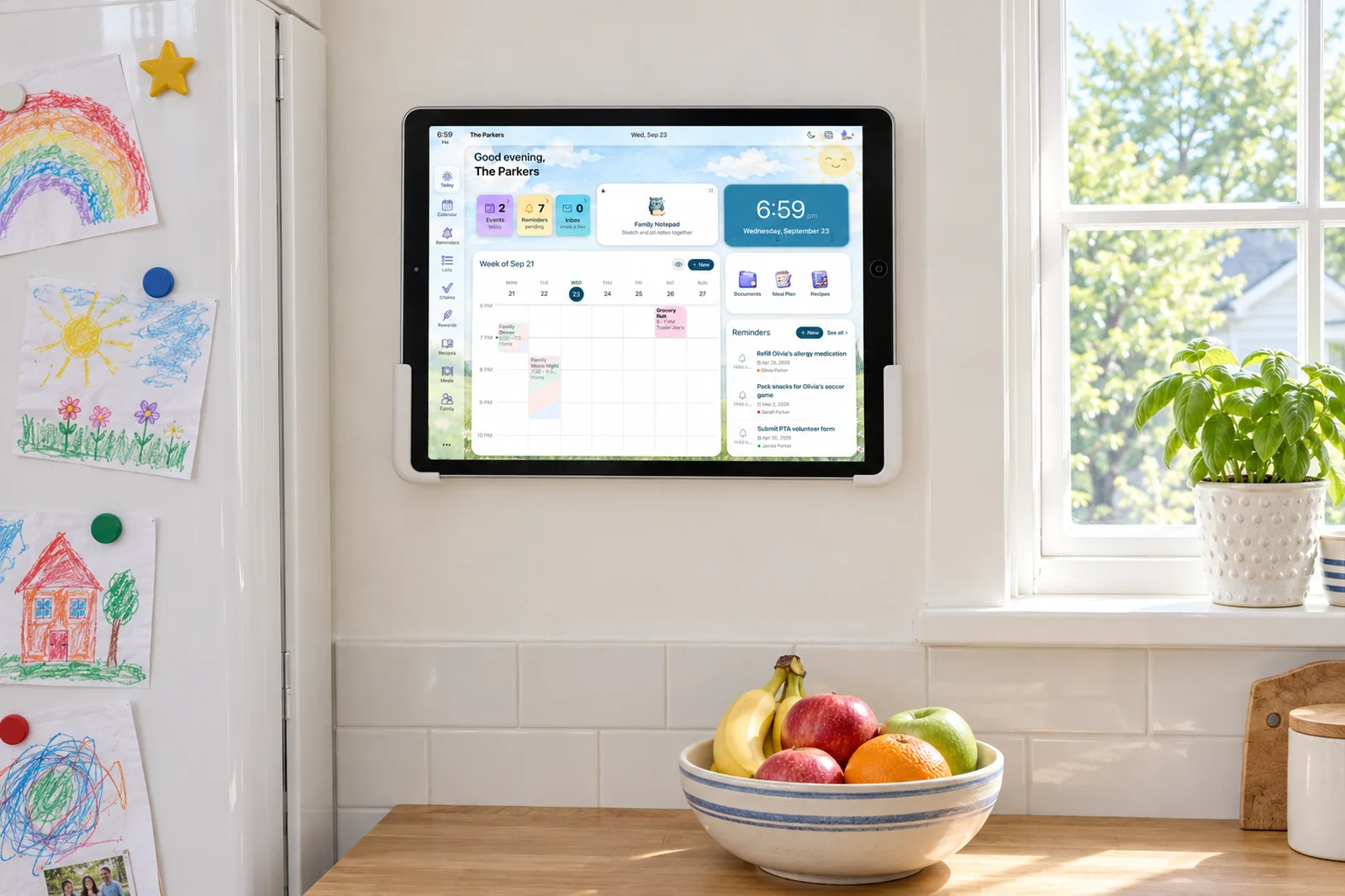
| Shared display | The device itself: 15 or 27 inch anti-glare touchscreen. Photo and video screensaver needs Plus | Sense Hub turns any old iPad, Android, or Fire tablet into an always-on display with schedule, meals, chores, photos, reminders. Dims at night |
| Calendar sync | Google, Outlook, Apple, Yahoo, Cozi. Reviewers report two-way editing on Google and iCloud, one-way for the rest | Google Calendar sync. Apple iCloud, Outlook, school and sports iCal feeds by subscription. ICS export of your Sense calendar |
| Kids and chores | Chore chart free. Star rewards and Disney Mode with Plus. Kids tap the frame directly | Chores, routines, rewards, allowance on Premium. Kid Mode gives each kid their own screen, no login |
| Regular pricing | $299.99 or $599.99 once. Plus is $79/year, annual only, first month free with a device | Free forever, or Premium at $6.99/month or $59.99/year for the whole family. Free trial, no card |
| Best fit | Families who want one dedicated screen on the kitchen wall and are happy to pay $79 a year on top for email import and meal planning | Families who want the capture and the family tools without buying hardware, and will run the display on a tablet they already own |
Prices and features checked on September 24, 2026. Promotions change.
Get Email-to-Calendar Without the $300 Frame
Forward a school email to Sense and the dates land on a calendar the whole family sees. Prop an old tablet on the counter and Sense Hub shows the day. Free to start.
Try Sense Online or get the app:

Where Skylight Calendar Wins
Skylight has sold a lot of these frames, and the reasons hold up.
- The hardware is the product, and it is good. Calendar 2 is a 15 inch Full HD anti-glare touchscreen with a tilting stand, a wall mount, and magnetic Snap Frames you can swap to match the kitchen. The 27 inch Max runs at 2560 by 1440 in portrait or landscape. An old iPad on a stand does not look like furniture.
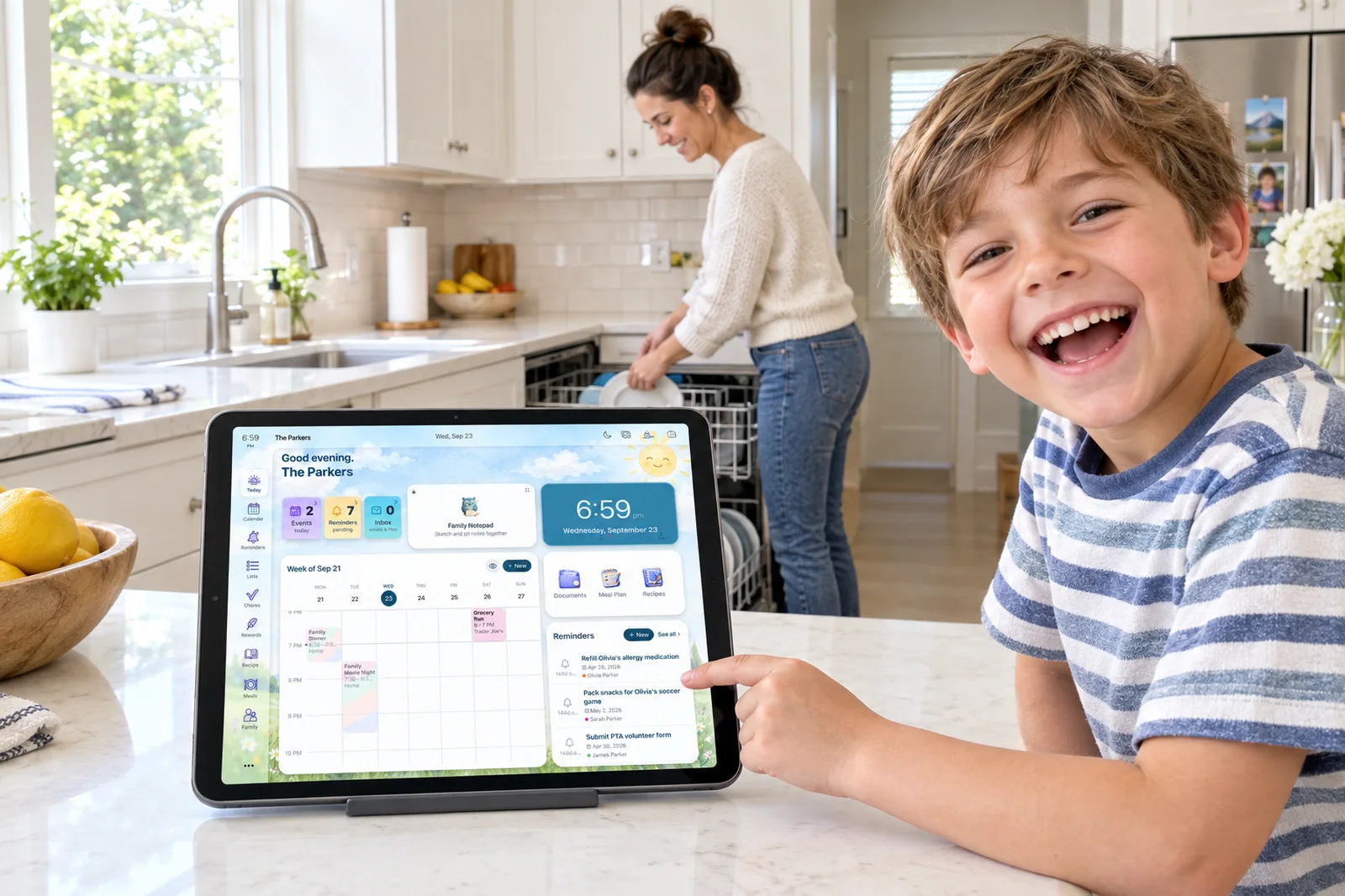
- Nobody needs a phone. The frame is always on and always showing the week. A seven-year-old can find their name and tap a chore done. A visiting grandparent can read the schedule without an account.
- Calendar sync is broad. Skylight pulls in Google, Outlook, Apple, Yahoo, and Cozi, and Reviewed.com called the two-way Google sync one of the best parts of the device. Sense covers Google, iCloud, Outlook, and iCal feeds, but Skylight lists more.
- The return window is generous. Four months of free returns with a full refund, and a three-year replacement promise for covered hardware issues, both verified on the product pages. For a $299.99 purchase that matters.
- It is an established company, and Sidekick is well liked. The Skylight app has a 4.8 rating on about 52,000 App Store ratings. Reviewers praised the AI scanning of school flyers and the meal planner that builds a week of dinners and a shopping list. Once you pay for Plus, the AI is competitive.
Where Sense Wins
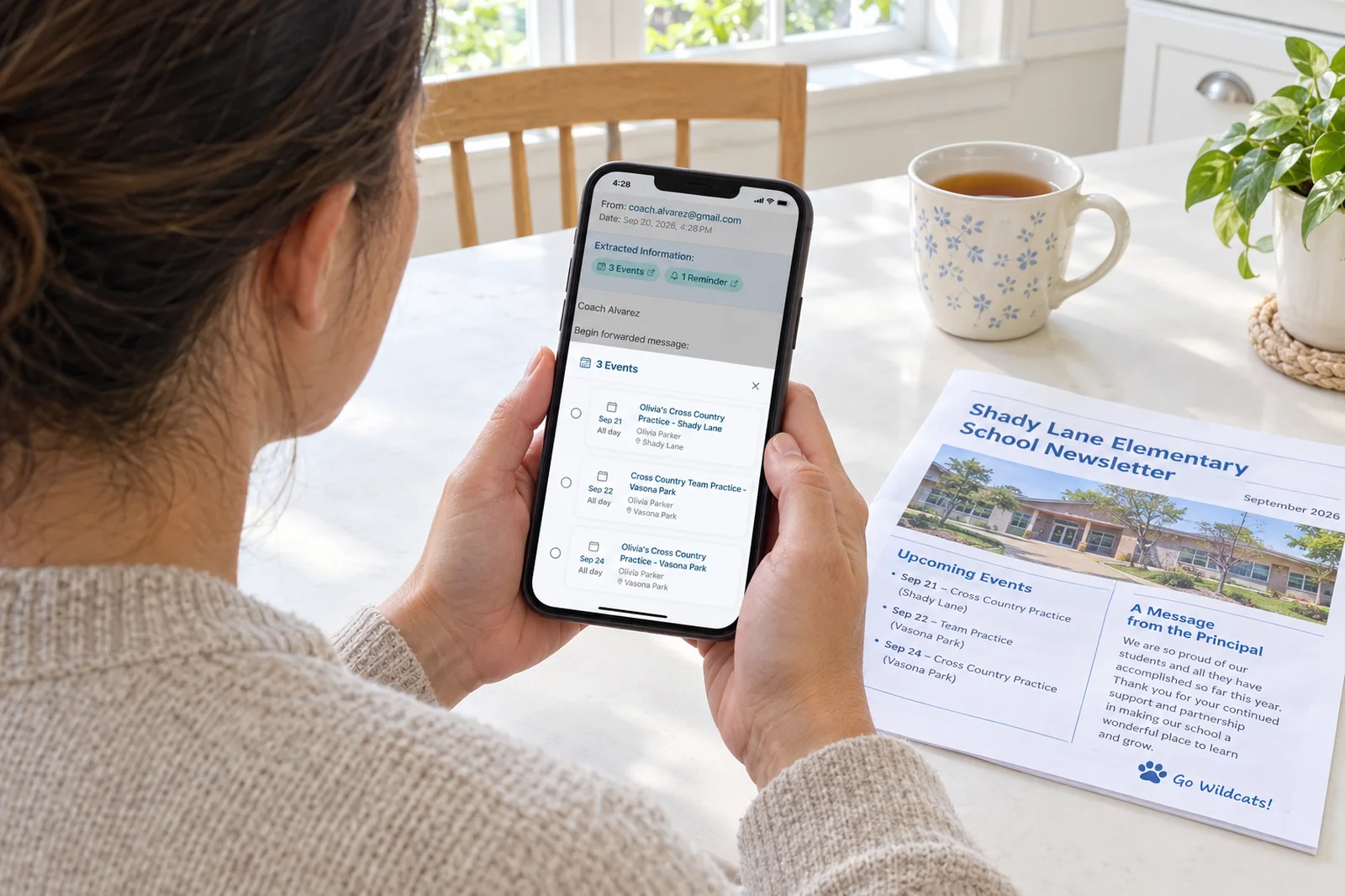
- The capture works without a $300 device. Forward a school email to share@getsense.ai, attachments included, and the events land on the family calendar. That is included in Premium at $59.99 a year. On Skylight the equivalent, Magic Import, needs the frame plus Plus.
- More ways in. Sense takes email, WhatsApp messages, photos of flyers, PDFs, screenshots, voice, text, and URLs, plus the iOS share sheet, Siri Shortcuts, and an Alexa skill. Skylight's Magic Import covers email and PDFs, and Sidekick covers photos.
- A monthly option and a free tier. Skylight Plus is $79 billed once a year, and as of our check there is no monthly plan. Sense Premium is $6.99 a month or $59.99 a year. Sense Free costs nothing, never expires, and includes 10 AI actions a month.
- It lives on the phone, not just the wall. A complaint we saw more than once is that the frame gets forgotten because the family is not in the kitchen. Sense is on every phone, with reminders, a weekly digest, and an AI chat you can ask "what does Tuesday look like" from the car.
- More of the household in one app. Sense Premium adds routines, allowance, medications, document storage, and birthdays to the calendar and chores, and Kid Mode gives each kid their own screen with no kid accounts to manage. Skylight's answer is a parental lock on the frame.
The Display Question: Dedicated Frame or Spare Tablet
Skylight's argument is that a purpose-built frame gets looked at. It sits at eye level, it is always on, and it is not competing with games or YouTube. That argument is right. A tablet propped against the backsplash is less tidy, and if someone borrows it for a movie the display is gone.
Sense's argument is that most families already own the screen. An iPad from three years ago, a Fire tablet the kids outgrew. Sense Hub turns any of them into an always-on family display with today's schedule, meals, chores, photos, reminders, and birthdays, dimming at night. Add a stand and you are done. The display is part of Premium, so it costs nothing beyond the subscription you were paying for the capture anyway.
Skylight is clearly ahead on finish. Sense is clearly ahead on flexibility: if the tablet dies you swap in another, and nothing is drilled into the wall.
Email Capture Without the Frame
On Skylight this is Magic Import, part of the $79 a year Plus plan. Forward an email or a PDF and the events appear on the frame. Sidekick adds photo scanning, so a flyer on the fridge can become events too. Reviewers were impressed with it. The catch is the packaging: you cannot buy Magic Import on its own. You buy a device, get one free month of Plus, and then decide whether $79 a year is worth it.
On Sense the capture is the product, not an add-on to hardware. Forward to share@getsense.ai and Sense pulls out every date, time, and location and creates the events, from attachments, WhatsApp messages, screenshots, and photos of flyers alike. Forwarded emails are deleted after 90 days and only the extracted events are kept. As of our check, Skylight's pages do not state how long imported emails are kept, so we cannot compare that part. Sense Free includes 10 AI actions a month, enough to forward a couple of newsletters and see what comes out before paying anything.
Kids, Chores, and Rewards
Skylight's chore chart is free on the frame. Kids tap their name and check things off on the wall, which is the most natural chore chart there is. Star rewards and Disney Mode need Plus. For kids under ten the Disney touch is a real draw, and we do not have an equivalent.
Sense's chores, routines, and rewards are part of Premium. Routines run a morning or bedtime sequence step by step. Rewards are parent-defined and tied to an allowance balance, so a kid can see what they have earned. The Sense Hub display shows the chore chart in the kitchen the same way the frame does.
The Full Cost Over Three Years
Assume a family that wants the email import on both products. On Skylight that means the 15 inch Calendar 2 at $299.99 plus Plus at $79 a year. Year one is $299.99 plus $79, which is $378.99. Years two and three add $79 each, or $158, for a three-year total of $536.99. The free first month shifts the renewal date but does not remove a payment inside three years. On Sense it means Premium at $59.99 a year: $59.99 in year one and $119.98 across years two and three, for $179.97. That assumes you already own a tablet for the display. If you need to buy one, add its cost.
| Cost | Skylight Calendar 2 + Plus | Sense Premium |
|---|---|---|
| Year 1 | $378.99 | $59.99 |
| Years 2-3 | $158.00 | $119.98 |
| 3-year total | $536.99 | $179.97 |
Two other cases: Skylight without Plus is $299.99 once, for a very nice shared calendar with no automation. Sense Free is $0, with manual events, lists, reminders, and 10 AI actions a month. The Calendar Max adds $300 to every Skylight number above.
How to Choose
Pick Skylight Calendar if:
- You want a dedicated, good-looking screen on the wall and you are fine paying for it.
- Nobody in the house should need a phone or a login to see or tap the calendar.
- You sync from Outlook, Yahoo, or Cozi as well as Google.
- Your kids are young enough that Disney Mode will land.
Pick Sense if:
- The part you want automated is getting school emails and flyers onto the calendar, and you do not want to buy hardware to get it.
- You have an old iPad, Android, or Fire tablet that can become the kitchen display.
- You want a monthly plan or a free tier rather than a $79 annual commitment.
- You want the family's day on every phone, with an AI chat you can ask from anywhere.
Sense vs Skylight Calendar: The Bottom Line
Skylight Calendar is the best dedicated family display you can buy. If you picture one beautiful screen in the kitchen that everyone glances at on the way out the door, that is exactly what it is. The caveat is the price of the full experience: $299.99 or $599.99 for the frame, and another $79 a year, billed annually, for the email import, AI scanning, meal planning, and rewards that make it more than a wall calendar.
Sense starts from the other end. The automation comes first, the display runs on a tablet you already own, and the whole thing is $59.99 a year or free with limits. It does not look as finished on the wall and it will not sync a Yahoo calendar. But if your problem is forty school emails a semester that need to become events, Sense solves it for about a third of the three-year cost, with nothing to mount.
Frequently Asked Questions
Does Skylight Calendar work without the Plus subscription?
Yes. Without Plus you still get the shared calendar, sync with Google, Outlook, Apple, Yahoo, and Cozi, color-coded profiles, a chore chart, lists, and a parental lock. You lose Magic Import, Sidekick AI scanning, meal planning, star rewards, Disney Mode, and the photo screensaver. Plus costs $79 a year and the first month is free with a new device.
Can I use Skylight without buying the frame?
The free Skylight app works on its own as a shared calendar with lists and tasks, and you can subscribe to Calendar Plus inside the app. Most of Skylight's design assumes you own the device though, and the app is not where Skylight puts its effort.
Does Sense have a wall display like Skylight?
Sense Hub turns any old iPad, Android, or Fire tablet into an always-on family display with today's schedule, meals, chores, photos, reminders, and birthdays, and it dims at night. It is part of Sense Premium. Sense does not sell hardware, so you supply the tablet and a stand or mount.
Which is cheaper over three years?
For a family that wants email-to-calendar on both products, Skylight Calendar 2 with Plus comes to $536.99 over three years and Sense Premium comes to $179.97, assuming you already own a tablet for the display. Skylight without Plus is $299.99 once, and Sense Free is $0 with 10 AI actions a month.
Try the Capture First, Buy Hardware Never
Forward one school newsletter to Sense and see the events appear. Free to start, no card, and Sense Hub is waiting for whatever tablet is in your drawer.
Try Sense Online or get the app:
Related reading: Skylight Calendar subscription: what's free vs $79 a year · Skylight Calendar 2 review (2026) · Best Skylight Calendar alternatives