Quick Summary
- Want the Skylight experience on a tablet you own? Sense Hub runs on an iPad or Android tablet, with email-to-calendar, chores and meals in the same app ($59.99/year Premium)
- Want a dashboard on a tablet or TV? Mango Display Pro ($5.99/mo or $59.99/yr) shows calendars, chores and meal plans on almost any screen
- Like to tinker? DAKboard runs on a tablet, browser, or Raspberry Pi; free for one predefined screen, custom layouts from $5/mo billed yearly
- Want it free? Google Calendar on a tablet shows the shared calendar at no cost
- Already have an Echo? Echo Show 15 does calendar display plus smart home
- Want a premium dedicated display? Hearth Display ($699 + membership) has a 27-inch family-focused screen
Yes, there are Skylight calendar alternatives that don't require buying a device. If you own an iPad or an Android tablet, Sense Hub turns it into an always-on family display, and the same app reads school emails into the calendar and runs chores and meal plans (Sense Premium, $59.99/year). Mango Display puts a calendar dashboard on a tablet or even the living room TV ($5.99/month or $59.99/year for Pro, which the calendar needs). DAKboard runs on a tablet, a browser, or a Raspberry Pi, and its free plan shows up to two calendars. The free floor is the Google Calendar app on a tablet you prop up in the kitchen.
We make Sense, so this is not a neutral review. We checked every competitor's prices and features on their own website or App Store listing on October 29, 2026; the Echo Show price is from Best Buy's listing because Amazon's page would not load.
Want a straight head-to-head instead of a roundup? Read Sense vs Skylight.
Skylight Calendar has become the go-to recommendation for families who want a dedicated wall display for their schedule. The idea is compelling: a touchscreen that shows your family calendar, syncs with everyone's schedules, and even extracts events from forwarded emails.
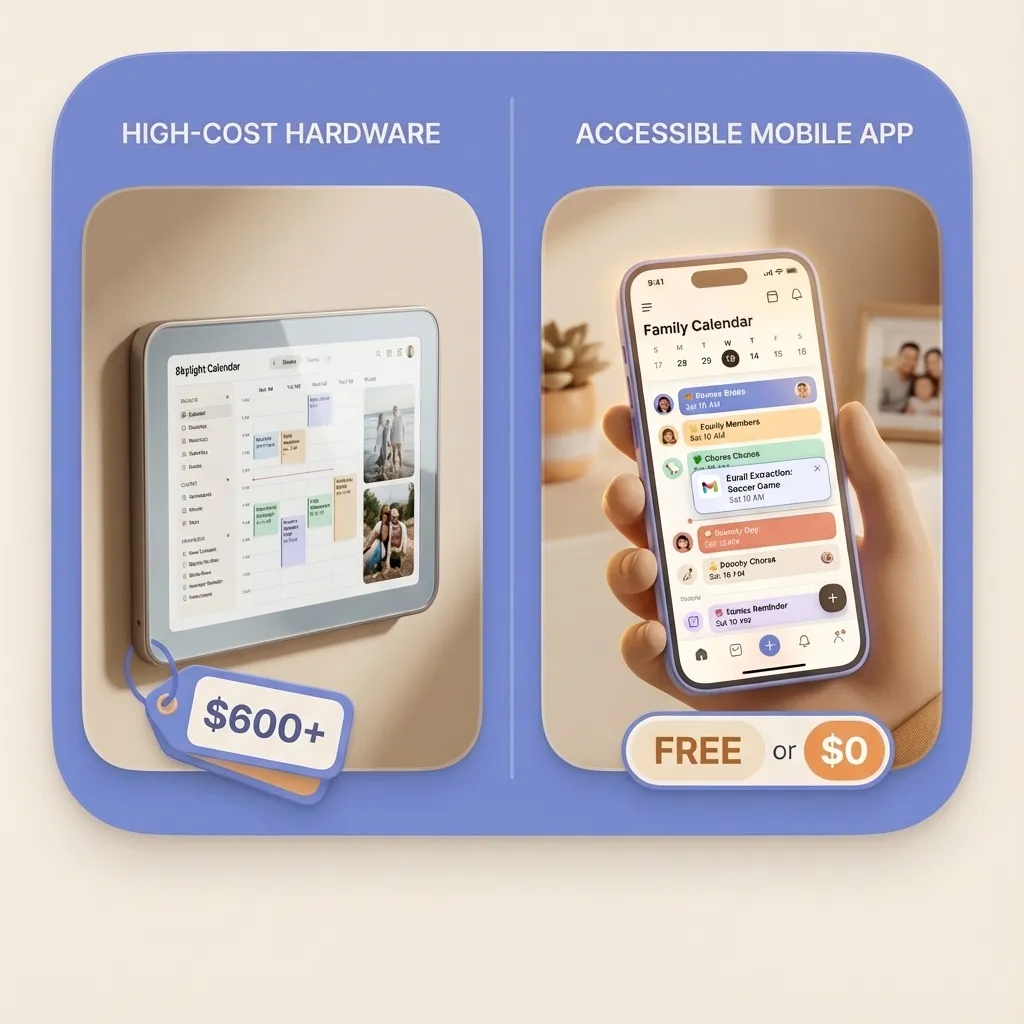
But then you see the price. The Skylight Calendar costs $299.99-$599.99 for the hardware, plus $79/year for the Plus subscription that unlocks the best features (including the email-to-calendar "Magic Import" that makes it actually useful).
That's $378.99 in the first year for the 15-inch Calendar 2 with Plus, or $678.99 with the Max.
Some families really do want a wall display. Others just want the email automation without buying dedicated hardware. We'll cover both.
What Makes Skylight Appealing
Before looking at alternatives, it's worth understanding what Skylight does well:
- Always visible: A wall-mounted display means the schedule is always in view - no opening apps
- Family-focused design: Color-coded family members, chore assignments, meal planning
- Magic Import: Forward emails, PDFs, or photos and it extracts calendar events automatically
- Touch interface: Kids can check the schedule and mark chores complete
The Magic Import feature is genuinely useful. Forward a soccer schedule PDF and it creates all the events. That's the feature most families are actually paying for.
Quick Comparison
| Option | Upfront Cost | Ongoing Cost | Email-to-Calendar |
|---|---|---|---|
| Skylight Calendar | $299.99-$599.99 | $79/year | Yes (Plus only) |
| Sense (with Sense Hub) | $0 (iPad or Android tablet you own) | Free plan / Hub on Premium $59.99/year | Yes (10 a month free) |
| Nori | $0 app ($369 optional Hub) | Free tier / $7.99/mo or $59.90/year | Yes (10 free AI actions to try) |
| Mango Display | $0 (tablet, TV, or browser you own) | Pro $5.99/mo or $59.99/year (calendar needs Pro) | No |
| DAKboard | $0 (tablet, browser, or Raspberry Pi) | Free / Essential $6/mo ($5/mo yearly) | No |
| Google Calendar on a tablet | $0 (tablet you own) | $0 | No |
| Echo Show 15 | About $300 list, often on sale | $0 | No |
| Hearth Display | $699 | $9/mo or $86.40/year | No (photo import only) |
Checked October 29, 2026. Prices and plans change.
The Real Question: Do You Need the Hardware?
Here's what we've learned from talking to families: most people are drawn to Skylight for one of two reasons:
- They want a wall display - a dedicated screen the whole family can see
- They want the email automation - forward a schedule, get calendar events
These are different problems with different solutions. If you want a wall display, you have hardware options. If you want email automation, you can get that in software without buying anything.
Let's look at both.
Alternatives That Run on a Device You Already Own
Each of these runs on a phone, tablet, or screen you already have. Sense and Nori also add events for you; Mango, DAKboard and Google Calendar show calendars you keep current yourself.
Sense and Sense Hub
Full disclosure: this is our app. Sense gives you the email-to-calendar automation that makes Skylight's Magic Import so useful - but it runs on your phone, is free to start, and includes features Skylight doesn't have.
Forward school emails, sports schedules, or activity flyers to your Sense email address. The AI extracts dates, times, locations, and details - then creates calendar events automatically. Both parents see everything instantly.
For the wall-display part, Sense Hub turns an iPad (iPadOS 15.1 or later) or an Android tablet (Android 7 or later) into an always-on family screen: the week's calendar, today's chores and routines, the meal plan, and a photo screensaver. Kids tick off chores on the tablet, and the same plan is on everyone's phone. The Hub, chores and meal planning are part of Premium.
Beyond scheduling, Sense handles chores with feathers that kids trade for rewards or allowance, generates meal plans and recipes, manages shopping lists, and works as a general family assistant.
The key difference from Skylight: Sense Premium for five years is $299.95, about the price of the 15-inch Calendar 2 alone before its $79/year Plus plan. The screen is a tablet you already own, and the plan is on everyone's phone too.
Five stars, "Like Skylight, but better"
"This app is phenomenal and always improving. The creators listen to feedback so well and act upon it accordingly. It's changed the way my family functions! I would argue that many of its functions are phenomenally more advanced than Skylight!"
App Store review, September 2026
Strengths
- Email-to-calendar automation (10 a month free)
- Works on any device - phone, tablet, computer
- Sense Hub turns an iPad or Android tablet into the wall display
- Chores, meal planning, lists (chores and meals on Premium)
- Both parents see everything automatically
Limitations
- Sense Hub needs Premium and an iPad or Android tablet (no TV app)
- Unlimited email import needs Premium
- Newer app, still evolving
- Different approach takes adjustment
Try the Email Automation Free
Forward your next school email and see events appear automatically
Try Sense online or get the app:

Mango Display
Mango Display is the closest thing to "Skylight as an app." You install it on a screen you already own, open the Mango dashboard on your phone or computer, enter the code on the screen, and connect Google, Outlook, or iCloud calendars. It runs on iPad, Android and Fire tablets, Fire TV, Samsung and LG smart TVs, Android and Google TV, Echo Show, Windows, Raspberry Pi, and any web browser. If you want the family calendar on the living room TV, Mango is the one on this list that does it.
The free plan gives you two screens with a clock, weather, news headlines and quotes, but no calendar widget. Calendars need Pro at $5.99 a month or $59.99 a year, which includes three screens. Pro also adds chores by family member with points that kids redeem for rewards, and a daily and weekly meal plan with images. Layouts are drag-and-drop, with multiple pages on timers.
What Mango does not do is fill the calendar for you. It shows calendars you keep current somewhere else, and it has no AI assistant or email import. We compared the two in detail in Sense vs Mango Display.
Strengths
- Runs on tablets, smart TVs, Echo Show, and browsers
- Flexible drag-and-drop layouts
- Chores, rewards, and meal plan widgets on Pro
- Pro costs the same per year as Sense Premium
Limitations
- Free plan has no calendar widget
- No email-to-calendar automation or AI
- Calendars still have to be kept current by hand
- Set up from a separate web dashboard
DAKboard
DAKboard is a customizable wall display for people who like to set things up exactly their way. It runs in any web browser, so an iPad or tablet can show it, and there is a native app for Android and Fire TV plus a free operating system for a Raspberry Pi you plug into an old monitor or TV. DAKboard also sells its own wall displays and plug-in computers if you would rather buy a finished device.
The free plan is genuinely usable: one predefined screen with up to two calendars, photos, weather, and news, with DAKboard branding. Essential ($6 a month, or $5 a month billed yearly, 30-day trial) unlocks custom screens, and the Chores feature needs Essential or Plus. To-dos can come from Todoist, Google Tasks, Microsoft To Do, Trello, or Asana.
Like Mango, DAKboard displays calendars you maintain elsewhere; it does not read emails or add events for you. Our full comparison is in Sense vs DAKboard.
Strengths
- Free plan shows up to two calendars
- Runs on a browser, Android, or Raspberry Pi
- Deep layout control and lots of data blocks
- Optional hardware if you want a finished device
Limitations
- Custom layouts and chores need a paid plan
- No email-to-calendar automation or AI
- Setup rewards tinkering more than speed
- Not built around kids or family routines
Google Calendar on a Tablet (the Free Floor)
The cheapest Skylight alternative is the one most families already have: a shared Google Calendar, opened on a tablet propped up or mounted in the kitchen. Each parent adds events from their phone, and the tablet shows the week.
It costs nothing, but it is a calendar app, not a family display. There are no chores, meal plans, or kid-friendly views, the tablet will go to sleep unless you change its display settings, and every event still has to be typed in by someone.
Strengths
- Free
- Most families already use it
- Works on any tablet
Limitations
- No chores, meals, or family dashboard
- Not designed to stay on all day
- Every event is typed in by hand
Nori (Nori vs Skylight)
Nori is a newer "Family AI" app from Domus Next that competes with Skylight from the opposite direction. Instead of leading with hardware, Nori is an app first: like Sense, it reads forwarded emails and photos of flyers and turns them into calendar events, with no device required. It also sells an optional wall display, the Nori Family Hub, that adds in-room "Hey Nori" voice.
For a shopper weighing Nori vs Skylight, the trade is straightforward: Skylight is hardware you must buy ($299.99 for the 15 inch Calendar 2, $599.99 for the Max) plus $79/year for the automation, while Nori's automation runs on your phone (10 AI actions to try, then $7.99 a month or $59.90 a year for Plus) and the Hub is optional.
Strengths
- Email-to-calendar and photo capture built in, no hardware needed
- Free app tier (Plus is $7.99/month or $59.90/year for unlimited AI)
- Optional voice-enabled wall Hub if you want a display
- Works on iOS, Android, and the web
Limitations
- Unlimited AI needs Plus; the free tier includes 10 AI actions to try
- The Family Hub hardware ships to the US and Canada only
- A newer company with a much shorter track record than Skylight
- The voice Hub has microphones; Skylight markets its no-mic design as a privacy advantage
Hardware Alternatives (If You Want a Dedicated Display)
If you would rather buy a dedicated screen than use a tablet you own, here are alternatives to Skylight's hardware.
Amazon Echo Show 15
The Echo Show 15 is Amazon's largest smart display - a 15.6-inch screen designed to be wall-mounted. It shows your calendar, weather, reminders, and photos, plus does everything else Alexa does (music, smart home control, video calls).
Unlike Skylight, there's no subscription. You pay for the hardware once and get full functionality. It syncs with Google Calendar, Apple Calendar, and Outlook.
Strengths
- No subscription fees
- Voice control for adding events
- Smart home integration
- Video calling, music, recipes
Limitations
- No email-to-calendar automation
- Not family-focused by design
- Privacy concerns (always-listening)
- Calendar view less prominent
Hearth Display
Hearth is a 27-inch display specifically designed for families. It has a wooden frame aesthetic, color-coded family profiles, and kid-friendly icons. The large screen makes it easy for the whole family to see what's coming up.
It includes calendars, routines, rewards, meal planning, and lists, and most of those need the membership. With Hearth Helper, its AI scheduling assistant, you can snap a photo of a flyer or invite to add events. The first month of membership is included with purchase.
Strengths
- Large 27-inch display
- Family-focused design
- Photo-to-calendar feature
- Kid-friendly icons and routines
Limitations
- Photo import, but we found no email forwarding
- $699 hardware + ongoing membership
- Single-purpose device
- Vertical layout only
The Email Automation Question
Here's something important to note: of all the alternatives listed, only Sense and Nori offer the email-to-calendar automation that Skylight charges $79/year for with their Magic Import feature.
The display options (Mango Display, DAKboard, Echo Show, Hearth) give you a wall display, but you're still entering events by hand or syncing from calendars you maintain. Hearth Helper can read a photo of a flyer, but we found no email forwarding on Hearth's site.
If the main appeal of Skylight was "forward an email and get calendar events," you can get that without buying hardware at all.
| Feature | Skylight + Plus | Sense |
|---|---|---|
| Forward email, get events | Yes | Yes |
| PDF schedule extraction | Yes | Yes |
| Shared family calendar | Yes | Yes |
| Chore tracking | Yes | Yes (Premium) |
| Meal planning | Yes | Yes (Premium) |
| First year cost | $378.99-$678.99 | $0-$59.99 |
| Wall display | Yes (Skylight device) | Yes (Sense Hub on your iPad or Android tablet, Premium) |
| Access from anywhere | App available | Yes |
Profiles and caregivers
Skylight's answer to "Grandma does Tuesday pickup" is a profile: you add her from the Profiles tile in the Skylight app, she gets a color, and her events show on the frame with everyone else's. That is a good way to see the week in the kitchen. It is not a way to get the week to her. For that, Skylight has you invite the caregiver into your account, and once she is in she sees the whole calendar, the frame's chores and lists included. We walked through both in how Skylight profiles and caregiver invites work, and what each one can see.
Sense has profiles too, for the grandparent who does pickups, the nanny, the dog, or an open "Help With Rides" slot, and they also get a color and a calendar filter without a login. The difference is the next step. Instead of inviting the person into your account, you share their plan as a private link: a page that opens on any phone, shows the next 8 days with times, who, where and your notes, and stays current without you resending anything. You can add a PIN, keep the family vacation off it, and stop sharing with one tap.
If a dedicated screen is the point, Skylight's profiles do the job on the wall. If the point is that the sitter, the grandparents or the other carpool parents know the plan without installing anything, the link is the simpler answer. Setup is in the family profiles help article.
What Actually Matters When Choosing
After looking at all these options, here's how to decide:
Choose Skylight if:
- You specifically want a dedicated wall display AND email automation
- Budget isn't a major concern
- You like the Skylight aesthetic and brand
- You want one company supporting everything
Choose Sense if:
- You mainly want the email-to-calendar automation
- You want a wall display on an iPad or Android tablet you already own
- You want to check your calendar from anywhere
- You'd rather start free and see if it works for you
Choose Echo Show if:
- You want a wall display plus smart home features
- Voice control is important to you
- You're already using Alexa
- You don't need email-to-calendar automation
Choose Mango Display, DAKboard, or Google Calendar on a tablet if:
- You want a wall display on a budget (Google Calendar is free, DAKboard has a free plan)
- You have an old tablet you can repurpose
- You don't need email-to-calendar automation
- You want it on a TV (Mango) or a Raspberry Pi (DAKboard)
Our Honest Take
Skylight makes a good product. The wall display is genuinely useful for families who want the schedule always visible in the kitchen. The Magic Import feature is clever and solves a real problem.
But for many families, $378.99 to $678.99 in the first year is hard to justify when a tablet in the drawer can do the wall-display job, and the feature they actually want (email automation) is available without buying hardware.
If you're on the fence about Skylight, here's what we'd suggest: try the email automation first. Download Sense (or another app), forward a few school emails, and see if that solves your problem. If you find yourself still wanting a dedicated wall display after that, you can always buy the hardware later.
But you might find that having events automatically appear on your phone - accessible anywhere, not just your kitchen wall - is actually more useful than a mounted screen.
Frequently Asked Questions
Is there a Skylight calendar alternative that doesn't require buying a device?
Yes. Sense Hub turns an iPad or Android tablet you already own into an always-on family display, with chores, meals and email-to-calendar in the same app (Sense Premium, $59.99/year). Mango Display runs on tablets, smart TVs, Fire TV, Echo Show and browsers; its calendar widget needs Pro at $5.99/month or $59.99/year. DAKboard runs on a tablet, browser, Android or Raspberry Pi, with a free plan that shows one predefined screen and up to two calendars. The free floor is the Google Calendar app on a tablet you prop up in the kitchen.
What is the best Skylight Calendar alternative?
It depends on what drew you to Skylight. If it's the email-to-calendar automation, that's software - Sense does it on your phone (10 emails or photos a month free, unlimited on Premium at $59.99/year), and Premium's Sense Hub turns a tablet you own into an always-on wall display. If you only want the wall display, Mango Display and DAKboard run on a tablet or screen you already own, while Amazon's Echo Show 15 and the Hearth Display are dedicated-hardware options.
Is there a Skylight alternative without a subscription?
Yes. Sense's email-to-calendar works on its free plan for up to 10 emails or photos a month, and Premium is $59.99/year with no hardware to buy. Google Calendar on a tablet is free, DAKboard's free plan shows up to two calendars on one predefined screen, and the Amazon Echo Show 15 has no subscription for basic calendar display. Most dedicated family displays, including Skylight and Hearth, charge an annual fee for their best features.
What is the cheapest way to get Skylight's features?
Mount a tablet you already own and run Sense Hub. A roughly $15 wall mount plus Sense Premium at $59.99/year gives you the always-visible family calendar and the email-to-calendar automation, instead of $299.99-$599.99 of hardware plus the $79/year subscription.
How does Nori compare to Skylight?
Nori is an app-first Family AI that also turns forwarded emails and photos into calendar events. Its free app includes 10 AI actions to try, unlimited AI is $7.99/month or $59.90/year, and the optional Nori Family Hub display lists at $369. Unlike Skylight, its automation runs on your phone with no hardware required, which is closer to how Sense works.
Try Email-to-Calendar Free
See if you really need the hardware, or if the automation alone solves your problem
Try Sense online or get the app:
4.8 on the App Store 2,500+ families