Quick Summary
- FamilyWall is the wide app: shared calendar, family messenger, real-time location with safe zones, budget tracker, meal planner, and lists. Premium is $4.99 a month or $44.99 a year and covers the whole family.
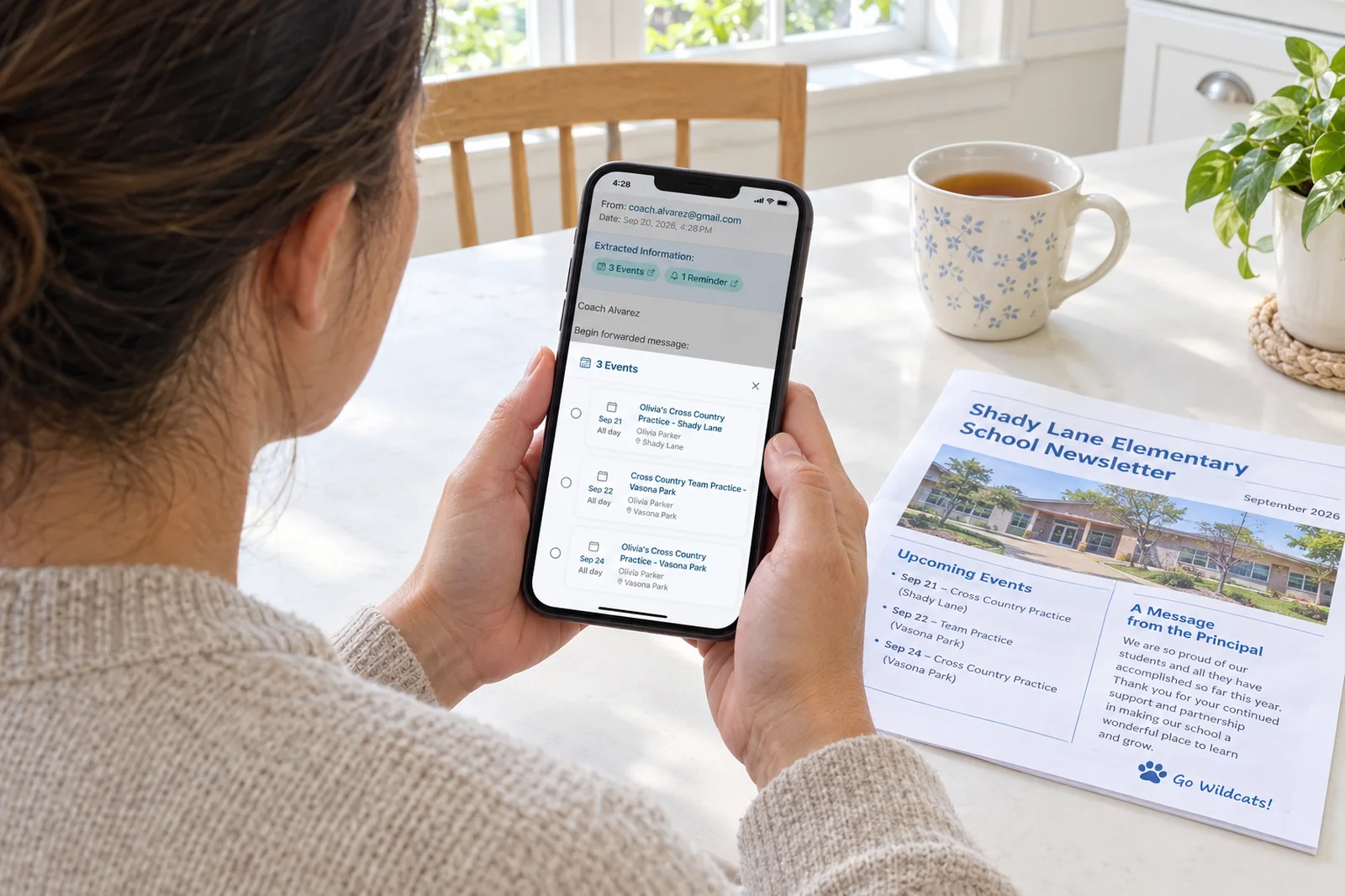
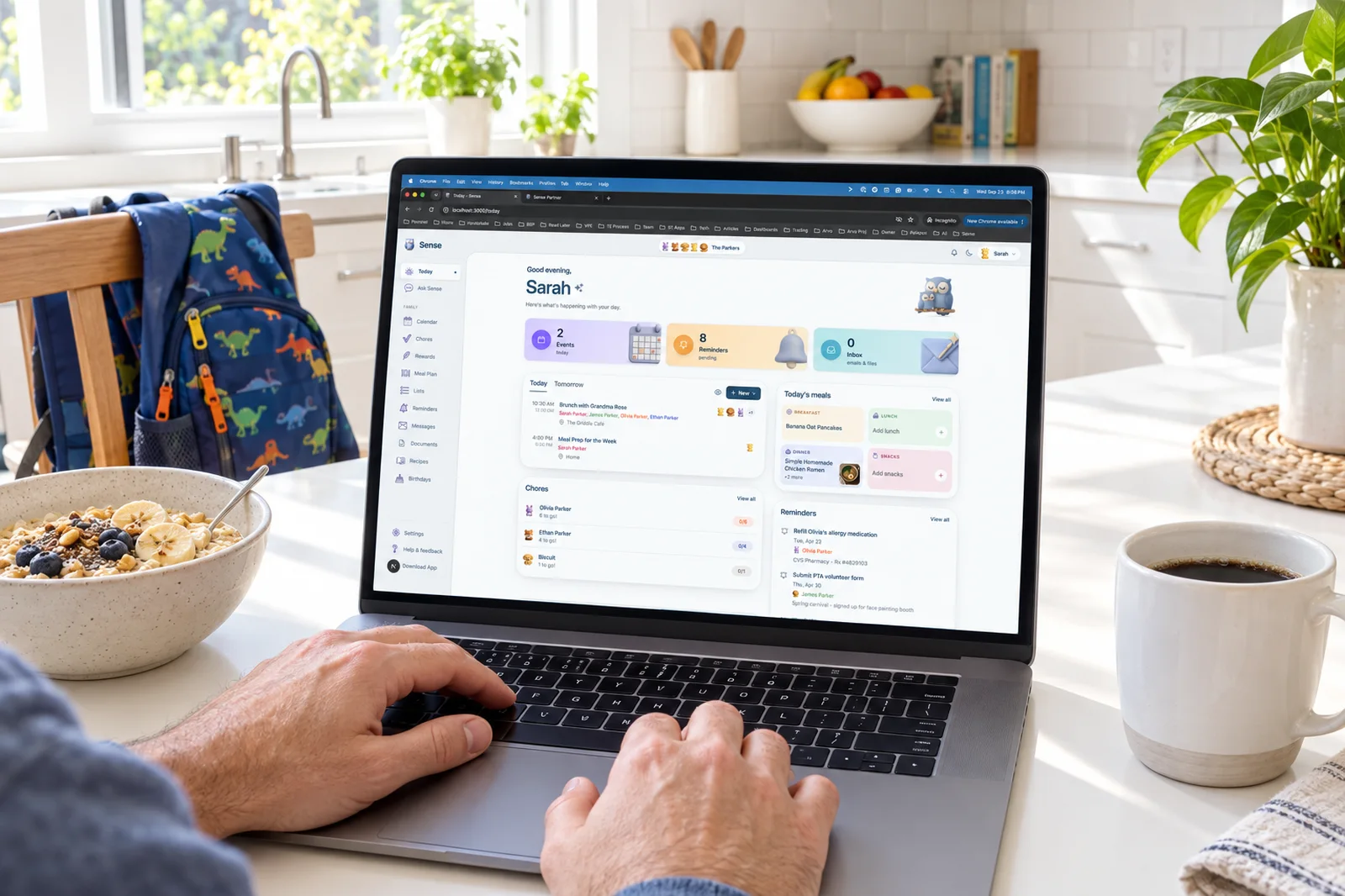
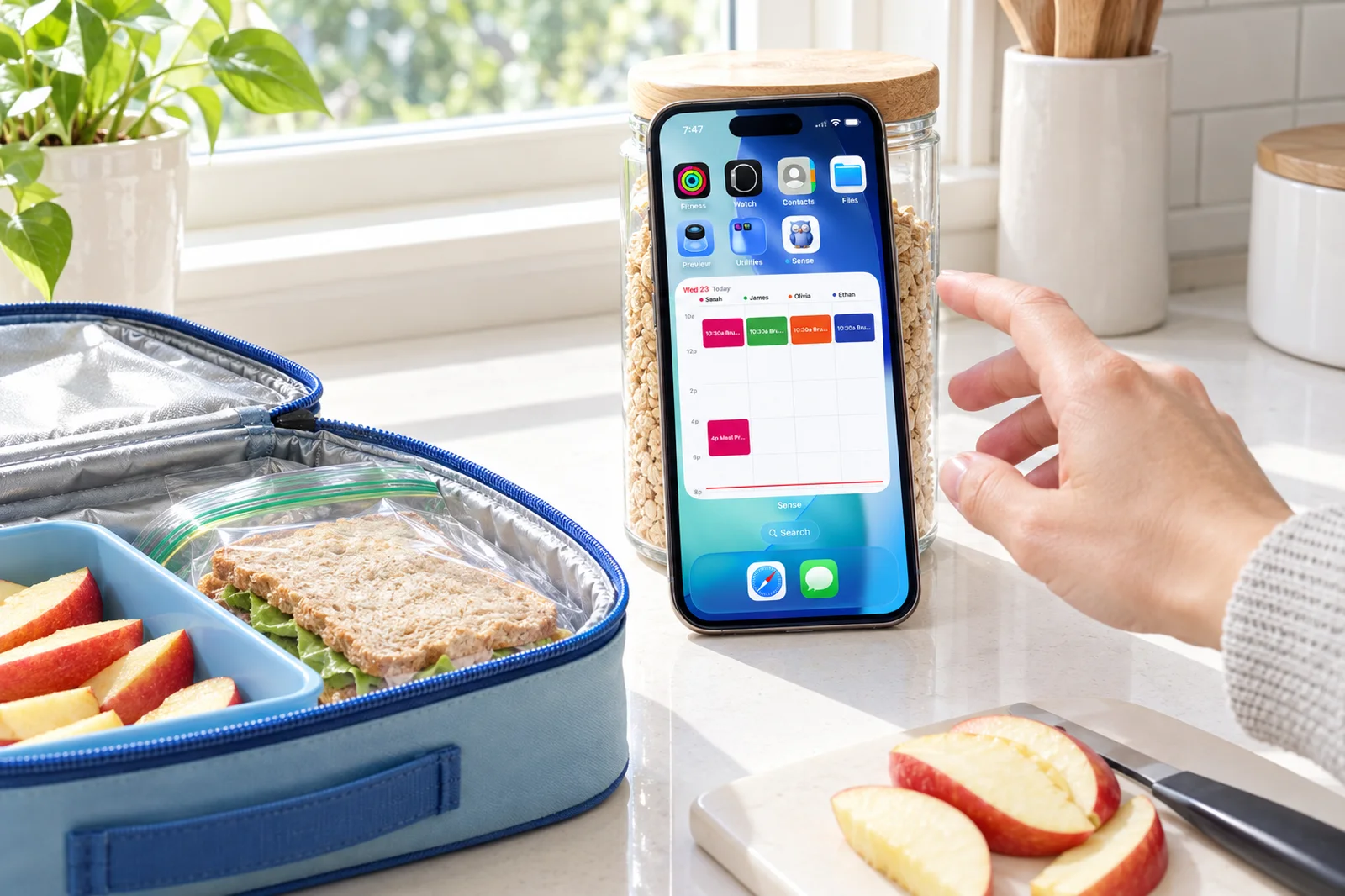
- Sense is the capture app: forward an email, snap a flyer, or paste a WhatsApp message and the events appear on a shared calendar, with chores, meals, lists, and a tablet display around it. Premium is $6.99 a month or $59.99 a year.
- Choose FamilyWall if you want to see where the kids are, chat with them, and track household spending in the same app as the calendar.
- Choose Sense if the job that wears you down is getting school and activity dates into the calendar, and you want a kitchen tablet showing the family's day.
We make Sense, so this is not a neutral review. What we can do is be specific about where each app is stronger, because FamilyWall does several things Sense does not do at all, and families searching this comparison deserve a straight answer rather than a sales page.
The short answer: FamilyWall is the better pick if location sharing, family chat, or a shared budget matter to you. Sense is the better pick if you want the calendar to fill itself from the emails, photos, and messages you already receive, and you want that calendar on a tablet in the kitchen.
Sense vs FamilyWall at a Glance
| Comparison | FamilyWall | Sense |
|---|---|---|
| Starting point | A shared family space: calendar, chat, map, lists, photos. You add events by hand or, on Premium, by forwarding email. | A capture engine: forward, snap, or paste, and events land on the family calendar. Everything else is built around that. |
| Core tools | Calendar, to-dos, shopping lists, recipe box, messenger, photo gallery, contacts (free). Meal planner, budget, documents, timetables (Premium). | Calendar, reminders, lists, notes, recipes, birthdays, emergency contacts (free). Chores, routines, rewards, allowance, meal planning, documents, medications (Premium). |
| Capture and AI | Magic Import (Premium, added July 2026): forward emails with PDF or image attachments to a circle address; 1,000 imports a month. No AI chat. | Email, WhatsApp, photo, screenshot, PDF, flyer, voice, text, and URL to calendar. AI chat for schedule questions, recipes, homework help, and more. 10 AI actions a month free, unlimited on Premium. |
| Shared display | Home screen Timetable widget. No always-on display mode found. | Sense Hub turns any old iPad, Android, or Fire tablet into an always-on family display. |
| Calendar sync | Google and Outlook sync on Premium. iPhone calendar can be added on Premium but is one-way and cannot be shared with other members. ICS subscriptions on Premium. | Google Calendar sync, plus Apple iCloud, Outlook, school, and sports iCal feeds by subscription. ICS export of the Sense calendar. |
| Kids and chores | To-do and chore checklists. Timetables for classes. Location sharing and place alerts. No points, rewards, or allowance found. | Chores, routines, rewards, and allowance. Kid Mode gives each child a dedicated screen with no login. No location tracking. |
| Regular pricing | Free with ads. Premium $4.99/month or $44.99/year on familywall.com (the App Store lists the monthly plan at $7.99). One subscription covers the circle. 30-day trial. | Free forever, no ads. Premium $6.99/month or $59.99/year for the whole family, unlimited members. Free trial with no credit card. |
| Best fit | Families who want location, chat, and a budget alongside the calendar, and are fine adding most events themselves. | Families whose bottleneck is data entry, who want chores and meals in the same app, and who want the day on a kitchen tablet. |
Prices and features checked on September 24, 2026. Promotions change.
See What Sense Does With One School Email
Forward a newsletter, a practice schedule, or a camp confirmation and watch every date land on the family calendar. No credit card, no setup wizard.
Try Sense Online or get the app:

No credit card. We only read what you forward - your inbox stays yours.
Where FamilyWall Wins
These are real advantages, not filler.
- Location sharing and safe zones. You can see family members on a map in real time and get an alert when a child arrives at school or leaves the house. The sharing controls are unusually fine-grained: for each person you choose Never, Always, Temporary (one hour by default), or Places only. Sense has none of this. If knowing where everyone is belongs in your family app, FamilyWall wins outright.
- A family messenger. Text, photo, voice, and video messages in a private circle that only approved members can join. For families with kids who are too young for a phone number, a closed chat inside the organizer is genuinely useful. Sense coordinates through the shared calendar and AI chat, not a group thread.
- Budget tracking. Premium includes a shared budget for household bills, expenses, and savings goals. Sense does not do money beyond kids' allowance.
- A generous free tier. The free plan is not a trial. Shared calendar, shopping and to-do lists, messaging, a photo gallery, a recipe box, and a contact book all work without paying, with ads and a 100 MB storage cap.
- A cheaper year. $44.99 a year against Sense's $59.99, and one subscription covers up to five circles, so an extended family or a carpool group can ride on the same plan.
- Email import now exists. In July 2026 FamilyWall shipped Magic Import, which gives each circle its own forwarding address and reads PDF and image attachments. It is Premium only and capped at 1,000 imports a month, which is plenty for any household. Credit where due: this closes a gap that used to be the whole argument for Sense.
Where Sense Wins
- Capture from anywhere, not only email. The dates that matter arrive as WhatsApp messages from the team parent, a photo of the flyer on the fridge, a screenshot of the coach's text, a PDF from the school portal, or a link. Sense reads all of them. FamilyWall's import is email and its attachments.
- An assistant that knows the schedule. Ask "what does Thursday look like for Maya" or "move piano to 5" and Sense answers or does it. It also handles recipes, lunchbox ideas, homework help, bedtime stories, and parenting questions. FamilyWall has no chat assistant.
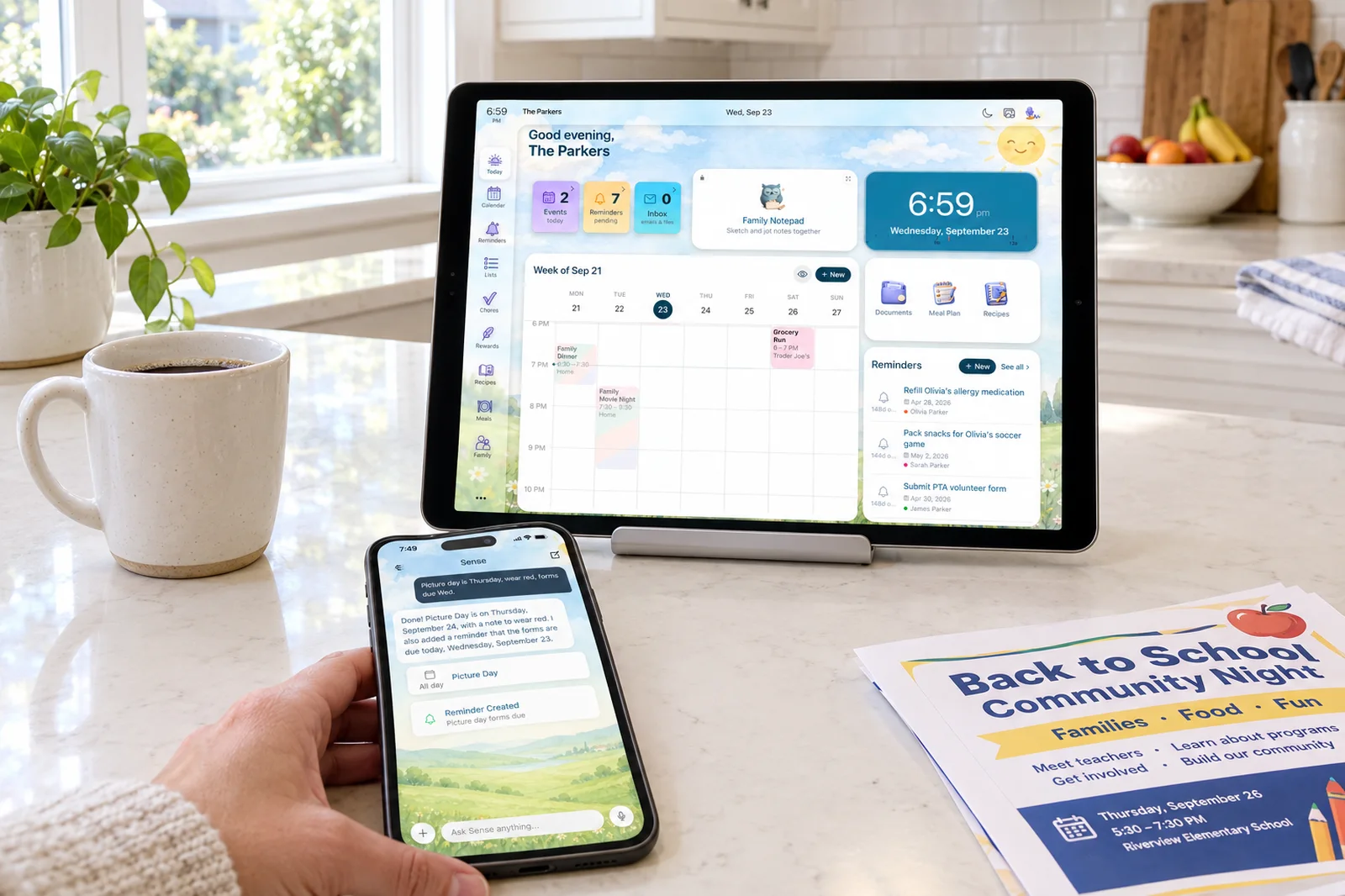
- A kitchen display with no hardware to buy. Sense Hub turns the old iPad in the drawer into an always-on board with today's schedule, meals, chores, reminders, birthdays, and photos, and auto-dims at night. FamilyWall offers a home screen widget.
- Chores that go somewhere. FamilyWall has chore checklists. Sense has chores, routines, rewards, and allowance, plus Kid Mode so each child gets a dedicated screen without a login. Kids finish the routine, earn points, and cash them in for something the parents defined.
- Every calendar in one place on the family's terms. Google sync plus Apple iCloud, Outlook, and school or sports iCal feeds by subscription. FamilyWall's iPhone calendar import is one-way and, by FamilyWall's own support note, cannot be shared with other members.
- Free means free. No ads on any Sense tier, and the free plan includes 10 AI actions a month, so you can test the capture before paying.
- Reliability. We cannot claim Sense is bug-free. But FamilyWall's most repeated complaints in 2025 and 2026 reviews are calendar sync lag, push notifications that stop until a reinstall, and events that save with the wrong date or time.
The Capture Question, Now That Both Apps Read Email
Until this summer the comparison was simple: FamilyWall displayed the calendar, Sense filled it. Magic Import changes that, so it is worth being precise about what is still different.
FamilyWall's flow is a single forwarding address per circle, set up once by an admin. Forward an email, wait one to five minutes, get a confirmation email listing what was created. It handles newsletters, bookings, and sports schedules, and it reads attached PDFs and images up to 20 MB. That is a solid implementation.
Where Sense pulls ahead is everything that is not an email. The school newsletter is maybe a third of the problem. The rest is the WhatsApp group, the photo of the term dates taped to the classroom door, the screenshot a friend sends, the flyer in the backpack, and the thing you remember in the car and want to say out loud. Sense takes all of those. It also keeps an assistant on the other side of the calendar, so once the events are in you can ask about them, move them, and get a weekly digest, instead of scrolling.
The Display Question
A shared calendar only works if the family looks at it. FamilyWall's answer is phones and a home screen widget, and for many families that is enough. Sense adds a third surface. Sense Hub is display mode for any old iPad, Android, or Fire tablet: prop it on the counter and it shows the day's events, meals, chores, reminders, and birthdays at a size the kids can read from the door. It cycles family photos, dims at night, and needs nothing but the Premium plan you already have. There is no equivalent in FamilyWall as of our check.
The Full Cost Over Three Years
Both apps have a real free tier, so a family that never upgrades pays nothing on either. For a family that pays yearly, FamilyWall is $44.99 times three, or $134.97. Sense is $59.99 times three, or $179.97, a difference of $45 over three years. On monthly billing FamilyWall is $4.99 times 36, or $179.64 at the website price, and Sense is $6.99 times 36, or $251.64. Neither requires hardware.
| Typical family, yearly plan | FamilyWall Premium | Sense Premium |
|---|---|---|
| Year 1 | $44.99 | $59.99 |
| Years 2-3 | $89.98 | $119.98 |
| 3-year total | $134.97 | $179.97 |
FamilyWall is cheaper, and that is a fair point in its favor. The question is whether the extra $15 a year buys something you will use: the non-email capture, the AI assistant, the tablet display, and the rewards system. If it does not, FamilyWall is the better value.
How to Choose
Pick FamilyWall if:
- Location sharing and arrival alerts are on your must-have list.
- You want a private family chat inside the organizer, especially for kids without phone numbers.
- A shared household budget belongs in the same app as the calendar.
- You want the lowest yearly price, or you need one plan across several circles.
- Most of your dates arrive by email, and the rest you are happy to type.
Pick Sense if:
- Your dates arrive as WhatsApp messages, photos, screenshots, flyers, and PDFs as much as email.
- You want to ask an assistant about the schedule instead of scrolling it.
- An old tablet on the kitchen counter should show the family's day.
- Chores need points, rewards, and a kid-facing screen to actually get done.
- You want no ads on the free tier and a trial that does not ask for a card.
Sense vs FamilyWall: The Bottom Line
FamilyWall is a broad, mature, inexpensive family organizer, and its location and messaging features are things Sense simply does not have. If your family's problem is "we need to know where everyone is and talk in one place," FamilyWall answers it and Sense does not. Its July 2026 email import also means it is no longer fair to say FamilyWall makes you type in every date.
Sense is narrower on purpose. It is built for the family whose calendar is scattered across an inbox, a group chat, a camera roll, and a backpack, and it puts that calendar on a tablet where everyone sees it. If that describes your evenings, Sense will remove more work than FamilyWall will, and the $15 a year difference will not be what you remember. Both have free tiers, so the cheapest way to decide is to forward the same week of school email to each and see which calendar you trust.
Frequently Asked Questions
Is FamilyWall free?
Yes. The free tier includes the shared calendar, shopping and to-do lists, family messaging, a photo gallery, a recipe box, and 100 MB of shared storage, with ads. Google and Outlook sync, real-time location, the meal planner, the budget tracker, documents, and email import require Premium at $4.99 a month or $44.99 a year on familywall.com, with a 30-day trial.
Does FamilyWall have AI email import like Sense?
As of July 2026, yes. FamilyWall Premium includes Magic Import, a per-circle forwarding address that turns emails and their PDF or image attachments into calendar events, capped at 1,000 imports a month. Sense goes further: photos, screenshots, WhatsApp messages, voice notes, flyers, and links all work as inputs, and an AI chat assistant can answer questions about the schedule and make changes for you.
Does Sense have location sharing?
No. Sense does not track where family members are, and there are no safe zones or arrival alerts. If GPS is a must-have for your family, FamilyWall covers it and Sense does not. Many families pair Sense with Find My or Google's built-in location sharing instead.
Can I use Sense on a tablet as a family display?
Yes. Sense Hub turns any old iPad, Android, or Fire tablet into an always-on display that shows today's schedule, meals, chores, reminders, birthdays, and photos, and dims itself at night. It is included in Sense Premium with no hardware to buy. FamilyWall offers a home screen widget but no equivalent display mode as of our check.
Try the Capture Before You Decide
Forward one email, snap one flyer, and paste one WhatsApp message. If the calendar fills itself, you have your answer.
Try Sense Online or get the app:
No credit card. We only read what you forward - your inbox stays yours.
Related reading: Best FamilyWall alternatives in 2026 · Family calendar vs family organizer · Best family organiser apps UK 2026