
Quick Summary
- Best for the whole household: Sense. Reads what you forward (email, photos, PDFs, WhatsApp), keeps a shared calendar, sends a morning digest and change alerts, and runs chores, meals, and lists the family sees. Free, or $6.99/mo per household.
- Best inbox-connected briefing: Fambot. Connects to Gmail or Outlook, reads everything, and texts you tomorrow's plan each evening. Free in beta.
- Best assistant to text: Ohai. Text "O" a task and it handles reminders, lists, and calendar entries. Priced per person.
- Best with a wall screen: Nori. A family organizer with AI import and an optional dedicated display.
- Already pay for ChatGPT or Claude? They help with one-off questions but keep no shared family state. More below.
"AI chief of staff for families" became a category in 2026. Fambot launched with the phrase in September and the press picked it up. Now several apps use it, and they do very different jobs under the same title.
We make Sense, so this is not a neutral review. We checked every competitor's features and prices on its own website or App Store listing, and say when a fact is older than this week.
A real chief of staff does five things: reads everything that comes in, keeps the calendar, tells you what changed before you ask, hands each task to the right person, and follows through. Every app below does the first two in some form. The split is the last three. Some apps hand one parent a briefing and stop. Others create the events, reminders, chores, and list items and put them where the whole family can see them.
This list is ranked by how much of that job each app takes off your plate.
Quick Comparison
| App | How it gets your info | How it briefs you | Follow-through | Price |
|---|---|---|---|---|
| Sense | You forward or auto-forward email, WhatsApp, photos, PDFs, voice; school and team calendar feeds. No inbox access. | Morning digest by email or WhatsApp; schedule-change alerts | Shared calendar, reminders, lists, chores, meal plans, Kid Mode, kitchen tablet | Free (10 AI actions/mo) / $6.99/mo or $59.99/yr per household |
| Fambot | Connects to Gmail or Outlook, Google or Apple Calendar, and WhatsApp groups | Evening plan for tomorrow by text or email; reply to ask or change | Calendar entries and to-dos it found, assignable between adults | Free in beta; paid tiers to come |
| Ohai | Text or talk to "O", forward emails, send screenshots and PDFs; school calendars by ZIP code | Replies and reminders by text and in the app | Calendar, reminders, assignable to-dos, lists, meal planning with Instacart | Free version; Premium from $9.99/mo for one person |
| Nori | Forwarded email, photos, PDFs, voice ("Hey Nori"), text | In the app and on the optional Family Hub display | Shared calendar, tasks, chores with rewards, meal plans, shopping list | Free core; AI Plus $7.99/mo or $59.90/yr; Hub sold separately |
Sense, Fambot, and Nori prices checked November 15, 2026. Ohai's pricing page was unavailable on that date, so its prices are from our September 24, 2026 check. Feature details for Ohai and Nori are from that September check and their current store listings.
Hand Off One School Email
Forward it to Sense tonight. The dates land on the family calendar under the right kid, with reminders for the deadlines, and tomorrow's digest tells everyone what is on.
Try Sense online

The 4 Best AI Chiefs of Staff for Families
1. Sense - Best AI Chief of Staff for the Whole Household
Full disclosure: this is our app. It leads the list because it does the follow-through, not only the briefing, and shares it with everyone in the house.
It reads what you hand it. Forward the school newsletter, the coach's email, or the camp PDF to your Sense address. Forward a class-group message to the Sense contact in your WhatsApp. Snap the flyer on the fridge. Sense pulls out every date, deadline, and what-to-bring, and files each one under the right kid with a link back to where it came from. Set up auto-forwarding for the senders that matter and you stop forwarding too. School and team calendar feeds sync on their own.
It briefs and flags. A morning digest of what each person has today arrives by email or in your WhatsApp chat with Sense. When a forwarded email says early dismissal or a cancelled practice, Sense sends a schedule-change alert right away instead of waiting for tomorrow.
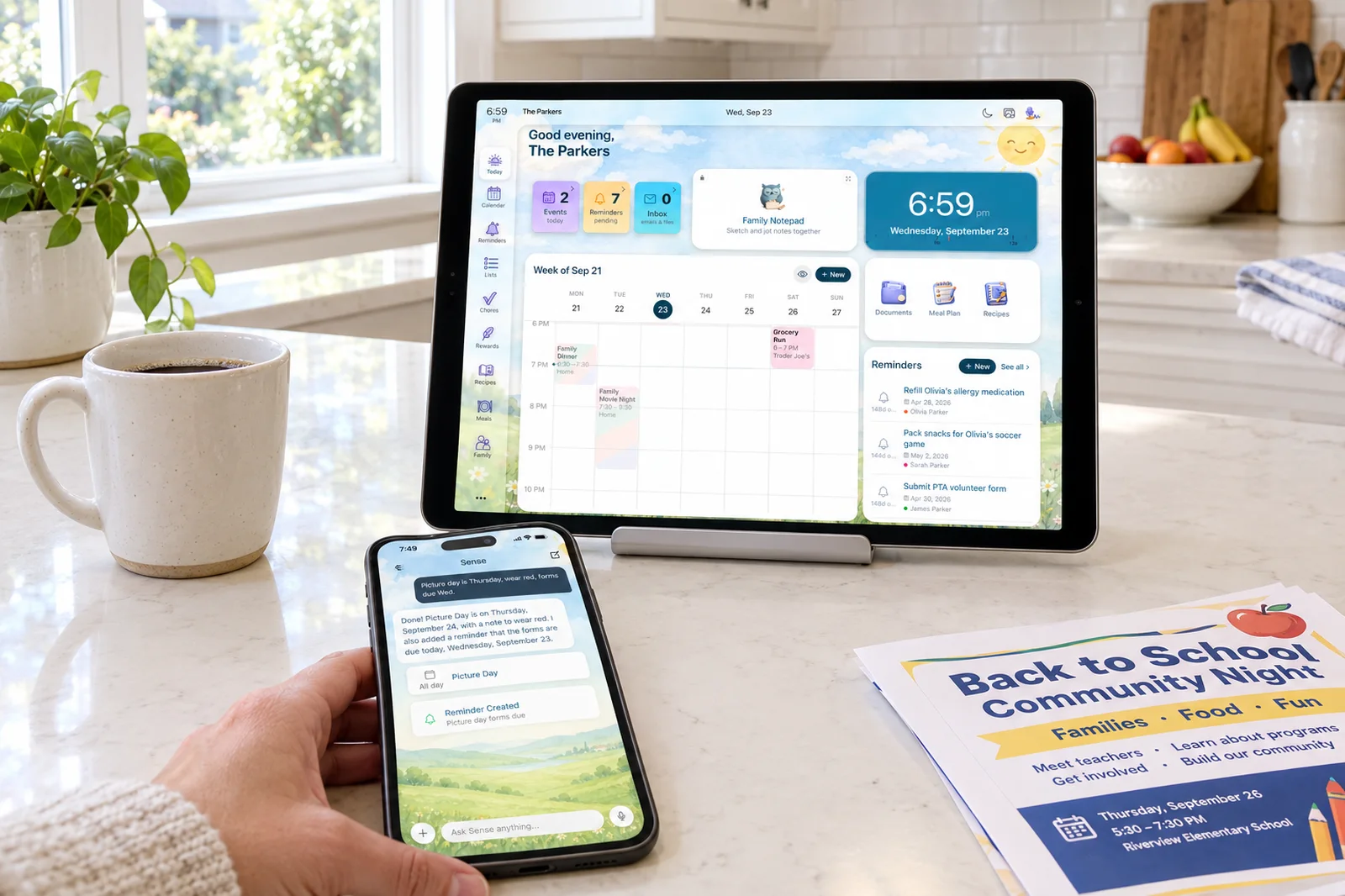
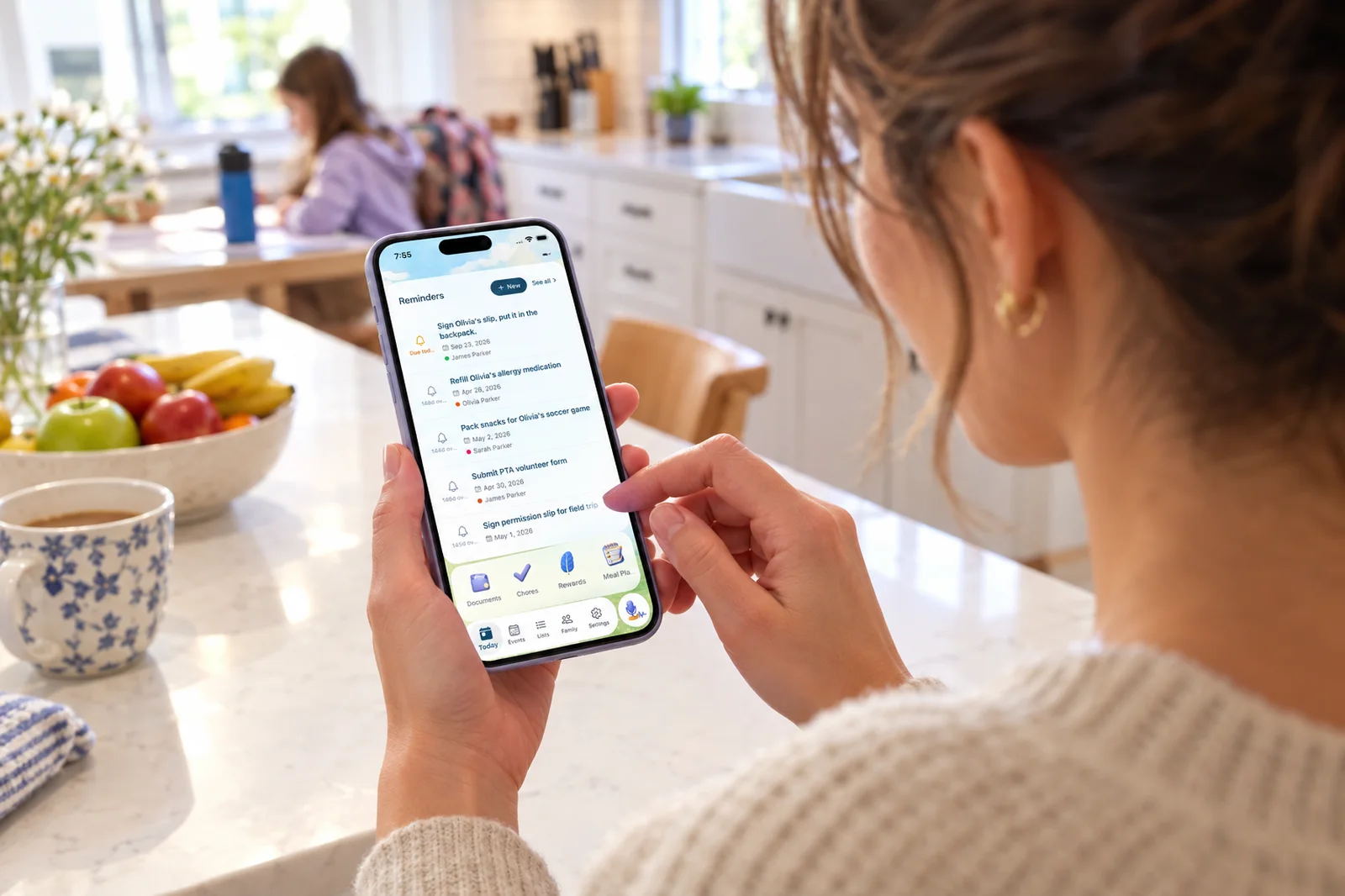
It hands things off and follows through. Assign an event, reminder, or chore to your partner or a kid and tell them with one tap. The nanny or a grandparent gets a private link to their plan with no app or account. Ask Sense "move piano to Thursday" or "add the snack list to groceries" and it makes the change. The same family runs chores, routines, rewards, meal plans, and lists in one place, on every phone, the web, a screen for each kid, and an old tablet on the kitchen counter. What an AI chief of staff for families does in Sense.
Strengths
- Does the follow-through: events, reminders, lists, chores, meals
- One shared plan the whole family sees, kids included
- Never connects to your inbox
- Lives in WhatsApp: forward, ask, and get the digest there
- iPhone, Android, web, and a kitchen tablet mode on Premium
- One household price, no per-person fees
Limitations
- You forward, or set up auto-forwarding once; it does not scan your inbox on its own
- English only
2. Fambot - Best Inbox-Connected Briefing
Fambot is the app that made "AI chief of staff for families" a phrase. You connect Gmail or Outlook, Google or Apple Calendar, and the WhatsApp groups you pick, and it reads them for family logistics. Each evening it sends a plan for tomorrow by text or email: what to do, what to bring, what is coming. You can text back to ask a question or make a change.
Its strength is that you never forward anything. If your failure mode is not noticing the email in the first place, connect-once is a real answer. The trade-off is access: it reads your whole inbox. Its own help center says it can't connect to an iCloud inbox and suggests auto-forwarding iCloud mail to Gmail, and that ParentSquare isn't supported yet. Its output is a plan for the parents, with to-dos you can assign between adults. There are no chores, meal plans, or kid screens. The App Store listing shows 4.9 stars from 17 ratings.
Strengths
- No forwarding after setup
- Reads WhatsApp groups for you
- Evening plan by text you can reply to
- Free during beta
Limitations
- Needs read access to your whole inbox
- No iCloud Mail connection
- A briefing for the parents, not a shared household plan
- No chores, meals, or kid screens; final price unknown
3. Ohai - Best Assistant to Text
Ohai calls itself a household manager. You text or talk to its assistant, "O", by SMS or in the app, forward emails, and send screenshots, PDFs, and photos. It keeps a calendar with conflict detection, reminders, assignable to-dos, shared lists, and meal planning with Instacart ordering. It can look up school calendars by ZIP code and help book appointments.
It is closest to the "assistant in your text thread" idea. The household side is thinner: the shared calendar and family task coordination need Premium, pricing is per person and monthly on the website, and there are no chores, rewards, routines, or kid screen. The App Store listing shows 4.4 stars from 230 ratings.
Strengths
- Text or talk to it like a person
- Meal planning with Instacart ordering
- School calendars by ZIP code
Limitations
- Priced per person; shared calendar needs Premium
- No chores, rewards, or kid screen
- No shared display
4. Nori - Best With a Dedicated Wall Screen
Nori is a family organizer first: shared calendar, tasks, chores with star rewards, recipes, a meal plan, and a shopping list. Its AI imports events from photos, forwarded emails, PDFs, and voice, and "Agent Mode" handles multi-step planning. The free app includes a handful of AI uses; unlimited AI needs Plus. The optional Nori Family Hub is a dedicated touchscreen with "Hey Nori" voice.
As a chief of staff it is more of an organizer you talk to than one that briefs you. It does not connect to your inbox, and a nanny or grandparent needs their own Nori account to see the calendar.
Strengths
- Full organizer with chores and meal planning
- Voice on a dedicated display
- Annual AI plan priced like Sense
Limitations
- AI beyond the free allowance needs Plus
- Best experience needs the Hub hardware
- Sitters and grandparents need accounts
What About ChatGPT or Claude on Their Own?
Plenty of parents already pay for ChatGPT or Claude and wonder if that is enough. For one-off help it is: paste in the six-page newsletter and ask what matters, or ask for a week of dinners around Thursday's game.
What a general assistant does not do is keep the family's plan. Nothing it says lands on a calendar your partner sees, nothing reminds the right person on the right day, and next week you paste the newsletter in again. That is the gap a family chief of staff fills. If you like working in ChatGPT or Claude, you can connect Sense to them: ask "what does Emma have Thursday?" or "add the field trip to the calendar" there, and it reads and writes your family's real Sense calendar and lists.
Ollie, another assistant that read your inbox and ran errands, shut down in November 2026. Where Ollie families are moving.
How to Pick
Do you want a briefing or the follow-through?
If a text each evening is enough and you will do the rest, Fambot is built for that. If you want the events created, the reminders set, the chores and grocery list updated, and the family looking at the same plan, pick Sense.
How much of your inbox are you willing to share?
Fambot reads the whole inbox. Sense, Ohai, and Nori work from what you forward. With Sense, auto-forwarding rules for the school and team senders make that hands-off without giving any app your inbox.
Who else needs to see it?
A briefing goes to one or two parents. If the kids, a nanny, or a grandparent need the plan too, you want shared state: Sense's Kid Mode, kitchen tablet, and caregiver links, or Nori's Hub.
Where do you already live?
Text messages: Fambot or Ohai. WhatsApp: Sense, which is a contact you forward to and ask questions in. ChatGPT or Claude: Sense connects to both.
The Bottom Line
Every app here will read some of your family's logistics. The question is what happens next. Fambot is the best version of the connect-once briefing. Ohai is a good assistant to text. Nori is a solid organizer with a screen.
Sense is the one that does the whole job: it reads what you hand it, keeps the calendar, briefs you, flags changes, hands tasks to the right person, and runs the chores, meals, and lists, all in one place the whole family sees. Try it on the free plan: forward one school email tonight and look at the calendar in the morning.
Hand Off One School Email. See What Sense Does With It.
10 AI actions a month on the free plan. Unlimited on Premium.
Try Sense online
Premium is $6.99/month or $59.99/year for the whole household.
Frequently Asked Questions
What is the best AI chief of staff for families in 2026?
It depends on how much of the job you want handed off. Sense is the best fit if you want the follow-through done and shared with the whole family: it reads the emails, photos, and WhatsApp messages you forward, keeps a shared calendar, sends a morning digest, and runs chores, meals, and lists. Fambot is the best fit if you want an inbox-connected briefing by text each evening. Ohai suits a parent who wants an assistant to text. Nori suits families who want a dedicated wall display.
What does an AI chief of staff for families do?
It takes over the behind-the-scenes logistics one parent usually carries: reading school and activity emails, keeping the family calendar, flagging what changed, briefing the family on the day, and handing tasks to the right person. The apps differ most on the last part. Some stop at the briefing. Others create the events, reminders, chores, and list items and share them with everyone.
Do AI chief of staff apps need access to my inbox?
Some do. Fambot connects to Gmail or Outlook and reads the inbox. Sense never connects to your inbox: it reads only the emails you forward, and auto-forwarding rules for school and team senders make that hands-off. Ohai and Nori both accept forwarded emails.
Can ChatGPT or Claude be a family chief of staff?
On their own, they are good at one-off help: summarizing a newsletter you paste in or drafting a meal plan. They do not keep a shared family calendar, send reminders to your partner, or run chores. You can connect Sense to ChatGPT or Claude so they read and add to your family's real calendar and lists.
How much does an AI chief of staff for families cost?
Fambot is free while in beta, with paid tiers to come. Sense is free with 10 AI actions a month, or $6.99 a month or $59.99 a year for the household. Nori AI Plus is $7.99 a month or $59.90 a year. Ohai Premium started at $9.99 a month for one person at our last check.
Related reading: AI chief of staff for families · Sense vs Fambot · Best AI family organizer apps 2026 · Is there a GPT for families?