If you used Ollie, you probably got the news today. Ollie, the AI family assistant you could simply text, is shutting down. Its last day of service is November 6, 2026. CEO Bill Lennon announced it on X on October 30, about eight weeks after Ollie raised a $7.5 million seed round led by Khosla Ventures.
His explanation was plain: competition from assistants like Muse, Instinct, and others made it hard for Ollie to stand out, grow, and raise the money it needed. "We got close, but ultimately couldn't keep up."
That leaves you with about a week. If Ollie was the thing quietly keeping your family's week straight, that's not much time. So here is what matters, in order.
The good news first: if you let Ollie connect to your Google or Outlook calendar, the events it created live in that calendar, not inside Ollie. They don't disappear on November 6. Open your calendar today and check that the practices, appointments, and school dates are there. If they are, the hardest part of the move is already done.
What Ollie's farewell letter says
- Last day: November 6, 2026. This covers both the Ollie assistant and the Ollie for Meals app.
- Billing: subscriptions are canceled and you get a refund for any partial or unused months. You don't need to do anything, but if the refund doesn't show up, write to hello@ollie.ai.
- Your data: Ollie says it will text you "an export of your data that you can then share with another personal assistant you trust."
- After November 6: the letter doesn't say what happens to your data. Save your own copy of the export when it arrives, and email hello@ollie.ai if you want it deleted.
What Ollie got right
Ollie was a good product with a clear idea. No app to install, no account to set up. You texted a number and it helped. It read your school emails so you didn't have to, sent a briefing in the morning, planned dinners and built the grocery order, and even took on errands like bookings and bills. It also took privacy seriously, with no ads and no training on your data.
Most of all, it understood that one parent is usually carrying the whole family's schedule in their head, and that the job is to take some of that weight off. That problem doesn't go away on November 6.
What you're actually losing
It helps to name it, because "a family assistant" can mean a lot of things. For most Ollie families, it comes down to four jobs:
- Reading the inbox. Spotting the early dismissal or the picture day buried in a school email.
- The daily heads-up. A message telling you what today or tomorrow looks like.
- Dinner. Meal ideas, a plan for the week, and the grocery list that goes with it.
- Errands. Bookings, orders, and bill pay handled by text.
No single app replaces all four the way Ollie did them. So be clear about which ones you leaned on, and pick something that does those well.
A different kind of replacement: Sense
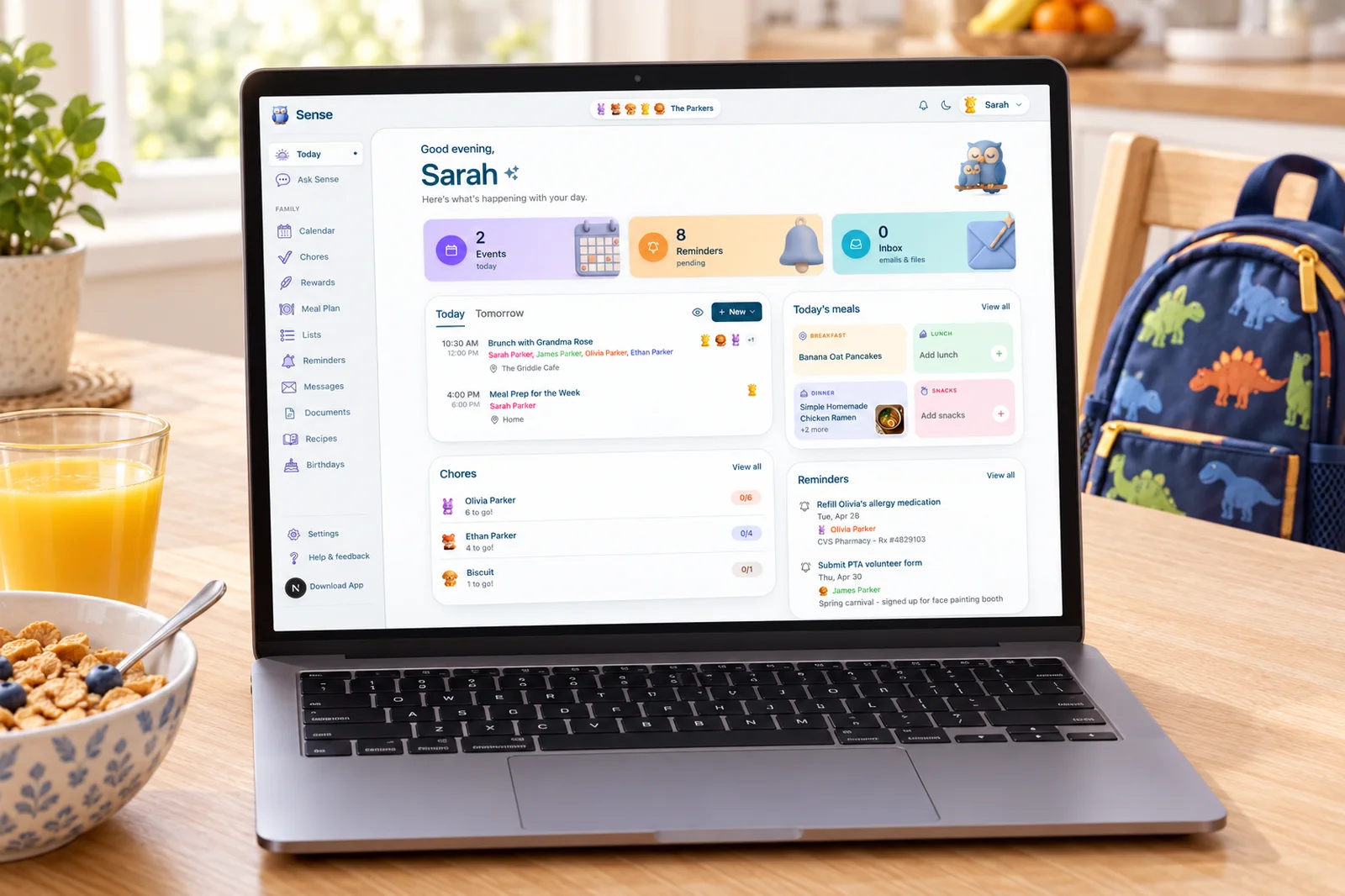
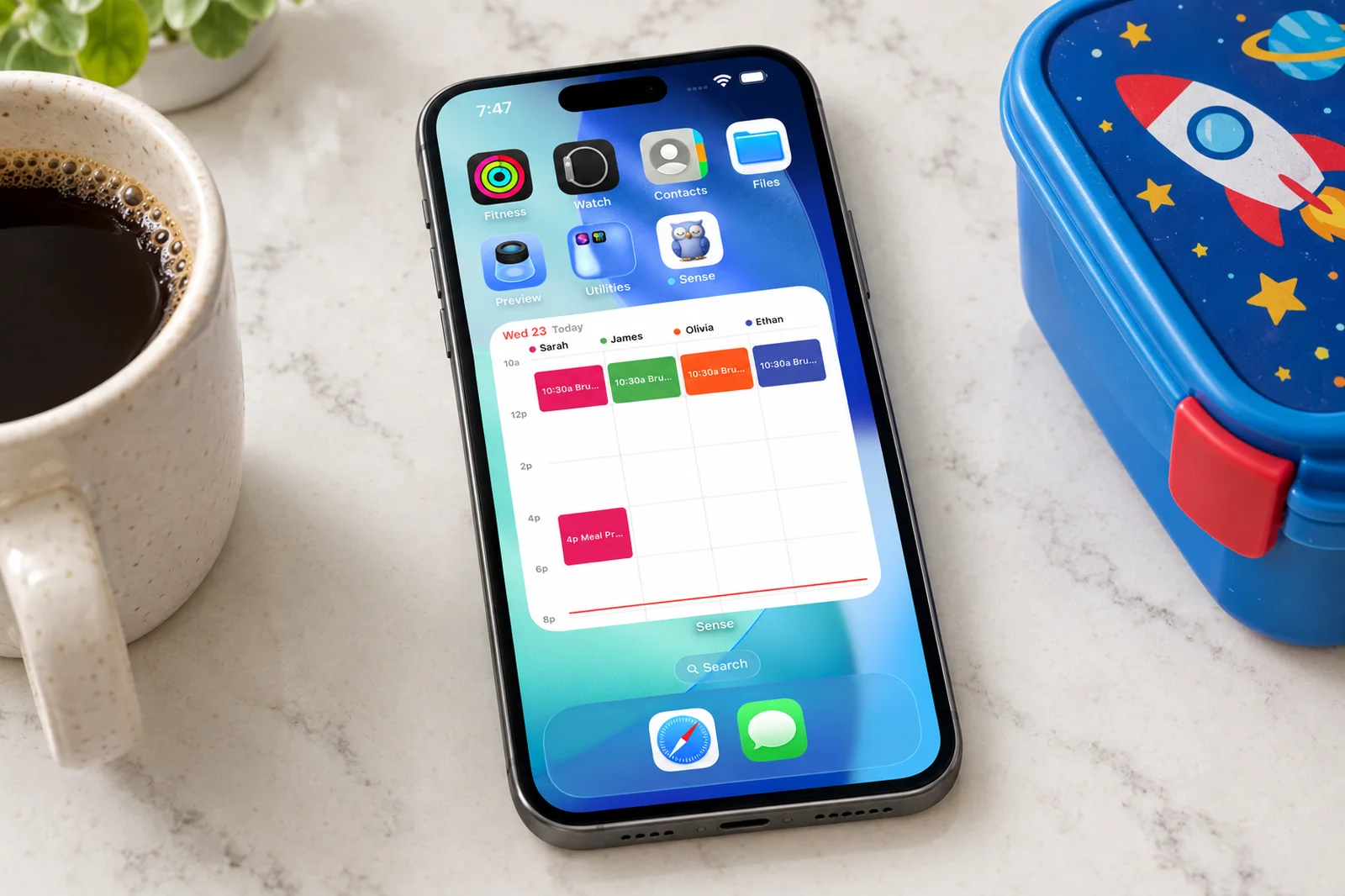
We make Sense, so take this with that in mind. Sense is not a text-message assistant, and we won't pretend it's Ollie with a new name. It's an app for iPhone, Android, and the web, and it takes a different approach: instead of one parent getting texts, the whole family shares one plan that everyone can see.
Here's how it maps to the jobs above:
- School emails become calendar events. Forward a newsletter, a camp schedule, or an appointment email to Sense and it pulls out every date, time, and place and puts them on the family calendar. A WhatsApp message, a screenshot, a photo of a flyer, or a PDF works the same way. See how email to calendar works.
- A daily summary at the time you pick. Turn on the Daily Digest and Sense emails you the day ahead at the hour you choose.
- Dinner, planned. Plan the week's meals, save recipes from any website, and add ingredients to a shopping list that sorts itself by aisle.
- A calendar everyone sees. Your partner, the grandparents, and the kids open the same calendar, lists, and reminders on their own phones. Connect Google, Apple, or Outlook so nothing you already use gets left behind.
- The kids are in it too. Chores, routines, rewards, and allowance, with Kid Mode for a shared tablet and their own login if they have a phone.
- A screen on the kitchen counter. Sense Hub turns an old iPad or Android tablet into an always-on family display.
- It remembers your family. Tell Ask Sense the things that matter, like a nut allergy, who plays soccer on Tuesdays, or which school each kid goes to, and it keeps them in mind from then on.
It's also a flat price. Sense is free for 10 AI actions a month, and Premium is $6.99 a month or $59.99 a year for the whole family, with no per-message counting.
Move your family's plans before November 6
Connect your calendar and forward one school email tonight. You'll see the week fill in for the whole family.
Try Sense online or get the app:

What Sense doesn't do
Better to know now than find out next week:
- No texting. Sense doesn't work over SMS or iMessage. You use the app, the web, or forward things in.
- No errands. Sense doesn't book appointments, pay bills, or cancel subscriptions for you.
- No grocery ordering. It builds the shopping list, but it doesn't place the order with Instacart, Amazon, or Walmart.
- It doesn't read your whole inbox. Sense works on what you forward to it. That's one more step than Ollie, and it also means Sense never has standing access to your email. If you want it hands-free, set up a Gmail or Outlook rule once per sender, like the school, and those emails flow in on their own. Sense walks you through it in Settings (Premium).
If errands were the main thing you used Ollie for, Sense isn't the right swap. If what you'll miss is knowing what's happening this week and having the family on the same page, it is.
Moving off Ollie this week
- Check your calendar. Open Google or Outlook Calendar and confirm what Ollie added is there. Then connect that calendar to Sense.
- Save your export. When Ollie texts it, save a copy somewhere you control. Read through it for the family details you want to keep.
- Finish anything in progress. A pending booking, order, or payment won't carry over anywhere. Wrap it up yourself before November 6.
- Forward your first school email. Send it to share@getsense.ai from the address you signed up with, and watch the dates land on the calendar.
We wrote a fuller checklist in how to move your family off Ollie before it shuts down, and an honest side-by-side in Sense vs Ollie.
Frequently asked questions
When is Ollie shutting down?
Ollie's CEO announced on October 30, 2026 that November 6, 2026 is the last day of service, for both the Ollie assistant and the Ollie for Meals app.
Will I get a refund from Ollie?
Ollie's farewell letter says billing will be canceled and you will receive a refund for any partial or unused months. If it does not arrive, contact hello@ollie.ai.
What happens to the events Ollie added to my calendar?
If Ollie created events in your Google or Outlook calendar, those events live in that calendar, not inside Ollie, so they stay when Ollie closes. Connect the same calendar to your next app and they show up there.
Does Sense work by text message like Ollie?
No. Sense is an app for iPhone, Android, and the web, not a text-message assistant. You forward emails, share screenshots and photos, or ask Sense in its chat, and everything lands on a shared family calendar, lists, and chores the whole household can see.
Sense is not affiliated with Ollie. See the full "Switching from Ollie" guide ->