
Quick Summary
- Skylight and Cozi: no public API. The Home Assistant integrations for them are unofficial and can break when the app updates.
- Sense: an official API for the family calendar, chores, reminders, lists, meals and rewards. Every adult can create a token in Settings, Developer.
- What parents build: no TV until chores are done, a printed plan by the door, a Home Assistant grocery button, a tap-to-finish chore tag, a DIY Skylight on a tablet or Pi and the day's plan in the grandparents' chat.
- No code at all? Connect Sense to Claude or ChatGPT, or use an iPhone Shortcut.
- Cost: API access is part of Sense Premium, $6.99/month or $59.99/year for the household.
Every family app keeps your calendar. Almost none let you touch it. If you have a Raspberry Pi in a drawer or a Home Assistant box in the closet, you have probably wanted the family plan to do something in the house: turn a light on before pickup, print the morning plan, keep the TV off until the dishwasher is emptied.
We make Sense, so this is not neutral. But the first part of this post is true whichever app you pick, and we link to the projects we mention so you can check them yourself.
Does Skylight have an API? Does Cozi?
No. Neither Skylight nor Cozi publishes a public developer API.
That hasn't stopped parents. The Home Assistant forum's DIY Family Calendar (Skylight) thread runs to dozens of pages, and there are community projects that wrap both apps. They work by copying what the app does behind the scenes. One Skylight project calls its API "reverse-engineered" and warns it "may change without notice". The hass-cozi integration uses Cozi's website calls the same way. They are clever, and they can stop working the morning after an app update.
The other common route is to build everything on Google Calendar, which does have an API. That gets you events, but no chore chart, no grocery list the whole family shares, no rewards and nothing for the kids to tick off. You end up rebuilding a family app in YAML.
Building a DIY Skylight calendar
Most parents in those threads aren't trying to hack Skylight. They want what it does without the price. A Skylight Calendar 2 is $299.99, and email import, meals, chore rewards and photos need the $79-a-year Plus plan on top, so the first year comes to $378.99.
The usual DIY Skylight is an old tablet or a Raspberry Pi with a monitor on the wall, running a Home Assistant dashboard or a web page, with Google Calendar underneath and one sub-calendar per person. It looks great on day one. Then you hit the parts Google Calendar doesn't have:
- Chores the kids can tick off on the screen, with points or rewards.
- A grocery list the whole family adds to from their phones.
- Meals for the week.
- Keeping it filled. Someone still types every school date in by hand.
That last one is what Sense does best: forward the school newsletter and the dates land on the calendar under the right kid. Build 5 below covers three ways to put it on your wall, from no build at all to fully your own.
What the Sense API reaches
Sense is the family organizer that turns school emails, photos and PDFs into the family calendar, and also runs chores, reminders, grocery and other lists, meal plans, and rewards. All of it is now open to your own scripts:
- Calendar: read a day or a week, add events, move them, search.
- Chores and rewards: who has what today, mark chores done, add feathers (Sense's points) to a kid's balance.
- Reminders: what's due, add one, mark it done.
- Lists: add to the grocery list or any other list, check items off.
- Meals and pantry: this week's meal plan, saved recipes, what's in the pantry.
A change your script makes lands in the same shared plan everyone already uses, so it shows up on every phone and on the kitchen tablet, as if someone had typed it in. It is one HTTP request with a token. No SDK, and no server of your own to run.
As of November 2026, the Developer settings are on for every adult in every Sense family, on the phone app and on the web. Creating a token needs Premium.
Six builds parents make with it
Each of these takes an evening and a gadget you can buy for under $30, or one already in the house. The full code for most of them is on the Sense developer page.
1. No TV until the chores are done
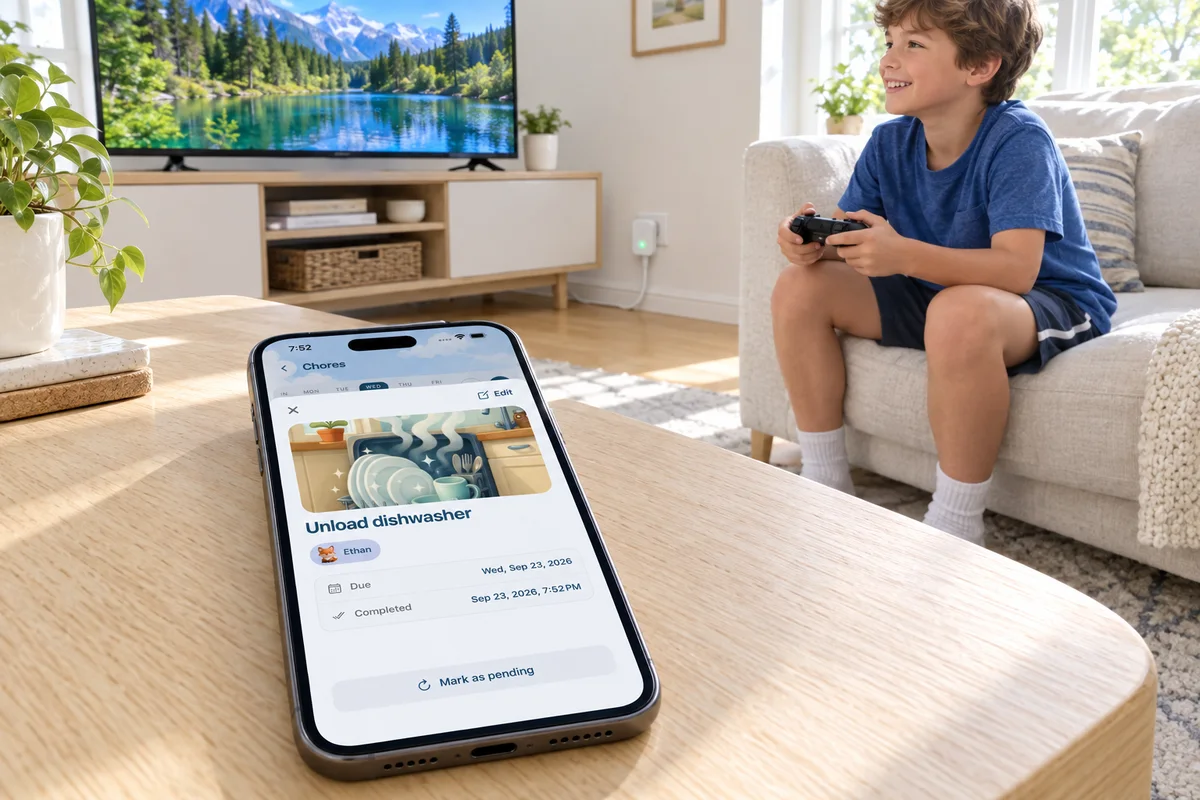
This is the one parents ask about most. Your kid ticks off chores in Sense on the kitchen tablet or their own login. A script checks every few minutes whether all of today's chores for that kid are done. When they are, it tells Home Assistant to switch on the TV's smart plug.
The same check can unpause a kid's devices on the router instead. If Home Assistant already controls your router (UniFi, for example), "no internet until the chores are done" is the same script with a different last line. Because the chores live in Sense, nobody has to flip a switch in Home Assistant by hand, and the kid sees exactly what's left.
It uses one call, get_chores, filtered to one kid and today. The code is here.
2. Tomorrow's plan, printed by the door
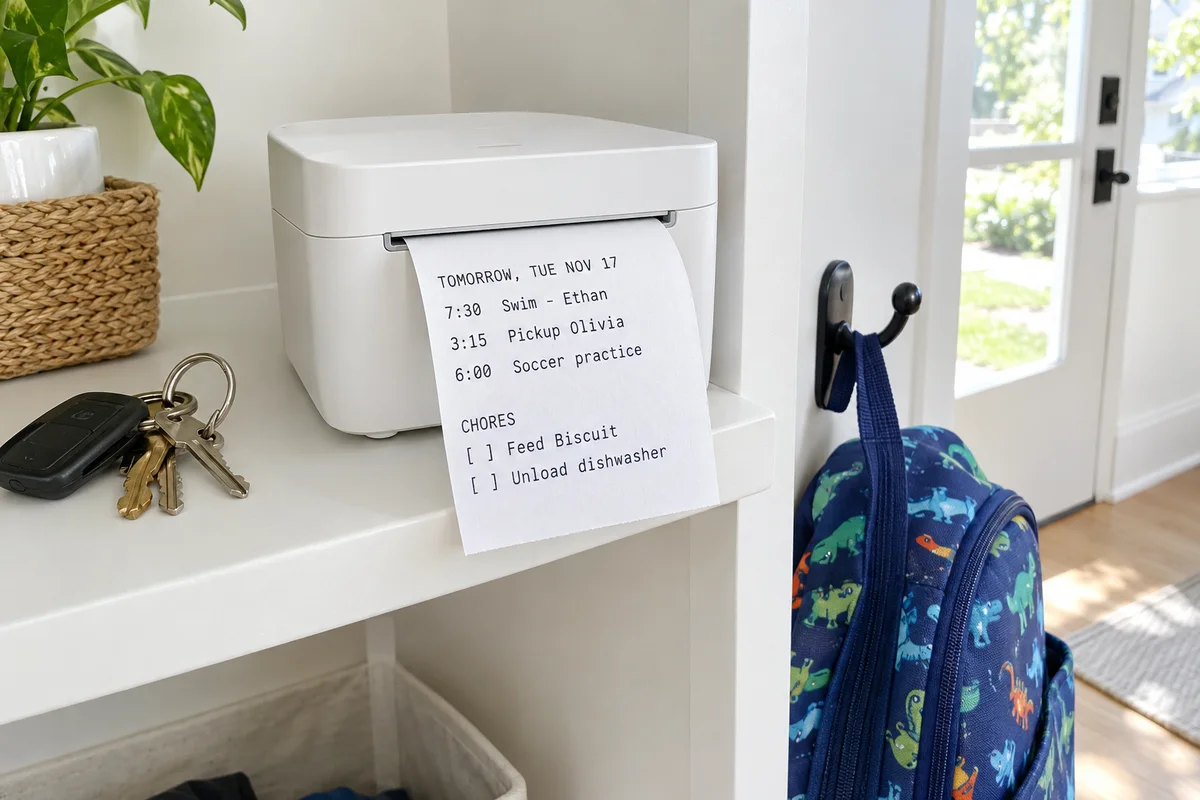
A USB receipt printer costs about $25. Every night at 9, a cron job asks Sense for tomorrow's events and chores and prints them on a strip of paper. Tear it off on the way out, tuck it into a lunchbox, or leave it on the counter for the sitter.
Printed to-do lists have a following of their own, especially among parents of kids who do better with something they can hold and check off. The difference here is that you never write the list. It comes from the calendar the whole family already keeps. The code is here.
3. A grocery button in Home Assistant
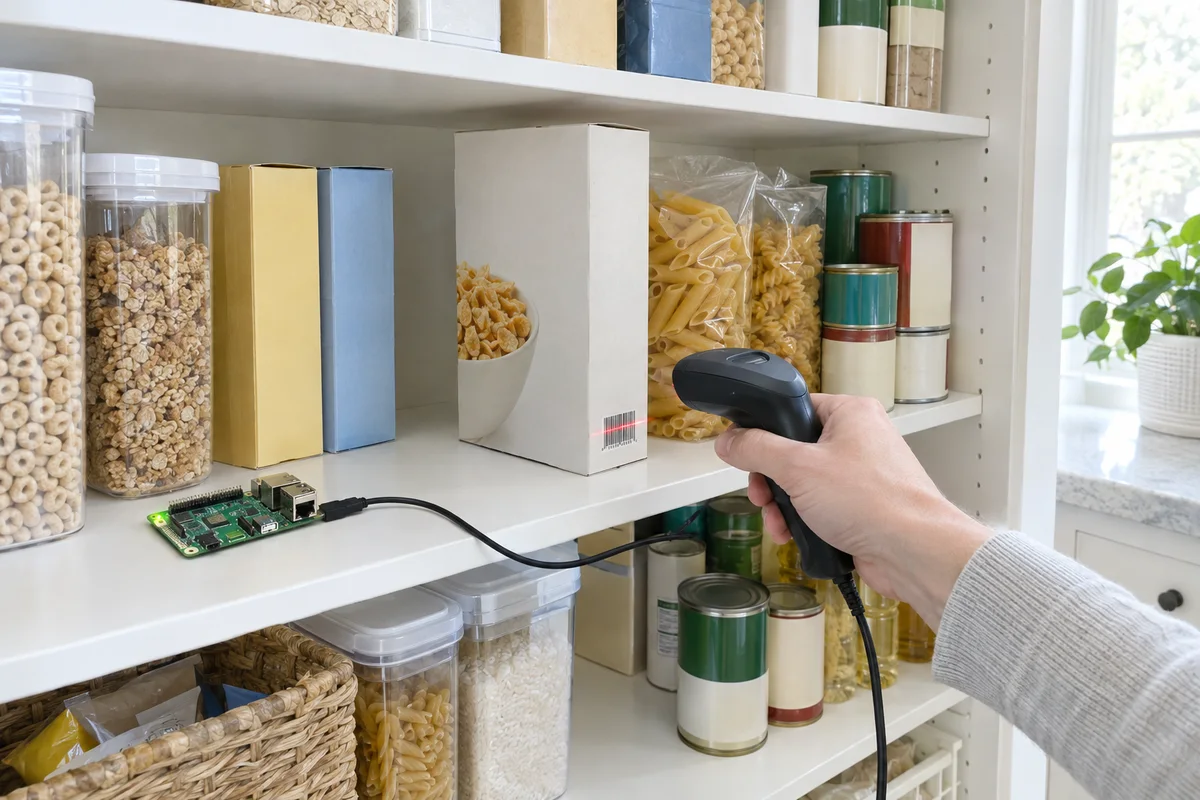
If Home Assistant is already your hub, you don't need a separate script. A rest_command can call Sense from any automation: a Zigbee button on the fridge, a voice command, or "milk is low" from a smart scale.
Put your token in secrets.yaml as sense_auth: Bearer <your token>, then add this to configuration.yaml:
rest_command:
  sense_add_grocery:
    url: https://api.getsense.ai/mcp/
    method: post
    headers:
      Authorization: !secret sense_auth
      Accept: "application/json, text/event-stream"
    content_type: application/json
    payload: >-
      {"jsonrpc": "2.0", "id": 1, "method": "tools/call",
       "params": {"name": "add_to_shopping_list",
                  "arguments": {"items": [{{ item | to_json }}]}}}
Now any automation can run rest_command.sense_add_grocery with item: Milk, and milk is on the list on everyone's phone. The same shape works for other tools with their own arguments: complete_chore takes a chore_id from get_chores, and create_reminder takes a title. The setup guide lists each tool's inputs. The photo above is the next step up: a barcode scanner on the pantry shelf that adds the empty box by name. The code is here.
4. Tap the dog bowl to finish the chore
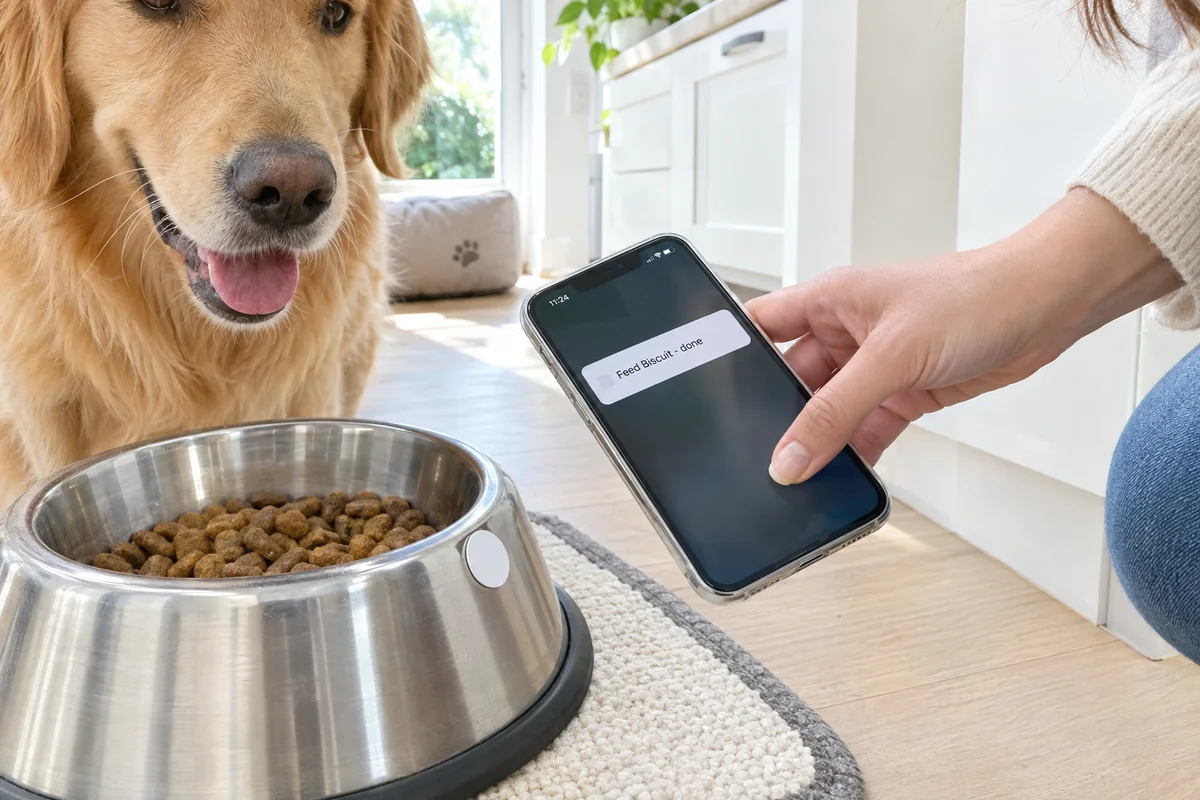
Stick a $1 NFC tag on the dog bowl. An iPhone Shortcuts automation runs when the phone taps it and marks "Feed Biscuit" done in Sense. Everyone can see the dog has been fed, so she doesn't get fed twice. This one needs no programming: Shortcuts' "Get Contents of URL" action sends the request. The same idea works for "took my medicine", "plants watered" or "bins out". The request is here.
5. A DIY Skylight on a wall tablet, Pi or e-ink screen
Lots of parents start here. You have three ways in, depending on how much you want to build:
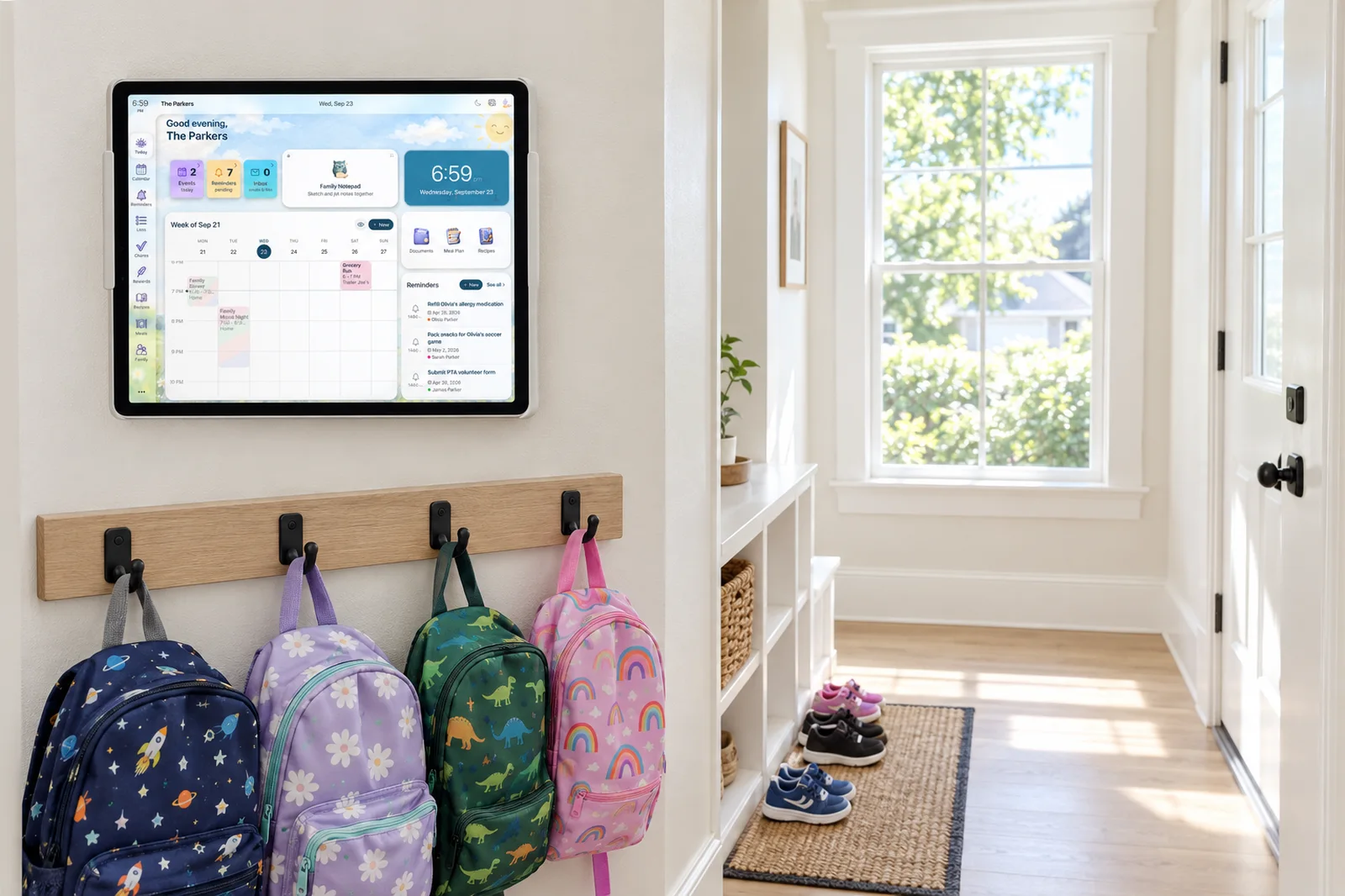
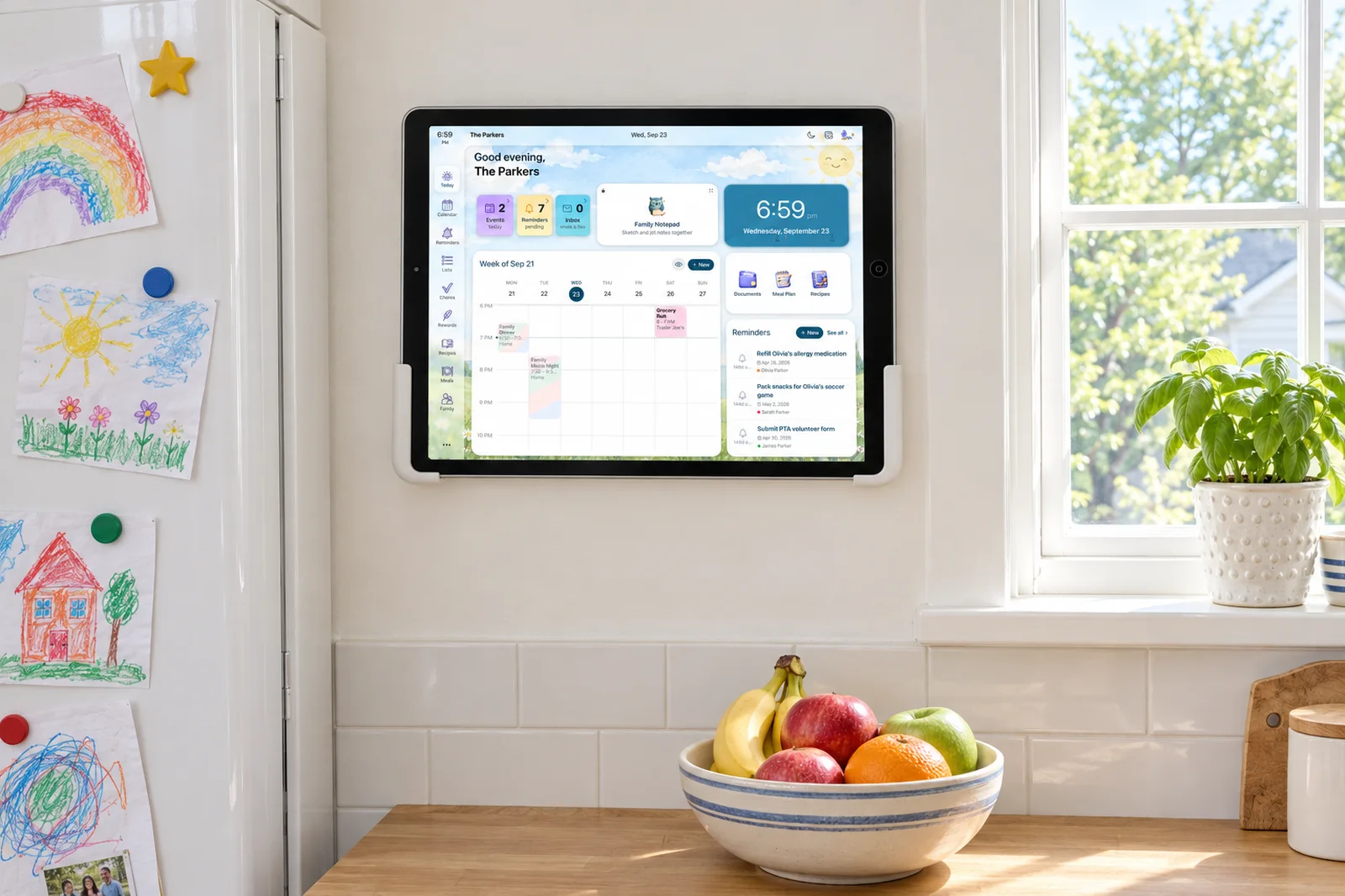
- No build at all: Sense Hub turns an iPad (iPadOS 16.6 or later) or Android tablet (Android 7 or later) you already own into a wall display with the calendar, chores, meals and photos. It is part of Premium, $59.99 a year, with no hardware to buy.
- A Home Assistant dashboard: ask Sense in chat for your family calendar feed link. It is an ICS link that any calendar integration can subscribe to, and it works on the free plan.
- Your own e-ink or Pi screen: give it a read-only token and pull today's events and chores with
get_eventsandget_chores. A read-only token can never change anything, so it is safe on a screen in the hallway.
6. The day's plan in the grandparents' group chat
Every morning at 6:30, a message in the family Discord or Slack lists today's events, so the grandparents and the sitter see who's being picked up when without installing anything. It is about ten lines of Python and a webhook. The code is here.
The developer page has eight more ideas with what to buy: a leave-now light by the front door, a garden that adds "water the tomatoes" when the soil is dry, a breakfast briefing on the kitchen speaker, and points for piano practice.
Don't want to write code?
The same connection powers Sense in Claude and ChatGPT. Connect it once, and you can ask "what does next week look like for Maya?" or "add the soccer snacks to the grocery list" in the assistant you already use, and it reads and changes your real family plan. Setup takes a couple of minutes: Sense in Claude or Sense in ChatGPT.
How to get started
- Open Sense, go to Settings, Developer, and create a token. Pick read-only for anything that only shows information.
- Save it somewhere safe, like Home Assistant's
secrets.yamlor an environment variable. Treat it like a password. - Copy one build from the developer page, change the names to your family's, and run it.
- If you get stuck, the setup guide covers the request format and common errors.
The guardrails, in plain terms
- A token reaches only your family. It works as you, inside your own family's Sense, and never sees anyone else's.
- Kids can't make tokens. The Developer settings never appear on a kid login.
- You can turn any token off. Revoke it in Settings, Developer, and it stops working right away.
- 500 calls a day per account. Plenty for a script that checks every few minutes.
- It is built for assistants first. Tool names and fields can change as Sense changes, so check your scripts after a big update.
The Bottom Line
If you want a family calendar you can wire into your house, the app underneath matters more than the gadget. Skylight and Cozi don't offer an official way in. Sense gives you a token and a documented set of tools on the same calendar, chores and lists your family already uses. Pick the one build your house needs most and make it this weekend.
Get a Token and Build Something This Weekend
Open Sense, go to Settings, Developer, and create one. API access is part of Premium.
See the builds and code

Premium is $6.99/month or $59.99/year for the whole household.
Frequently Asked Questions
How do I build a DIY Skylight calendar?
Most DIY Skylight builds put an old tablet or a Raspberry Pi with a monitor on the wall and show a Google Calendar through Home Assistant or a browser dashboard. That covers events, but not chores kids can tick off, a shared grocery list or meals, and someone still types in every school date. With Sense you can run Sense Hub on the tablet with no build at all, or keep your own dashboard and feed it the Sense calendar, chores and grocery list through the Sense API.
Does Skylight Calendar have an API?
Skylight does not publish an official public API. The Home Assistant integrations and scripts you can find for Skylight are community projects built by reverse-engineering the app, and their own documentation warns they can break when Skylight changes. Sense has an official API for its family calendar, chores, reminders and lists.
Does Cozi have an API?
Cozi does not offer a public developer API. Community projects such as hass-cozi and py-cozi wrap Cozi's private website calls, so they can stop working without notice. If you want a family organizer you can script against, Sense publishes an API you get a token for in Settings, Developer.
Can I connect my family calendar and chores to Home Assistant?
Yes. With a Sense API token, a Home Assistant rest_command can add to the grocery list, complete a chore or create a reminder from any automation, and a script can read today's chores and events to drive lights, plugs or speakers. If you only want the calendar on a dashboard, Sense's family calendar feed (an ICS link) also works with Home Assistant's calendar integrations.
Can I make my kids finish chores before screen time automatically?
Yes. Kids tick off chores in Sense on the family tablet or their own login. A short script checks whether all of a child's chores for today are done and, when they are, tells Home Assistant to switch on the TV's smart plug or unpause their Wi-Fi on your router.
Is the Sense API free?
API tokens and API calls need Sense Premium, which is $6.99 a month or $59.99 a year for the whole household. Every adult in the family can create tokens in Settings, Developer, in the app or on the web. The free plan still includes the family calendar feed.
Do I need to know how to code?
Not for everything. Connecting Sense to Claude or ChatGPT takes no code, and an iPhone Shortcut can call the API with no programming. The other builds are 10 to 20 lines of Python you can copy from the Sense developer page and change the names in.
Related reading: Build with Sense: the family calendar API · Sense vs Skylight · Cozi alternatives · Sense vs DAKboard