In September 2026, Google did something that, if you are the parent who remembers picture day, you have been quietly waiting years for. Google Labs took its experimental AI agent, called CC, and turned it into something a whole household can share. Up to six people, one agent, pointed squarely at the job of running a family.
Quick clarification first, because the name is easy to mistake: this is Google CC the family AI agent, not the "cc" line on an email or closed captions on a video. It is a distinct product from Google Labs.
If you searched "Google CC" and landed here trying to figure out what it actually is, this is the plain-English version: what Google CC does, what it does not do, how to get it, and how to think about it if you are the one currently holding the entire calendar in your head.
Quick Summary
- CC is an AI agent for households. It reads what each member shares from Gmail, Calendar, Chat, Docs, and Maps, then takes action: builds events, lists, meal plans, and a daily brief.
- It is shared, up to six people. Each member connects their own Google account and controls what CC can see.
- It is still an experiment. CC is a Google Labs project, in the US, for adults 18 and up, and it works best when your whole family already lives inside Google.
- It stops short of the hard part. CC can pre-fill a permission slip but cannot sign or submit it, and cannot make payments.
- You do not have to wait for an invite. Sense is a family AI agent you can use today, on any phone, without moving your household onto Google.
What Google's CC actually is
Strip away the branding and CC is one idea: an AI agent with its own identity, whose whole job is your family's logistics. It has its own Google account, it runs on Google's Gemini models, and instead of belonging to one person, it can now be shared across a household of up to six.
Each person decides what to connect. CC then reads across the Google tools most families already use, Gmail, Calendar, Chat, Docs, and Maps, and does the follow-through, not just the answering. In Google's own framing, that looks like:
- A daily brief. Every morning it delivers a shared "Your Day Ahead" summary of who has what and where.
- Pulling dates out of email. It reads the things that land in your inbox and turns them into calendar events.
- Filling out the busywork. It can pre-fill a registration PDF or a permission slip and hand it back to you.
- Planning the week. Meal plans, a school-supply shopping list, drive times between two activities, a shared Doc or Sheet.
- A shared memory. It separates what belongs to the whole house, like the go-to grocery list or favorite restaurants, from what belongs to one person, like a dietary preference.
If that list sounds familiar, it should. It is a near-exact description of the invisible job one parent in most families has been doing by hand for years. The news here is not the feature list. It is that Google looked at the household and decided the person carrying it deserved an agent, the same way work got one.
How to get Google CC (and who can use it)
Here is the honest state of access as of September 2026. Google CC is an early experiment inside Google Labs, so it is not a general launch you can just download.
- Where: the United States only.
- Who: people 18 and older, each with a personal Google account.
- How: people who already used the earlier personal version of CC get invitations to upgrade to the shared household version. Everyone else joins a waitlist through Google Labs.
- Household size: up to six members, each connecting their own Google account and choosing what CC can see.
So for most families right now, "getting" Google CC means joining the waitlist and waiting. If you are outside the US, under 18, or would rather not wait, that is worth knowing before you plan your week around it. There is a family AI agent you can start using today instead, covered further down.
What Google CC can't do (yet)
It is worth being just as clear about where CC stops, because the gaps are the parts that matter most when you are deep in a Tuesday.
It cannot finish the transaction. CC can pre-fill a form and surface a link to buy the cleats, but it will not sign the waiver, submit the school form, enter your card, or complete the purchase. The last, highest-stakes click stays yours. That is a reasonable safety line, but it means CC assists the paperwork rather than clearing it.
It assumes your family lives on Google. CC's reach is the Google stack, Gmail, Calendar, Chat, Docs, Maps. If your partner is on an iPhone with Apple Mail, if the coach texts instead of emails, if the class updates land in a WhatsApp group, that is where the important detail actually shows up, and it is outside CC's line of sight unless it flows through Google first.
It is an experiment, and access is narrow. CC lives in Google Labs, which is where Google tries ideas out. Today it is available in the United States, to people 18 and older, with a personal Google account. Labs projects evolve, change shape, and sometimes get retired. That is fine for kicking the tires. It is worth knowing before you hand it the one schedule your whole family depends on.
Google CC review: why it matters anyway
Here is the honest take, from people who have been building exactly this: Google CC launching is good news, even if you never use it.
For years, the mental load of a family had no software aimed at it. Work got coding agents, sales agents, research agents. Home logistics, the most relentless operations job most people have, got another blank calendar and another app that assumed the hard part was typing things in. It never was. The hard part is being the only one who reads the six-page newsletter, remembers the deadline in paragraph four, and gets asked "what do I need to bring?" fifteen times a week.
When Google, of all companies, decides that job is worth an agent, it validates something the default parent has known forever: this is real work, and it should not have to run entirely through one person's head. The category is no longer a niche. It is where the biggest software company in the world just planted a flag.
The measure of a family AI agent was never the feature list. It is a quiet week. You forward the coach's email from the pickup line and do not read it. The game lands on the calendar, the reminder is set, and your partner sees it too. On Tuesday morning, nobody asks you where soccer is. That is the shift worth wanting, whichever agent gets you there.
Google CC vs Sense, at a glance
The two tools share a core idea and differ mostly on reach and readiness. Here is the honest side by side.
| Google CC | Sense | |
|---|---|---|
| Availability | US only, 18+, Labs waitlist | Available now, every country |
| Platforms | Google account, on the web | iPhone, Android, web, tablet Hub |
| Reads from | Gmail, Calendar, Chat, Docs, Maps | Any email, photos, screenshots, PDFs, WhatsApp |
| Works for a mixed-device home | Best if everyone is on Google | Yes, any phone or provider |
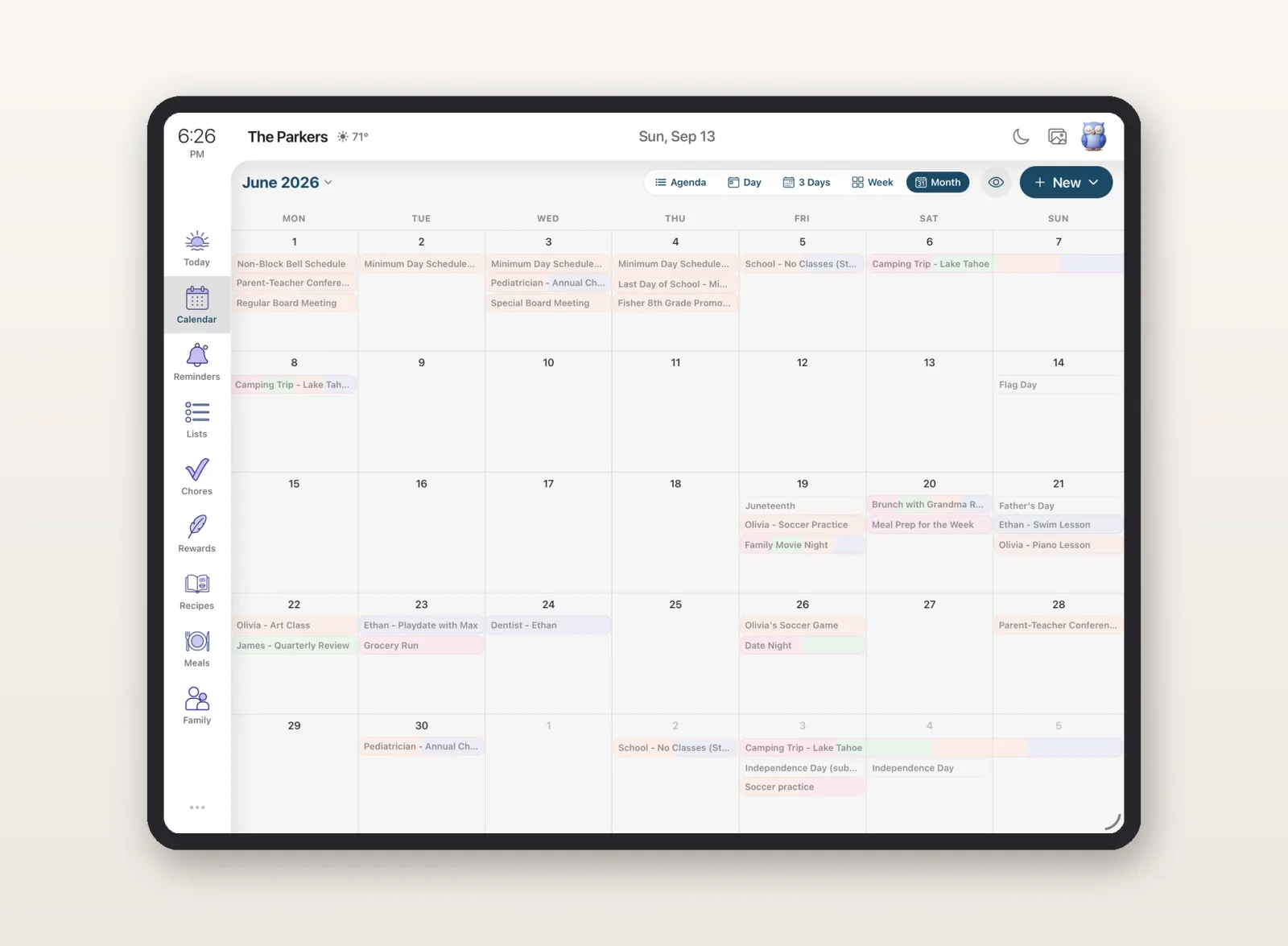
| Always-on family display | No | Yes, on a spare iPad |
| Beyond the calendar | Lists, meals, docs | Reminders, chores, lists, meals, allowance |
| Price | Free experiment (for now) | Free to start, then $6.99/mo |
The best Google CC alternative you can use today
The catch with an experiment is that it is an experiment. If you would rather not wait for a Google CC invite, move your whole family onto Google, or hand your household calendar to a Labs project, there is a family AI agent already doing this job, on the phones your family already has.
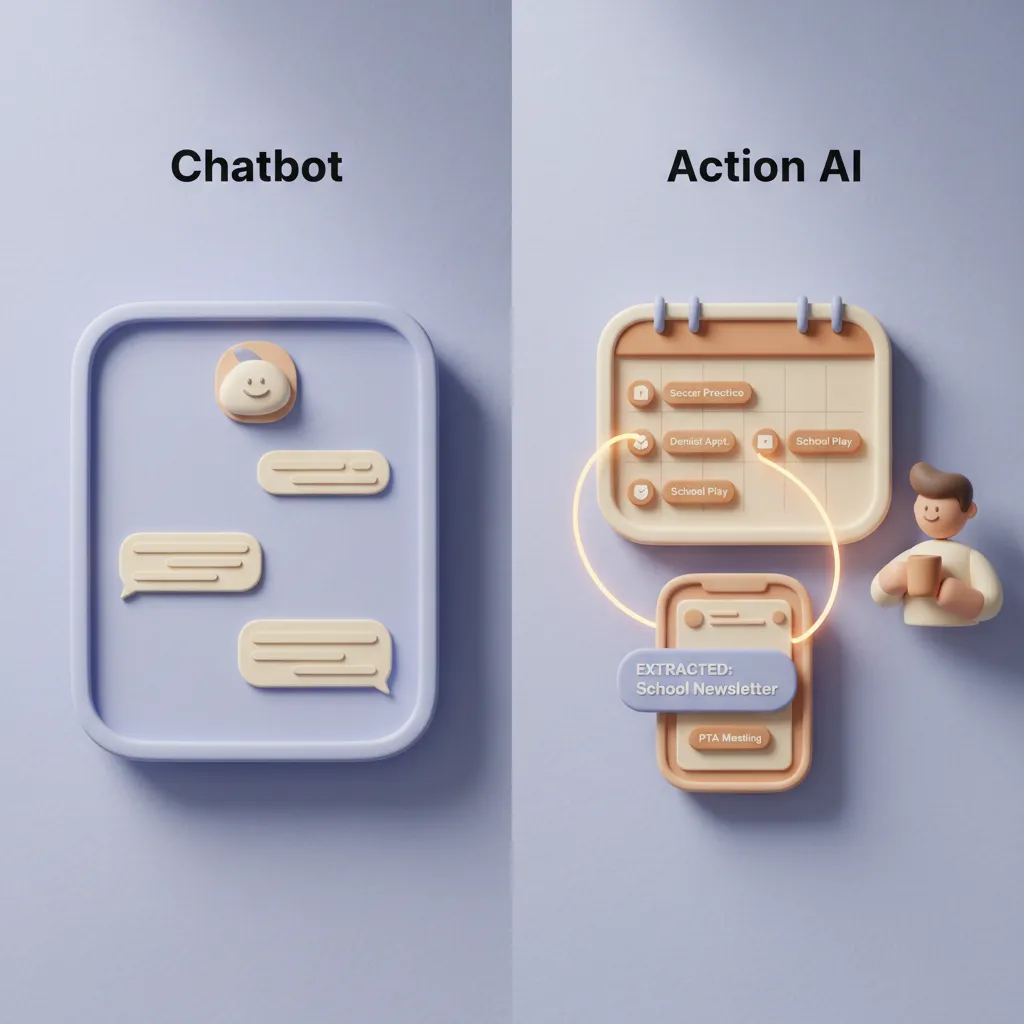
Sense is built around the same core insight as CC, that a family agent should read the chaos and file it for you, with a few deliberate differences that come from building only for families.
- It works no matter what your family uses. You forward a school email, a screenshot of a flyer, a PDF of the swim schedule, or a message from a class WhatsApp group. It does not matter if it came from Gmail, Apple Mail, Outlook, or a text your partner forwarded. Sense reads it and files it.
- It files, it does not just find. The event lands on a shared family calendar with the reminder set and the right kid tagged. It also handles the rest of the household, reminders, chores, lists, and meal plans, not just the calendar.
- The partner does not have to open an app. Sense runs on that old iPad in the drawer as an always-on family display on the kitchen counter. The person who never checks the shared calendar just glances at the screen.
- It is available right now. iPhone, Android, and the web, in every country, no waitlist, no Labs sign-up. Free to start, then $6.99 a month, less than the kid's swim class.
Neither tool signs your waivers for you, and both are careful about what they read and file. The difference is reach and readiness: Sense meets your family where it already lives, on mixed phones and in messy inboxes, and it is here today rather than rolling out to some households in one country.
The bottom line
Google's CC is a genuine signal that the family finally counts as a place worth automating, and if you are in the US, over 18, and already all-in on Google, it is worth trying as it grows. But the job it is pointed at, getting what is in your inbox and your head out of your head and into a place the whole family can see, is one you can start handing off today.
The best way to understand what a family AI agent feels like is to give it something messy and watch it work. Forward your next school or activity email to Sense and see what comes back.
Try Sense Free, No App Install Needed
Open Sense in your browser and forward your first email. Events appear on your calendar in seconds.
Try Sense Online or get the app:

Frequently asked questions
What is Google's CC?
Google CC is an experimental AI agent from Google Labs, built to help a household run its logistics. It has its own Google account, runs on Google's Gemini models, and can be shared with up to six family members. It reads what each member chooses to share from Gmail, Calendar, Chat, Docs, and Maps, then does things like create calendar events, build shopping lists, plan meals, pre-fill registration forms, and send a daily "Your Day Ahead" brief.
Is Google CC free and available now?
Google CC is an early experiment in Google Labs, available in the United States to people 18 and older with a personal Google account. Existing CC users get invitations to upgrade to the shared household version, and new users join a waitlist. Because it is a Labs experiment, availability is limited and the product can change over time.
What can't Google CC do?
Google CC can pre-fill PDF forms and surface purchase links, but it cannot sign or submit forms, enter payment details, or complete purchases on your behalf. It also works best when your household lives inside Google's tools, and each member has to connect and share their own Google account.
What is the best Google CC alternative I can use today?
Sense is a family AI agent available now on iPhone, Android, and the web, in every country, with no waitlist. You forward a school email, screenshot, or PDF from any provider, and Sense reads it and files the events, reminders, chores, and lists on a shared family calendar. It does not require your whole family to be on Google, and it runs on a spare iPad as an always-on family display.