Quick Summary
- Plugins are back in ChatGPT as of July 2026, with a directory in the sidebar. Install one, connect the account, then use it by typing @ and its name in a chat.
- Most of the directory is work software. Slack, Jira, HubSpot. The eight below are the ones that touch the actual load of running a family.
- The two that matter most: a calendar plugin ChatGPT can write to, and Gmail for digging deadlines out of school email. Sense covers the first for the whole family; Google Calendar covers it for one account.
- Plugins are free to install and listed on the Free, Go, Plus, and Pro plans. A few connect to services with their own paid tiers, noted where it applies.
ChatGPT's plugin directory reopened on July 9, 2026, and it is very clearly aimed at people with a standing meeting. Salesforce. Atlassian. SharePoint. Scroll past all of that and there is a short list that helps with the stuff you are actually carrying: the six-page newsletter with one date in paragraph four, the practice that moved, the flashcards for Friday, the flyer the PTA asked you to make by Thursday.
We make Sense, one of the plugins on this list, so read the rest knowing where we sit. We have kept the others honest: what each one does inside ChatGPT, what it costs, and the catch. Facts checked against the plugin directory and OpenAI's help pages in the last week of September 2026.
How ChatGPT plugins work now
The mechanics are the same for every plugin. In ChatGPT, choose Plugins in the sidebar, open the one you want, choose Install plugin, and connect the account it asks for. Then, in any chat, type @ and the plugin's name, or open the + menu, and ask. Plugins are listed on the Free, Go, Plus, and Pro plans, though what you can install depends on plan, workspace, and region, and a few are limited to work accounts.
Two things to know before you connect anything. Each plugin asks for specific permissions, and you should read that screen. And the conversation itself, the questions and answers, lives in your ChatGPT history under OpenAI's policies, not the plugin maker's. More on that at the end.
1. Sense: the family calendar, lists, reminders, chores, and meals
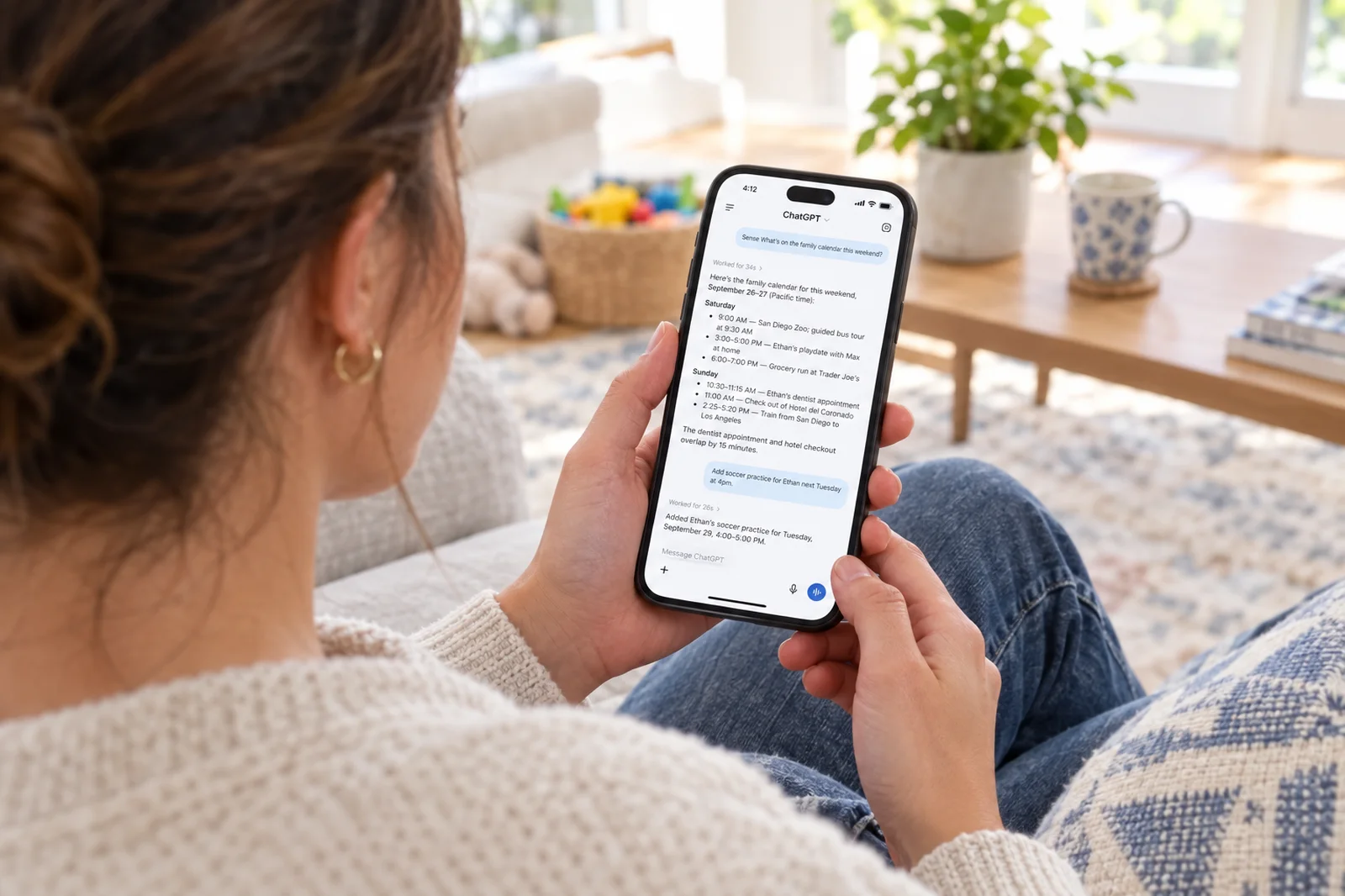
What it does in ChatGPT: gives ChatGPT the shared family calendar with a color per person, the shopping and to-do lists, reminders, the meal plan and saved recipes, birthdays, and chores, and lets it read and update all of them. "What's on the family calendar this weekend?" gets the real answer. "Add soccer practice for Ethan next Tuesday at 4" puts the event on the calendar in Ethan's color, where your partner sees it on their phone and the kids see it on the kitchen tablet.
What it costs: included with every Sense account. The free plan includes 10 AI actions a month, which requests through ChatGPT draw from; Premium ($6.99 a month or $59.99 a year) removes the cap and unlocks changes to chores, routines, meal plans, and rewards.
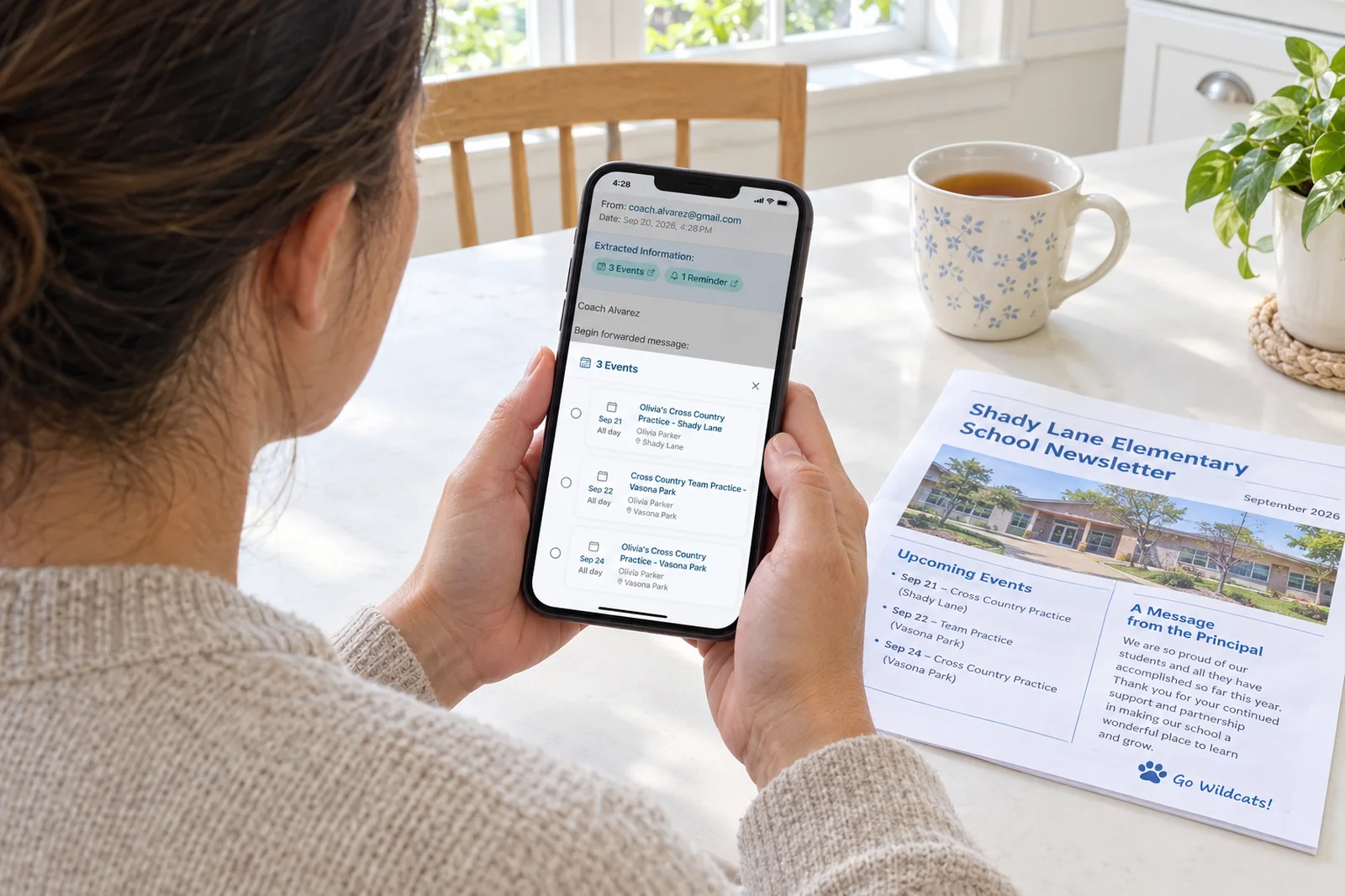
The catch: it is a family organizer first and a plugin second. If your family does not keep its life in Sense, ChatGPT has nothing to read. The upside of that is also the point: Sense fills the calendar from the school emails you forward, so there is less to ask about in the first place. We wrote a full walkthrough in how to use ChatGPT as a family calendar, and the two-minute setup is on Sense in ChatGPT.
2. Google Calendar: one account's calendar, readable and writable
What it does in ChatGPT: OpenAI's own Google Calendar plugin summarizes your day, checks availability, lists your calendars, and creates, updates, or deletes events in the connected Google account. If your household runs on a single shared Google Calendar, this is the fastest way to ask ChatGPT what Thursday looks like.
What it costs: nothing beyond a Google account.
The catch: it sees one Google account, as one flat list of events. There is no "which kid" on an event, no shopping list, no reminders, no chores. It also cannot read the email the event came from. For a couple sharing one calendar it is enough; for a family with three kids' schedules, it is the piece, not the picture. Sense syncs with Google Calendar, so you do not have to choose between the two.
3. Gmail: dig the dates out of the school email
What it does in ChatGPT: searches your inbox, finds the messages about a subject, and pulls out deadlines and details. "Find the email about the field trip and tell me what I need to sign and by when" is exactly the job it does well. It can also draft the reply to the coach.
What it costs: nothing beyond a Gmail account.
The catch: it answers questions; it does not act on the calendar. You get the date, and then you type the date somewhere. If the reason you are here is that the typing step is the one you keep dropping, that is what forwarding email to Sense was built to remove: the dates land on the family calendar without a question being asked.
4. Google Drive: the permission slip is a PDF now
What it does in ChatGPT: searches your Docs, Sheets, Slides, and PDFs, compares documents, and can edit files. The school's handbook, the camp packing list, the custody schedule someone put in a Google Doc: ChatGPT can find them and answer from them without you re-uploading anything.
What it costs: nothing beyond a Google account.
The catch: it is only as organized as your Drive. If the packing list is a photo in your camera roll, Drive cannot see it.
5. Quizlet: Friday's test, as flashcards, from tonight's notes
What it does in ChatGPT: creates a flashcard set from a prompt, a topic, or notes you upload. Paste the study guide from the teacher, ask for a set on the water cycle, and it lands in Quizlet where your kid can drill it.
What it costs: a Quizlet account. The plugin is free.
The catch: the child needs to be the one using Quizlet afterwards, and it does not know when the test is. Pair it with a reminder.
6. Canva: the bake-sale flyer by Thursday
What it does in ChatGPT: turns a prompt into an editable flyer, presentation, or social post that you can keep editing in Canva. Birthday invitations, the team snack schedule, the yard-sale sign.
What it costs: a Canva account. Some features, including bulk creation, require a paid Canva plan.
The catch: the first draft is a starting point, not a finished flyer. Budget five minutes in Canva after.
7. Spotify: the playlist for the drive to practice
What it does in ChatGPT: recommends songs, artists, playlists, podcasts, and audiobooks and plays them in Spotify. "A 25-minute playlist two eight-year-olds and I can all tolerate" is a real query, and it does fine.
What it costs: a Spotify account. The vibe-based playlists need Spotify Premium.
The catch: it is a nicety. It will not shorten the drive.
8. Expedia and Booking.com: the trip, with real prices
What it does in ChatGPT: Expedia searches flights and hotels with real-time prices, availability, and photos; Booking.com finds stays, rental cars, and attractions. You describe the trip in one sentence ("four of us, spring break, somewhere warm, under $2,000") instead of building it tab by tab.
What it costs: nothing to search. Booking finishes on their websites.
The catch: the plugin finds the trip; it does not put it on the family calendar. That is a two-step job with Sense, and a copy-and-paste otherwise.
Give ChatGPT a calendar it can actually write to
Sense keeps the family calendar, lists, reminders, chores, and meals in one place, fills the calendar from the school emails you forward, and connects to ChatGPT with a sign-in. Free to start, no card.
Try Sense Online or get the app:

What is not on the list, and why
- Grocery delivery. Instacart had a ChatGPT plugin in the 2023 era that turned a recipe into a cart. We could not confirm a current listing, so it is not here. In the meantime, "put milk, eggs, and bananas on the shopping list" through Sense puts them on the list your partner sees at the store.
- Health. OpenAI's Health plugin connects supported medical records and Apple Health data, but it is US-only, 18 and over, and rolling out gradually, so it is a plugin for you, not for the kids' records.
- Notion and Dropbox. Both are real and useful if your family already lives in them. Most do not, and a family wiki in Notion is the kind of system that gets rebuilt every six weeks.
- Anything with "Enterprise" in the tier name. Teams, SharePoint, Jira. Work accounts only, and none of them know what a permission slip is.
A word on privacy before you connect Gmail
Connecting a plugin means granting ChatGPT the permissions on its consent screen, so read that screen rather than clicking through. Connect only what you will use. Remember that the chat itself, the question and the answer, is stored in your ChatGPT history under OpenAI's policies, whatever the plugin maker's policy says about their end. Every plugin can be disconnected from ChatGPT's Plugins settings; some services, Sense included, also let you revoke access from their own settings, which cuts it off immediately.
Frequently asked questions
How do I install a plugin in ChatGPT?
Choose Plugins in the ChatGPT sidebar, open the plugin you want, choose Install plugin, and connect the account it asks for. In a chat, type @ followed by the plugin's name, or open the + menu, to use it.
Do ChatGPT plugins cost money?
The plugins themselves are free to install and are listed on ChatGPT's Free, Go, Plus, and Pro plans, though availability can depend on plan, workspace, and region. Some connect to a service with its own paid tier: Spotify's vibe playlists need Spotify Premium, some Canva features need a paid Canva plan, and Sense's chores and meal planning need Sense Premium.
Is it safe to connect Gmail or my calendar to ChatGPT?
You are granting ChatGPT the permissions each plugin asks for, so read the consent screen. Connect only what you will use, and remember that what you ask and what comes back lives in your ChatGPT history under OpenAI's policies. Every plugin can be disconnected from ChatGPT's Plugins settings, and services like Sense also let you revoke access from their own settings.
Which ChatGPT plugin is best for a family calendar?
If your family runs on one Google Calendar, the Google Calendar plugin reads it and can create events in it. If you want a shared calendar with a color per person, plus lists, reminders, chores, and meals that ChatGPT can update, the Sense plugin connects all of that and shows the result to the whole family in the Sense app.