Yes. Sense turns school emails into calendar events when you forward them to share@getsense.ai: it reads the email and its PDF or image attachments, puts each date on the right kid, and adds reminders for permission slips and things to bring. Leto and School Daily do a similar job by connecting to your Gmail account, and SchoolMail: Parent Calendar is a free iPhone and iPad app built for the same task. Which one fits depends mostly on one question: do you want to hand an app access to your inbox, or send it only the school's email?
Quick Summary
- Sense works by forwarding, from any email provider. It creates events, reminders and to-dos on a shared family calendar, with apps for iPhone, Android and the web. 10 AI actions a month free, unlimited on Premium.
- Leto connects to your Gmail (view-only), picks out school senders, and sends events to any calendar through a subscription feed, plus a daily text. Free for now.
- School Daily connects to Gmail, sends one summary email at 5pm, and adds key dates to your calendar. Free.
- SchoolMail: Parent Calendar is a free iPhone and iPad app that turns school emails into events you can skip or add with one tap.
- Forwarding is not manual once it is set up. A Gmail filter or Outlook rule, made once per sender, sends the school's email to Sense on its own.
We make Sense, so this is not a neutral review. We checked every competitor fact below on the company's own website or App Store listing on October 29, 2026, and where a company does not say something, we say that rather than guess.
School email to calendar apps at a glance
| App | How it gets the email | Email providers | Where events go | Price |
|---|---|---|---|---|
| Sense | You forward, by hand or with a filter per sender | Any | Sense family calendar, two-way Google Calendar sync, ICS feed for Apple or Google | 10 AI actions a month free; Premium $6.99 a month or $59.99 a year |
| Leto | Connects to your inbox, view-only, up to 3 accounts | Gmail and Google Workspace | A calendar feed for Apple, Google, Outlook or any iCal app | Free; a paid plan is planned for 2027 |
| School Daily | Connects to your Gmail through Google sign-in | Gmail | Your calendar (the site does not name which), plus a 5pm summary email | Free |
| SchoolMail | Not stated on the App Store listing | Not stated | Calendar events in the app, with deadline reminders | Free |
| Gmail and Google Calendar | You read each email and add events yourself | Gmail | Google Calendar | Free |
Checked October 29, 2026. Prices and plans change.
1. Sense - Best if you want any inbox, both parents, and more than a calendar
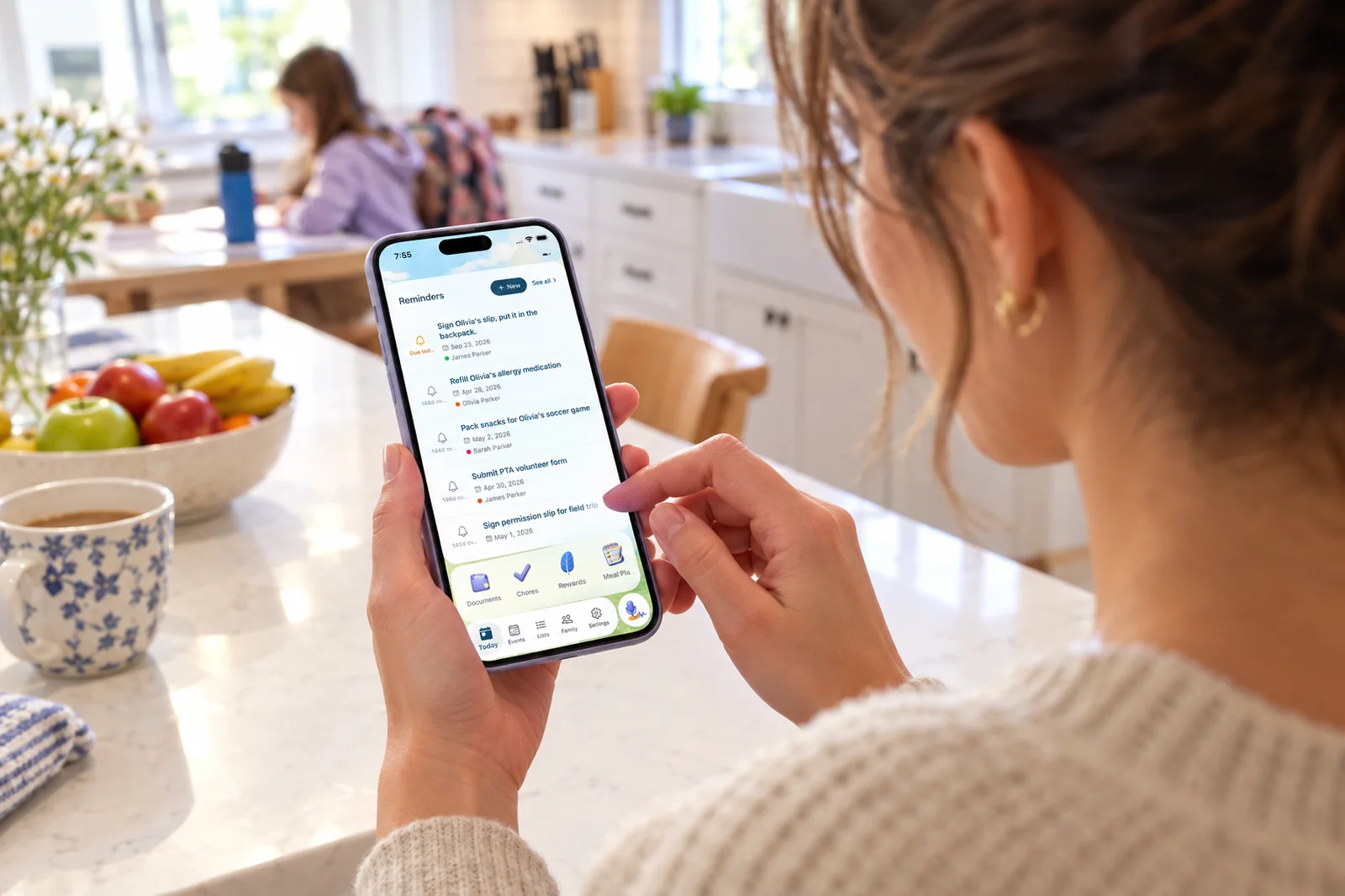
This is our app. You forward a school email to share@getsense.ai from the address you signed up with, and Sense reads all of it, including PDF and image attachments. Each date becomes an event on the right kid's calendar. Things you have to do before a date, like returning a permission slip or sending in a costume, become reminders and to-dos instead of calendar clutter.
Everything lands on a shared family calendar the whole household sees in the Sense app on iPhone, Android or the web. Sense has two-way Google Calendar sync and publishes an ICS feed you can subscribe to in Apple Calendar or Google Calendar. Sense never connects to your mailbox. It only sees what you send it.
Sense is a full family organizer, so the school calendar sits next to lists, chores, meal plans and a kitchen tablet display if you want them. You can also send it a photo of a flyer or a PDF directly, not only email.
Strengths
- Works with any email provider and any school app that sends email
- Reads PDFs and images attached to the email
- Assigns events to the right kid and adds reminders and to-dos
- Each parent forwards from their own address into one family calendar
- Apps for iPhone, Android and web
Limitations
- Only sees what you or your filter forward, so a new sender needs a new filter
- The free plan covers 10 emails, photos or PDFs a month; a busy school needs Premium
- Auto-forwarding rules are a Premium feature
2. Leto - Best for Gmail families who want it to run in the background
Leto connects to your Gmail account. It looks back 90 days to find who writes to you, matches senders to the schools and groups you choose, and then pulls tasks and events only from those senders. Leto says its Gmail access is view-only, that it can never send, delete or change your email, and that it passed Google's CASA Tier 2 security assessment in March 2026. It also reads PDF attachments and deletes them after extraction.
Events and tasks reach you through a calendar feed you subscribe to once in Apple Calendar, Google Calendar, Outlook or any app that takes iCal feeds, and Leto sends a daily text with what is coming up. Each parent gets their own login and calendar feed, and you can connect up to three email accounts. If your PTA, school or league partners with Leto, its emails flow in for every family automatically.
Strengths
- No per-sender setup: it finds school senders for you
- Catches emails you would not have thought to forward
- Works with any calendar through its feed
- Daily text reminder
- Free for families today
Limitations
- Gmail and Google Workspace only; Outlook and Yahoo are on its roadmap
- Needs permission on your Gmail account
- The site lists the web as its platform and does not mention a native app
- Focused on school tasks and events, not a wider family organizer
3. School Daily - Best for a once-a-day summary of school email
School Daily is a Gmail service. You sign in with Google and it asks permission to read email from the senders you define, usually your child's school, and to create calendar events for you. Its privacy policy says it does not access your full inbox unless you explicitly allow it.
Every day at 5pm it sends one email summarizing everything from your children's schools, and it adds key dates and events to your calendar. The site does not name which calendar apps it supports, does not list a mobile app, and does not mention to-dos or attachments.
Strengths
- One readable summary instead of a dozen emails
- Set up in a couple of minutes
- Free
Limitations
- Gmail only
- Needs permission on your Gmail account
- The site does not say which calendars it syncs to or whether it reads attachments
4. SchoolMail: Parent Calendar - Best simple iPhone app
SchoolMail is a small iPhone and iPad app from an independent developer. Its App Store listing says it auto-creates calendar events from school emails, lets you skip or add each event with one tap, tracks field trips and lunches, and sends reminders for school deadlines. The listing is designed for iPad and runs on iPhone with iOS 15.1 or later.
The listing does not say how the app gets your email or which calendar the events go to. Its privacy label lists email address and "emails or text messages" as data linked to you, used for app functionality.
Strengths
- Free
- One-tap review of each event before it is added
- Deadline reminders
Limitations
- iPhone and iPad only, no Android
- The listing does not explain how it reads your email
- Built for one parent's phone, not a shared family calendar
5. The free DIY route - Gmail and Google Calendar
If you only get a few school emails a month, you can do this without a new app. Make a Gmail filter that labels mail from the school's domain so it all sits in one place, then add each date to a shared Google Calendar yourself. In Gmail on a computer, the three-dot menu on an open email has a "Create event" option that starts a calendar event with the subject and text filled in.
It costs nothing and you see every word. The catch is the part that breaks for most parents: reading the six-page newsletter, finding the one date in paragraph four, and typing it in before you forget. Nothing reads the PDF for you, assigns the event to a kid, or turns "bring a canned food item by Friday" into a reminder.
Try it with one school email
Forward the next school newsletter to share@getsense.ai from the address you sign up with. The dates, reminders and to-dos land on one calendar the whole family sees.
Try Sense Online or get the app:

Forwarding or connecting your inbox: the honest case
Some reviews describe forwarding as the manual option and inbox-connect as the automatic one. That was true of forwarding by hand. It stops being true once you set up a rule. Here is how the two approaches actually compare.
Why forwarding works well for a lot of families
- No access to your inbox. Sense never asks Google or Microsoft for permission on your mailbox. There is no OAuth screen and no token that could read anything else. It sees the emails you or your filter send it, and nothing more. Inbox-connect apps limit what they process to school senders, which is good practice, but the permission still sits on your whole account and their own policy decides what they look at.
- Works with any email provider. Leto supports Gmail and Google Workspace today, and School Daily is built for Gmail. If the school writes to your Outlook, iCloud, Yahoo or work address, forwarding still works, because every provider can forward.
- Works with the school app's emails too. ParentSquare, SchoolMessenger, Remind and most other school apps send email copies or a daily digest. Forward those, and the dates from the app land on the same calendar as the newsletter.
- Both parents can send from their own address. You forward from yours, your partner forwards from theirs, and it all ends up on one family calendar. Nobody has to connect a second inbox or share a login.
- Set it once per sender, then it runs on its own. A Gmail filter or an Outlook rule that forwards mail from the school's domain, or from ParentSquare, sends every new message to Sense the moment it arrives. You do this once per sender, not once per email. Sense walks you through it on the Email Forwarding screen in Settings, and auto-forwarding is part of Premium.
- It takes more than school email. The coach's schedule PDF, the camp confirmation, a photo of the flyer in the backpack, a WhatsApp message from the class group. With forwarding, anything you can send becomes part of the same plan.
Where connecting your inbox is genuinely better
- No setup per sender. Leto scans 90 days of email and finds the school senders for you. With forwarding, a new teacher or a new club means one more filter, or remembering to forward the first few by hand.
- It catches what you would have missed. If an important email comes from an address you never set up a rule for, an inbox-connect app can still spot it. Sense cannot see an email nobody forwarded.
- A summary of the inbox itself. School Daily's 5pm email and Leto's daily text are summaries of everything the school sent, not only the dates. Sense puts the dates, reminders and to-dos on the calendar and keeps each forwarded email in its Messages tab, but it does not email you a digest of mail it never received.
- Free today. Leto and School Daily cost nothing right now. Sense is 10 a month free and unlimited on Premium.
If you live in Gmail, are happy to grant inbox access, and mostly care about one school, Leto or School Daily will do the job with less setup. If your family's email is spread across providers, two parents both get school mail, or you would rather no app had access to your inbox, forwarding with a rule per sender gives you the same hands-free result.
How to choose
Pick Sense if:
- Your school email arrives at Outlook, iCloud, Yahoo or a work address, or at more than one of them.
- Both parents get school email and you want it all on one calendar.
- You want reminders and to-dos, not only events, and you want PDFs and photos of flyers read too.
- You would rather not grant any app access to your inbox.
- You want the school calendar next to lists, chores and meals in one family app.
Pick Leto if: you use Gmail, want it to find school senders on its own, and want a feed for whatever calendar you already use.
Pick School Daily if: you use Gmail and mainly want one summary email a day.
Pick SchoolMail if: you want a free, simple iPhone app and do not need a shared family calendar.
Stick with Gmail and Google Calendar if: the school sends a few short emails a month and typing them in has never been the problem.
Frequently Asked Questions
Is there an app that turns school emails into calendar events?
Yes. Sense turns school emails into calendar events, reminders and to-dos when you forward them to share@getsense.ai, and it reads PDF and image attachments too. Leto and School Daily connect to your Gmail account and pull events from school senders. SchoolMail: Parent Calendar is a free iPhone and iPad app that turns school emails into calendar events.
Do I have to forward every school email to Sense by hand?
No. On Premium you can set a filter in Gmail or a rule in Outlook once per sender, such as your school's domain or ParentSquare, so those emails go to Sense the moment they arrive. Sense walks you through it on the Email Forwarding screen in Settings. After that it runs on its own.
Is it safer to forward school emails or connect my inbox?
They are different trust models. Inbox-connect apps like Leto and School Daily ask Google for permission on your Gmail account and then limit what they process to school senders. Leto says its access is view-only and independently audited. Forwarding means Sense never has any access to your mailbox and only sees the emails you or your filter send it.
Do these apps work with Outlook, Yahoo or iCloud email?
Leto currently supports Gmail and Google Workspace accounts only, with Outlook and Yahoo on its roadmap. School Daily is built for Gmail. Sense works with any email provider because you forward to it, though per-sender auto-forwarding depends on your provider supporting forwarding rules.
Is Sense free for school emails?
Sense gives every family 10 AI actions a month free, and each forwarded email, photo or PDF uses one. Premium is unlimited, at $6.99 a month or $59.99 a year for the whole family, with a 5-day free trial.
Forward one school email and see what lands
Over 2,000 families use Sense to turn school email into one plan the whole family sees. Rated 4.8 on the App Store.
Try Sense Online or get the app:
Related reading: How does email-to-calendar work? · Why one kid now needs five school apps · School email organizer