
Meal Planning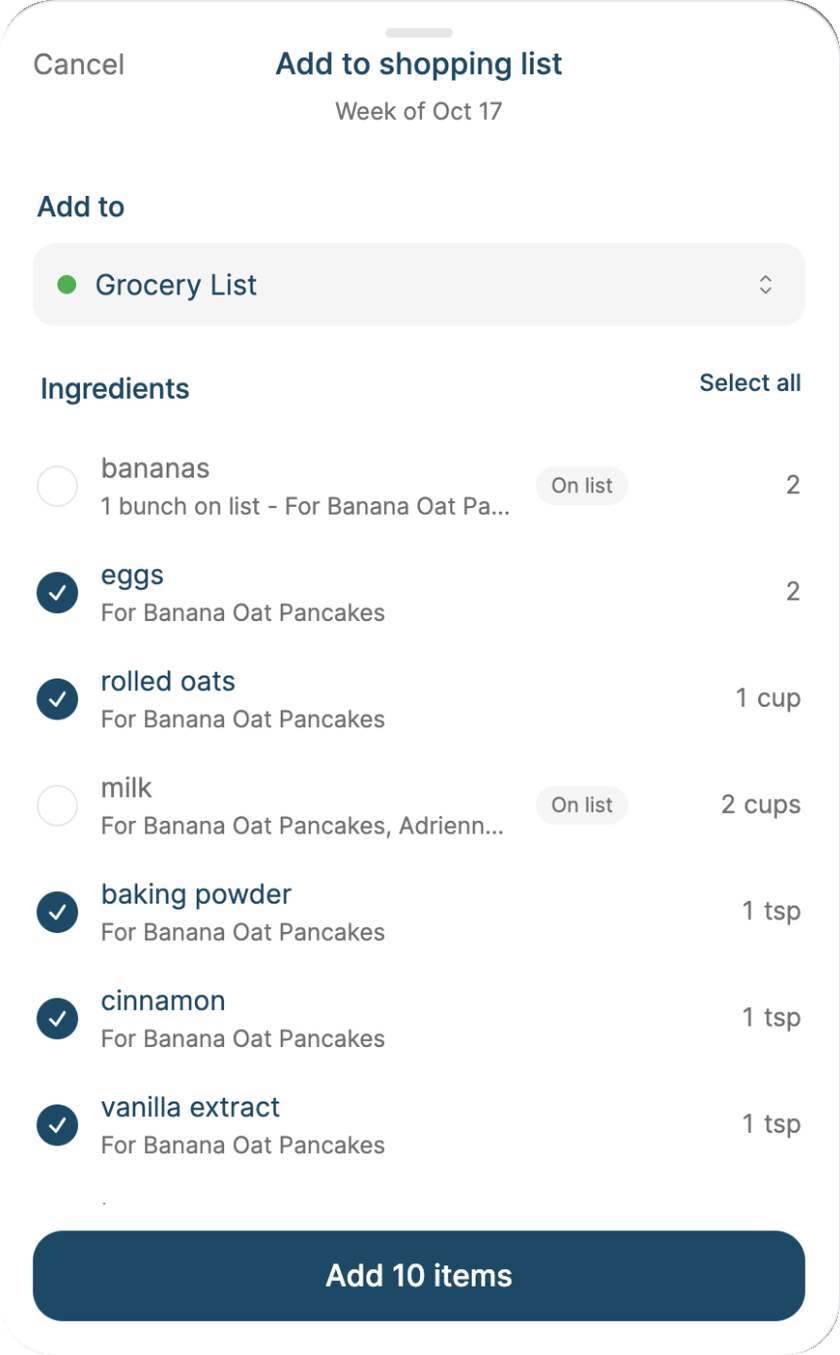
Milk for two recipes becomes one line. Bananas are already on the list.
Shop for the week's meals
Planned the week? Send every recipe's ingredients to your grocery list in one step, with the amounts already added up.
- Open the Meal Plan and go to the week you're shopping for.
- Tap the cart button (on the web, Shopping list).
- Check the list, uncheck anything you already have, and tap Add.
What Sense does for you
- Combines across recipes. Two recipes that both need milk become one "2 cups milk" line, with the recipes it's for listed underneath.
- Counts repeats. Tacos planned twice means two batches of tacos.
- Respects your list. Items already on the list are marked On list, and matching amounts are added to the existing line instead of a duplicate.
Meal planning is part of Premium.
Was this helpful?