Grandma asked for the recipe? Send her a link. Anyone can open it, read it, and print it - and if they use Sense, save a copy to their own recipe box.
Open the recipe and tap Share.
On the phone, pick how to send it - Messages, WhatsApp, email, or Copy. On the web, the link is copied for you.
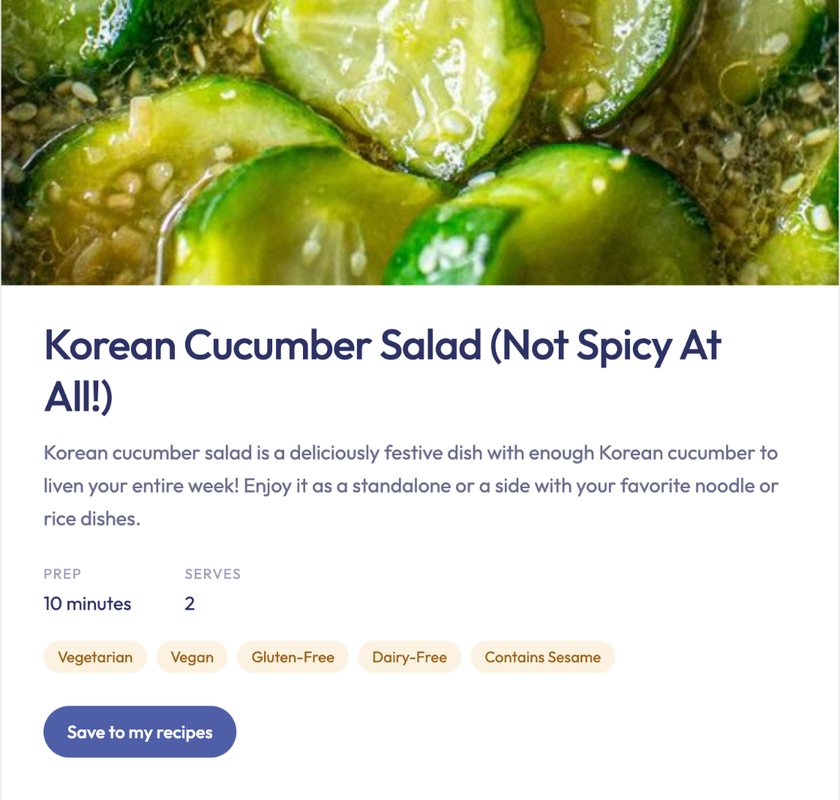
The person you sent it to opens a clean recipe page with the photo, ingredients, and steps.
Privacy
The link shows the recipe only - never your family, your notes, or anything else in Sense. Only someone with the link can see it.
Stop sharing
Changed your mind? On the phone, tap ... on the recipe and choose Stop sharing link. On the web, tap Share and then Stop sharing. The link stops working right away; sharing again makes a new one.