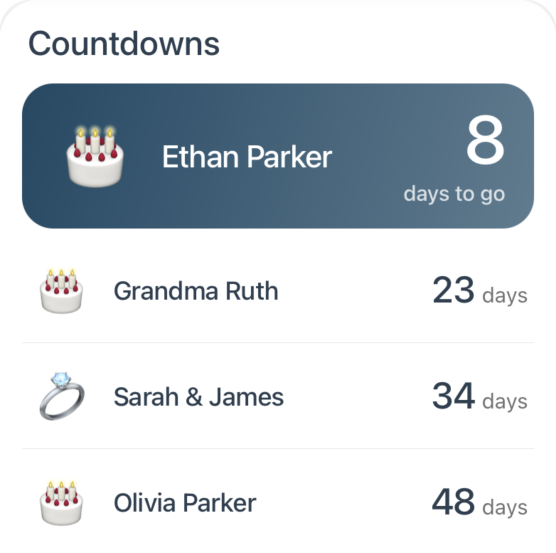
The next birthday gets the big card. The rest follow, soonest first.
The Countdowns widget shows the days left until the things your family looks forward to: the next trip, a birthday, an anniversary, or any event you choose. The soonest one gets a big card with its days to go. The rest are listed below it, soonest first.
Countdowns appear on the Today screen on a tablet and on Sense Hub. They don't show yet on a phone or on the web. Events you mark there still count down on any tablet or Hub in your family.
What counts down
Trips - automatically, from the first day of the trip.
Birthdays and anniversaries - automatically, from the Birthdays screen. Each one counts down to its next date, every year.
Events - only the ones you mark. A repeating event shows just its next occurrence.
Count down to an event
Create or edit an event.
Switch on Count down on Today.
Save. The event now shows Counting down on Today when you open it, and joins the Countdowns widget.
The event's family members show beside it in their colors. Tap any countdown to open the trip, birthday, or event.
Choose what it shows
On the tablet's Today screen, touch and hold any widget to start arranging, then tap the gear on Countdowns.
Count down to - turn trips or birthdays off if you only want the events you mark.
Look ahead - 1 month, 3 months, 6 months, or 1 year. Anything further out stays hidden until it's in range.
Highlight the next one - turn off the big card to show every countdown as a row.
Tap Done to save. If nothing is coming up within your look-ahead, the widget hides itself until something is.
Kids love watching the number drop. Mark the first day of summer break or a grandparent's visit and put the Hub where they'll see it every morning.