Quick Take
- Most ADHD-organizer guides treat voice input as the headline feature. Voice is fine. It is not the bottleneck.
- The thing that actually buries ADHD parents is not the thoughts they meant to capture. It is the school PDFs, camp emails, league schedules, and group-chat plans that arrive without warning and pile up faster than any human can process.
- The biggest ADHD win is a family system that does the intake for you. Forward the email; the events land on the calendar. Snap the flyer; the dates appear. Capture stops being a task because most events never required capture in the first place.
- What we have seen actually help: automatic email-to-calendar, a shared calendar that both partners can rely on, reminders that route to one parent instead of the whole family, named routines as external scaffolds, and an always-on display so the schedule lives outside your head.
The premise most ADHD family organizer apps get wrong
Open almost any "best ADHD family organizer apps" roundup and the headline feature is the same one: voice input. Speak the task. Skip the typing. Capture in the moment. The pitch is that ADHD brains lose ideas the instant they get distracted, and voice closes the gap between thought and entry.
That part is true. The problem is the assumption underneath it: that most of the chaos in an ADHD family's life starts as a thought in the parent's head.
In our experience, it does not. Most family chaos arrives from outside. A school sends a six-page newsletter at 7:47am with two new dates buried in paragraph four. The soccer coach emails a schedule change at 9pm Sunday. A camp confirmation lands with a packing list and a deposit deadline ten weeks out. A class WhatsApp pings forty-three times with a half-formed plan for a Tuesday playdate. The thoughts you would have spoken to your phone are a small fraction of the volume. The PDFs, emails, group chats, and flyers are the volume.
Voice input does not help with any of that. It is a beautiful capture tool for ideas that pass through your own attention. It does nothing for information that you never read in the first place.
Where the ADHD load actually comes from
If we draw a rough map of where family-coordination work originates, almost none of it starts as a personal note-to-self. The biggest sources, in our reading of where ADHD parents lose the thread, look like this:
- Long emails with a date buried inside. The school newsletter, the dance recital coordinator, the dentist confirmation, the orthodontist policy update. The actual date is one sentence in a forty-line wall of text. ADHD brains often will not finish the email.
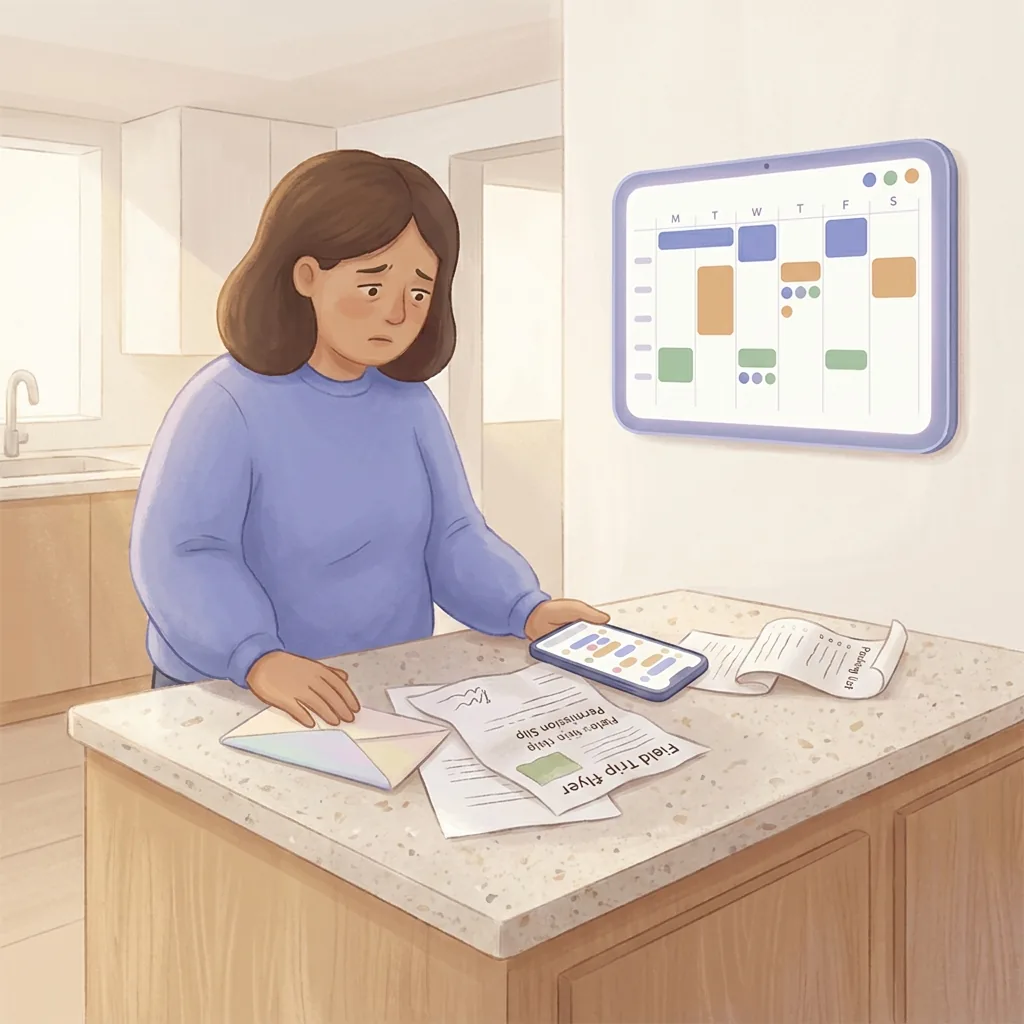
- PDFs and flyers from school. Picture day, spirit week, the field-trip permission slip, the supply list. Often handed to a kid who hands them to a parent who puts them on the kitchen counter where they live for nine days.
- Group chats with partial plans. The parent thread for the team, the class WhatsApp, the cousins thread. Forty messages to decide one Sunday afternoon. The decision usually does not make it into anyone's calendar.
- Verbal handoffs that never land. "Just so you know, Wednesday's gym day is moved to Friday this week." Said in a hallway. Heard by one parent. Re-told to the other parent. Forgotten by both.
- Activity portals that send no notifications. The town rec website with the swim schedule. The piano teacher's portal with the recital. The thing you only see if you log in voluntarily.
You can be the world's most diligent voice-capture user and still miss every single one of these. Capture is the wrong end of the funnel.
What an ADHD-friendly family calendar actually needs to do
If the input is mostly external and mostly textual, then the leverage point is upstream. The question is not "how do I get better at remembering to add things." It is "what can read these for me and add them on my behalf."
Five things, in the rough order we have seen them help:
1. Forwarded emails that turn into calendar events automatically
The single highest-leverage change for an ADHD family is making forwarding an email the only step you take with it. The school sends the spirit week schedule; you forward it to a shared address; the events land on the calendar. You do not have to finish reading the email. You do not have to extract the dates. You do not have to remember to do it later. The forward is the entire action.
This works for ADHD specifically because forwarding is a one-tap action with no decision tree. There is no "which list does this go in" or "what's the right title." The classifier and the calendar entry are someone else's problem.
For families where one parent's inbox is the firehose, the most useful version is an auto-forward rule on the school domain, the league domain, and the camp provider. The emails go to your family inbox; the family inbox forwards to the AI; the events appear on the calendar. The ADHD parent never sees any of it unless they want to.
2. Photo intake for the flyer that came home in a backpack
The kitchen-counter pile of papers is a uniquely ADHD failure mode. Each individual flyer takes ninety seconds to add to a calendar. Done one at a time, easy. Done in a stack of seven on a Sunday evening when you are already cooked, impossible.
A photo intake fixes this the same way email forwarding does: it collapses the action to one step. Snap the flyer when it comes out of the backpack. The dates are extracted. The pile never accumulates because nothing waits to be processed.
3. A shared calendar that means the load is not in one brain
When one parent has ADHD and the other does not, an unhealthy pattern often emerges. The non-ADHD parent becomes the default planner because they are the only one who reliably has the information. The ADHD parent then feels guilty for not contributing and the non-ADHD parent feels resentful for carrying everything. Both feelings are real, and they show up as one of the heaviest parts of the family mental load.
The fix is not to push the ADHD parent to remember more. The fix is to put the information somewhere both of you can see it without effort. A real shared calendar with auto-filled events means the non-ADHD parent stops being the keeper, and the ADHD parent stops being the recipient of "did you remember." Nobody is the keeper. The app is the keeper.
4. Reminders that go to the right parent only
One of the quieter mistakes generic family apps make is treating every reminder as a family-wide broadcast. Six people get pinged about a pickup that only one of them needs to do. Everyone ignores everything within a month.
For ADHD households the inverse is what works. The Wednesday pickup reminder goes to whichever parent is on duty Wednesday. Nobody else gets it. The non-on-duty parent does not have to filter the noise, and the on-duty parent gets a signal that means something. We built Sense to assign reminders to the responsible adult for exactly this reason.
5. Routines as external scaffolds, not as nagging
Mornings and bedtimes are the hardest hours of an ADHD family's day. Not because anyone is being lazy, but because transitions are where executive function taxes the most. The standard advice is "build a routine and be consistent." The honest version of that is "build a routine that does not require you to remember the sequence."
A named routine that lives on a kitchen tablet is a different beast from a chore checklist on a parent's phone. Kids can read it. The non-ADHD parent can glance at it. The ADHD parent does not need to issue every prompt verbally. The routine becomes a thing the room knows, rather than a thing one tired brain has to hold.
An honest take on what apps cannot fix
We are not going to pretend a family organizer is treatment. A few things to be straight about:
- An app does not replace medication, therapy, or coaching. If those are part of your plan, they remain part of your plan. The app is a scaffolding tool for the logistical layer.
- An app cannot make you open the email. What it can do is make the consequence of not opening it survivable. If the events were extracted on forward, the email itself is now optional reading.
- An app cannot fix an imbalanced partnership by itself. If one parent has been carrying the schedule for ten years, the muscle memory does not undo in a week. The shared calendar makes the asymmetry visible, which is the precondition for change. The conversation still has to happen.
- An app cannot replace a kid telling you something. Some information genuinely arrives verbally and someone has to write it down. Voice input helps here. We support it. It is just not the headline feature.
How Sense fits, for ADHD families
The reason we keep coming back to "less to capture" is that we built Sense around it. The two features we hear about most from ADHD parents are the ones that take the parent out of the loop:
- Forward an email to share@getsense.ai and the events land on your family calendar. School newsletters, camp confirmations, league schedules, dance recital details, dentist appointments. You forward; we read; the calendar updates. Both parents see it.
- Snap a photo of a flyer. Same outcome, different intake. The kitchen counter pile stops being a thing.
- One shared family calendar that both partners actually use. Reminders route to the parent on duty. Nobody is the keeper.
- Named routines instead of generic chore lists. Bedtime, After-School, Hockey Mornings. The routine lives where the family can see it, not in your head.
- An AI assistant that knows your family. Ask it what's on tomorrow, what to pack for Friday, what Maya needs for the field trip. It answers from your calendar, not a generic model.
- A hub display for the kitchen tablet. The day at a glance, on the wall, so the schedule lives outside any one person's brain.
Voice input is in there too. We are just careful not to pretend it is the cure. The cure, for the families we have watched, is the part where they stop having to capture in the first place.
What to set up in your first week
If you are an ADHD parent and you want a system that does most of the work without asking much of you, this is roughly the order we suggest:
- Set up email forwarding to your family inbox once. Add Sense's share address to the inbox. Five minutes total, then never again.
- Forward the next three emails that arrive from school, camp, or any activity. Watch them turn into events. The point is to build trust that this works before you commit to it as the default.
- Add your partner. Share the calendar. Both of you should be able to glance at the next seven days from the lock screen.
- Set up one routine. Pick the worst hour of your day - mornings, bedtime, after-school - and put the steps in a named routine. Put it on the kitchen tablet if you have one.
- Route reminders intentionally. Pickups, drop-offs, and appointments should go to one parent, not the whole family. Sense lets you assign them; assign them.
- Skip the to-do app rebuild. If you already have a system for personal to-dos that works, do not replace it. Family logistics and personal tasks are different problems. Solve the family one first.
That is roughly the configuration that, in our experience, takes a chaotic ADHD-household week and makes it survivable. Not perfect. Survivable. Then you adjust from there.
The bottom line
If you have been told the answer to ADHD family chaos is "use voice input," that advice is not wrong, it is just small. The real win is upstream. Most of the events that bury an ADHD parent never required a moment of personal attention to capture. They were in the email already. They were on the flyer already. They were in the group chat already. The right tool is the one that handles them without you.
You do not need to become a better organizer. You need fewer things to organize. That is the framing that actually fits an ADHD brain.
Try a family organizer built around doing the intake for you
Sense reads forwarded emails and snapped flyers, fills your shared family calendar, routes reminders to the right parent, and lives on a kitchen tablet as a hub display. Free to start, no credit card.

Scan to get started


Related reading: How Sense reads your emails · The mental load of family coordination · Getting your partner to help with scheduling · Best family calendar apps 2026